Apple AI Photo Editing Tools Coming to iPhone, iPad and Mac: Extend, Enhance, Reframe and Clean Up Explained
Apple has spent years developing the technology behind the iPhone camera, resulting in excellent photos. However, its editing tools have been basic, especially when compared to the AI-powered options from Google Pixel and Samsung Galaxy. This is about to change.
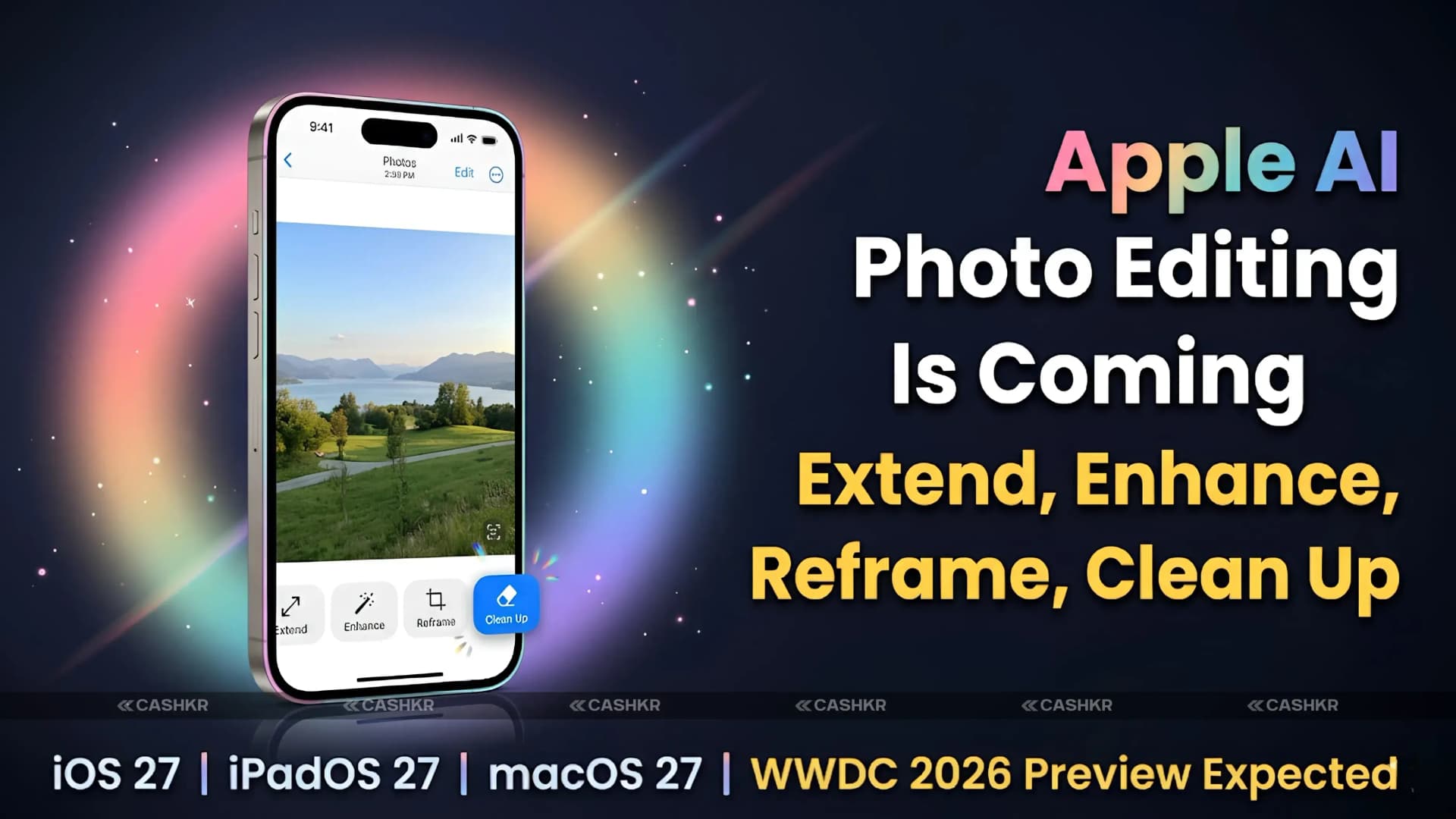
Reports say Apple is working on new AI photo editing tools for iOS 27, iPadOS 27, and macOS 27. The Photos app will get a new Apple Intelligence Tools section with four features: Extend, Enhance, Reframe, and an improved Clean Up tool. Apple is expected to preview these at WWDC 2026, with a public release later that year.
Apple AI photo editing is not a small addition. These four tools, if they deliver on what the reports describe, would give iPhone users editing capabilities that currently require third-party apps or switching to Android alternatives. Here is a complete explanation of what each tool does, how it compares to what competitors already offer and what the reported development challenges mean for the actual release timeline.
Apple AI photo editing tools reported for iOS 27, iPadOS 27 and macOS 27: Extend (AI image expansion beyond original frame) | Enhance (automatic lighting, colour and clarity improvement) | Reframe (perspective and depth adjustment after capture) | Clean Up (improved object removal and background reconstruction) | WWDC 2026 preview expected | Public rollout later in 2026 | Extend and Reframe face reported reliability issues | Phased release possible
Apple AI Photo Editing: The Four New Tools in the Photos App
Apple is adding a dedicated Apple Intelligence Tools section to the Photos app. Here is what each tool is expected to do:
Extend lets you use AI to add more background beyond the edges of a photo. For example, if your subject is centered but the sides are cut off, Extend fills in the missing parts with realistic background details. This helps you fix the composition after taking the photo, like turning a portrait into a landscape or restoring parts lost in a quick shot. Google Pixel and Samsung Galaxy already offer similar features, and now Apple is introducing its own version that works directly on your device.
Enhance is an AI-powered tool that improves lighting, color, and clarity in your photos. Unlike the old Auto Enhance, this new version uses Apple's AI to make smarter, more specific changes based on each photo's needs. For example, a dark indoor shot, a bright outdoor photo, and a hazy landscape will each get different, tailored adjustments instead of a one-size-fits-all fix.
Reframe lets you change the perspective and depth of a photo after you take it. You can fix tilted angles, move subjects within the frame, and use the iPhone's depth data to keep everything looking natural. This goes beyond simple cropping or straightening, and it works thanks to the depth information captured by the iPhone's cameras.
Clean Up, which is already in iOS 18, lets you remove unwanted objects from photos. The new version in iOS 27 is expected to be much better, handling tougher cases like removing people from busy backgrounds, power lines from the sky, or cars from streets. The AI will also do a better job filling in the background, making the edits look more natural and less noticeable.
Apple AI Photo Editing vs Google Pixel and Samsung Galaxy: How Apple Compares
Apple AI photo editing is arriving later than comparable features on the two dominant Android platforms. Google Pixel has had Magic Eraser since 2021. Samsung Galaxy's AI editing suite, Galaxy AI, launched in 2024. Here is the honest comparison:
Feature
Apple (iOS 27 – Expected)
Google Pixel
Samsung
AI Photo Expansion
Extend (coming in iOS 27)
Magic Eraser Expand
AI Outpainting
Auto Enhance
Enhance (coming in iOS 27)
Photo Unblur
Generative Edit
Perspective Fix
Reframe (coming in iOS 27)
Not available
Remaster
Object Removal
Clean Up (improved)
Magic Eraser
Object Eraser
On-device AI
Yes (Apple Silicon NPU)
Yes (Tensor NPU)
Yes (Qualcomm NPU)
Privacy Approach
Fully on-device, no cloud upload
Limited cloud usage
Mix of on-device and cloud
Availability
Not available yet (expected late 2026)
Available now
Available now
The comparison shows two main points. First, Apple is late to these features, as Google Pixel and Samsung Galaxy users have had them for a while. Second, Apple stands out by processing edits entirely on the device, which keeps your photos private. In contrast, Google and Samsung use both on-device and cloud processing for their AI editing tools.
Apple also benefits from the depth data collected by its dual- and triple-camera systems. Tools like Reframe use this depth information for perspective fixes, something made possible by Apple's control over its hardware. Many Android phones without similar depth mapping can't offer the same depth-aware editing.
With Apple AI photo editing, all changes happen directly on your iPhone using the Neural Engine, so your photos never leave your device. This follows Apple's Privacy by Design principle. In contrast, cloud-based editing tools upload your photos to servers, which can raise privacy concerns. For anyone with sensitive photos, Apple's on-device approach is a real benefit.
The Reliability Issue: Why Some Tools May Be Delayed
Reports note that Extend and Reframe are having reliability problems in Apple's internal tests. These tools aren't yet giving accurate results across enough different photos and situations to meet Apple's standards.
This is important because Apple usually waits to release features until they are fully ready, instead of launching them unfinished. For example, Vision Pro launched without some expected features, and some Apple Intelligence tools announced at WWDC 2024 were delayed. Apple prefers to release fewer features at a higher quality, rather than many features that aren't consistent.
This means Apple might announce all four tools at WWDC 2026, but not release them all at once. Enhance and improved Clean Up, which are less complex, could be available when iOS 27 launches. Extend and Reframe, which are more advanced, might come later in iOS 27 updates once the AI models are reliable enough.
These features are based on reports and have not been officially confirmed by Apple. All information comes from sources ahead of WWDC 2026. Apple will announce the final list of features, names, and release dates at WWDC 2026, and some details may change before then.
Which Devices Will Support Apple AI Photo Editing
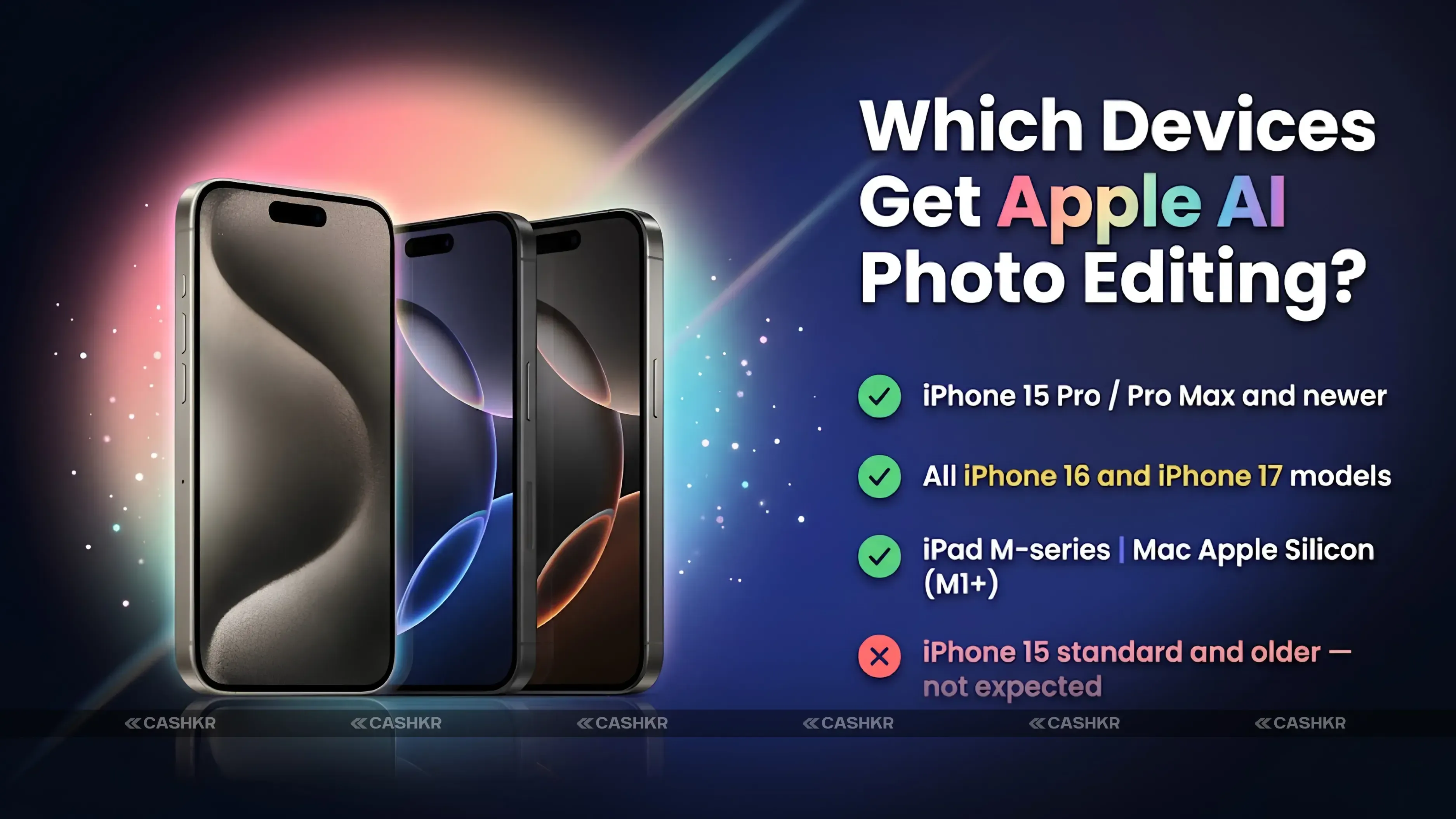
Apple Intelligence features in iOS 18 are needed at least on an iPhone 15 Pro or any iPhone 16, since they rely on the A17 Pro chip or newer for on-device processing. The new AI photo editing tools in iOS 27 are expected to have similar hardware requirements.
Based on these requirements, iPhone 15 Pro, iPhone 15 Pro Max, all iPhone 16 models, and all iPhone 17 models are expected to support Apple AI photo editing. Standard iPhone 15 and older models probably won't get the new tools because their Neural Engine isn't powerful enough.
For iPads, models with M-series chips like the iPad Pro M4 and iPad Air M2 or newer should get these features. For Macs, all models with Apple Silicon from M1 and up are expected to be compatible.
The full list of supported devices will be confirmed by Apple at WWDC 2026 when they announce the official iOS 27 compatibility details.
Apple AI Photo Editing and the Broader Apple Intelligence Strategy
Apple AI photo editing is part of a bigger effort to make Apple Intelligence helpful for everyday creative tasks, not just for productivity or communication. Earlier features in iOS 18 focused on writing tools, Siri upgrades, and notification summaries, which were useful but not visually impressive.
Photo editing is an area where AI can make a clear and instant difference for most iPhone users. Anyone who takes photos knows the value of fixing a bad crop, removing someone from a group shot, or bringing out details in a dark photo. These are things almost every iPhone user can relate to.
Adding Extend, Enhance, Reframe, and the improved Clean Up to the Photos app helps Apple catch up with competitors. Many iPhone users are surprised when they see Android features like Magic Eraser or Generative Edit. With these new tools, Apple is closing the gap and matching what Google Pixel and Samsung Galaxy already offer.
Reframe's depth and spatial features are important for Apple's future plans in spatial computing. Since iPhones capture depth data with every photo, using it for AI editing helps users get used to spatial photography, which ties into products like Vision Pro and Apple's broader spatial computing ecosystem.
Final Verdict
These four new Apple AI photo editing tools are the biggest update to the Photos app since Portrait mode and Smart Albums. With Extend, Enhance, Reframe, and the improved Clean Up, iPhone users will have a built-in AI editing suite that matches or even beats what Google Pixel and Samsung Galaxy offer.
Apple plans to preview AI photo editing in iOS 27 at WWDC 2026, so that's the key date to watch. Due to reliability issues with Extend and Reframe, not all tools may launch simultaneously. However, Apple usually waits until features are truly ready, so when these tools arrive, they should compete well with Android's best. We'll know more after the WWDC 2026 keynote in June.
In summary: Apple AI photo editing is coming to iOS 27, iPadOS 27, and macOS 27 with four new tools—Extend, Enhance, Reframe, and an improved Clean Up. A preview is expected at WWDC 2026. Extend and Reframe may be delayed due to reliability issues. All edits happen on your device for privacy. You'll need an iPhone 15 Pro or newer, or an M-series iPad or Mac. None of this is confirmed until Apple's WWDC 2026 event.
FAQs
1. What Apple AI photo editing tools are coming to iPhone?
Reports indicate four Apple Intelligence photo editing tools coming to iOS 27: Extend (expands images beyond the original frame using AI-generated background), Enhance (automatically improves lighting, color, and clarity), Reframe (adjusts perspective and repositions subjects using depth data) and an improved Clean Up tool with better object removal and background reconstruction.
2. When will Apple AI photo editing be available?
Apple is expected to preview the tools at WWDC 2026 with a public rollout later in 2026 as part of iOS 27, iPadOS 27, and macOS 27. Some features, particularly Extend and Reframe, may be released later as point updates due to reported reliability challenges in development.
3. What is the Extend tool in Apple Photos?
Extend uses AI to generate additional background content outside the borders of an existing photo. It allows users to expand the frame of a cropped or tightly shot image by filling in the missing edges with plausible AI-generated content. Similar functionality exists on Google Pixel as Magic Eraser Expand and on Samsung Galaxy as Generative Edit.
4. What is the Reframe tool in Apple Photos?
Reframe allows users to adjust a photo's perspective after it's taken, reposition subjects within the frame, and use depth data captured by iPhone cameras to make smarter compositional edits. It uses depth information from the iPhone's dual- and triple-camera systems to enable perspective correction and subject repositioning that preserve natural proportions.
5. How is Apple AI photo editing different from what Google Pixel and Samsung Galaxy offer?
The core editing capabilities are similar in concept, but Apple's implementation processes images entirely on the device using the Apple Silicon Neural Engine. This means photos are never uploaded to a cloud server during editing, which is Apple's privacy-by-design approach. Google and Samsung use a mix of on-device and cloud processing. Apple also uses the iPhone's depth camera data for Reframe, a hardware-enabled differentiator.
6. Which iPhones will support the new AI photo editing tools?
Based on Apple's intelligence hardware requirements established in iOS 18, iPhone 15 Pro, iPhone 15 Pro Max, and all iPhone 16 and iPhone 17 models are expected to support the new AI photo editing tools. Standard iPhone 15 and older models are unlikely to be compatible due to Neural Engine performance requirements. Exact device lists will be confirmed at WWDC 2026.
7. Why are Extend and Reframe facing reliability issues?
Reports indicate that neither tool is yet producing consistently accurate results across a wide range of photos in internal Apple testing. Generative AI tools that create new image content, like Extend, and depth-aware spatial tools like Reframe, require more complex AI model capabilities than enhancement or removal tools. Apple typically holds back features that do not meet its quality standards rather than releasing them incomplete.
8. Will Apple AI photo editing come to Mac as well?
Yes. The tools are reported for macOS 27, iOS 27, and iPadOS 27. Mac models with Apple Silicon chips (M1 and newer) are expected to be compatible. The Photos app on Mac would receive the same Apple Intelligence Tools section as the iPhone and iPad versions.
9. What is the improved Clean Up tool expected to do differently?
The existing Clean Up in iOS 18 can remove objects from photos, but sometimes produces visible artifacts or unrealistic background fills. The iOS 27 improvement is reported to handle more complex removal scenarios more accurately, including crowded backgrounds, power lines, and vehicles, with more seamless and natural background reconstruction after the removed object is filled in.
10. Are these Apple AI photo editing features officially confirmed?
No. Apple has not officially announced any iOS 27 features. All details come from reports published ahead of WWDC 2026. Apple will confirm the actual features, names, device compatibility, and release timing at the WWDC 2026 keynote. Some reported features may change, be renamed, or have release timelines different from those currently reported.
If you want to sell your old devices then, click here.
 Yaskar Jung ShahUpdated: Aug 1, 2026·15 min read