Top 5 Google Gemini AI Photo Editing Prompts for 2026
 Yaskar Jung ShahUpdated: Aug 12, 2026·11 min read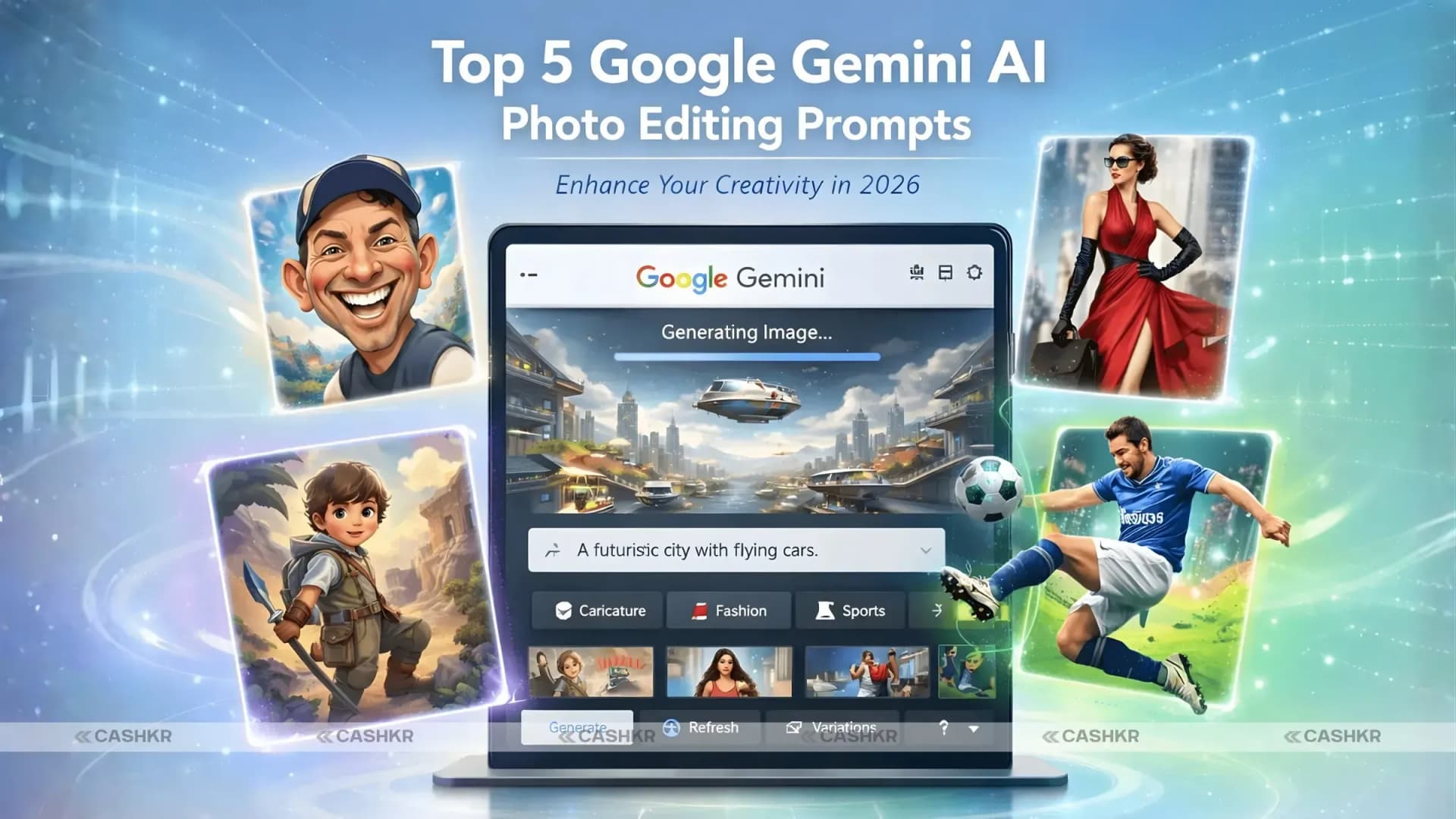
Top Google Gemini AI photo editing prompts to boost creativity

Get the Cashkr app for faster payouts

By 2026, AI tools like Google Gemini will transform the way we take and edit pictures. Anyone can produce amazing visuals in seconds with features like Gemini Nano Banana and Gemini 3 Pro. Google Gemini helps you make great pictures, whether you're a photographer, a content maker, or just interested in digital art.
This guide covers the top 5 Google Gemini AI photo editing prompts. With these, you can create 3D caricatures, sports posters, and artistic portraits using Gemini’s advanced AI features.
Google Gemini is a modern AI platform made to improve your photo editing. It acts as a creative partner, helping you bring your ideas to life. Its easy-to-use interface and strong AI features make editing simple and enjoyable, so you can quickly create content that stands out on Instagram.
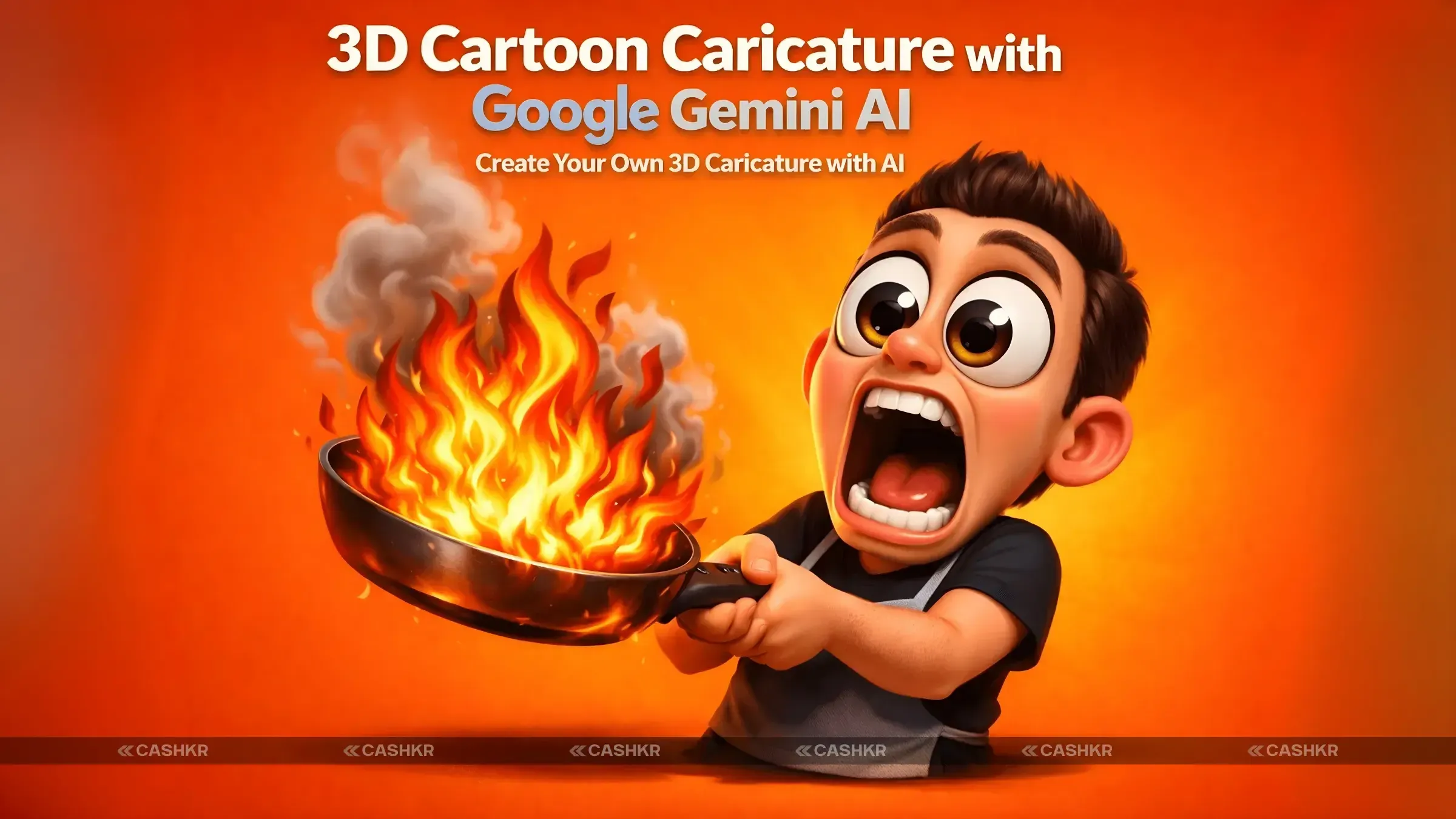
Making a 3D caricature is a fun way to turn your portrait into something unique. This Google Gemini prompt creates a Pixar-style 3D image with bold features and playful expressions.
“Create a 3D digital caricature of me holding a burning frying pan, rendered in a highly stylized and exaggerated cartoon form. My facial expression is extremely expressive, with wide-open eyes and a dropped jaw, showing intense shock. The character has grotesque, exaggerated proportions, but the overall art remains clean and polished. The frying pan should be engulfed in bright, stylized flames with visible smoke, and the background should be a solid, vibrant orange to create strong contrast.”
This prompt creates a funny, dramatic image that looks polished but still keeps its cartoon charm.
For those interested in high-fashion editorial portraits, Google Gemini can create surreal, artistic images with a clean, conceptual design. This is perfect for creating fashion magazine-style images or unique, artsy portraits.
“Create a high-fashion, editorial-style portrait of me sitting cross-legged in a room completely covered with black-and-white newspaper pages. The person should be centred in the frame, wearing bold red pants, red sneakers, and a black-and-white checkered jacket, with a dramatic expression of shock. The background should be minimalist, with soft lighting and a symmetrical composition.”
This prompt yields a cinematic, editorial portrait, perfect for Instagram or portfolio work, that gives the subject a modern, conceptual look.
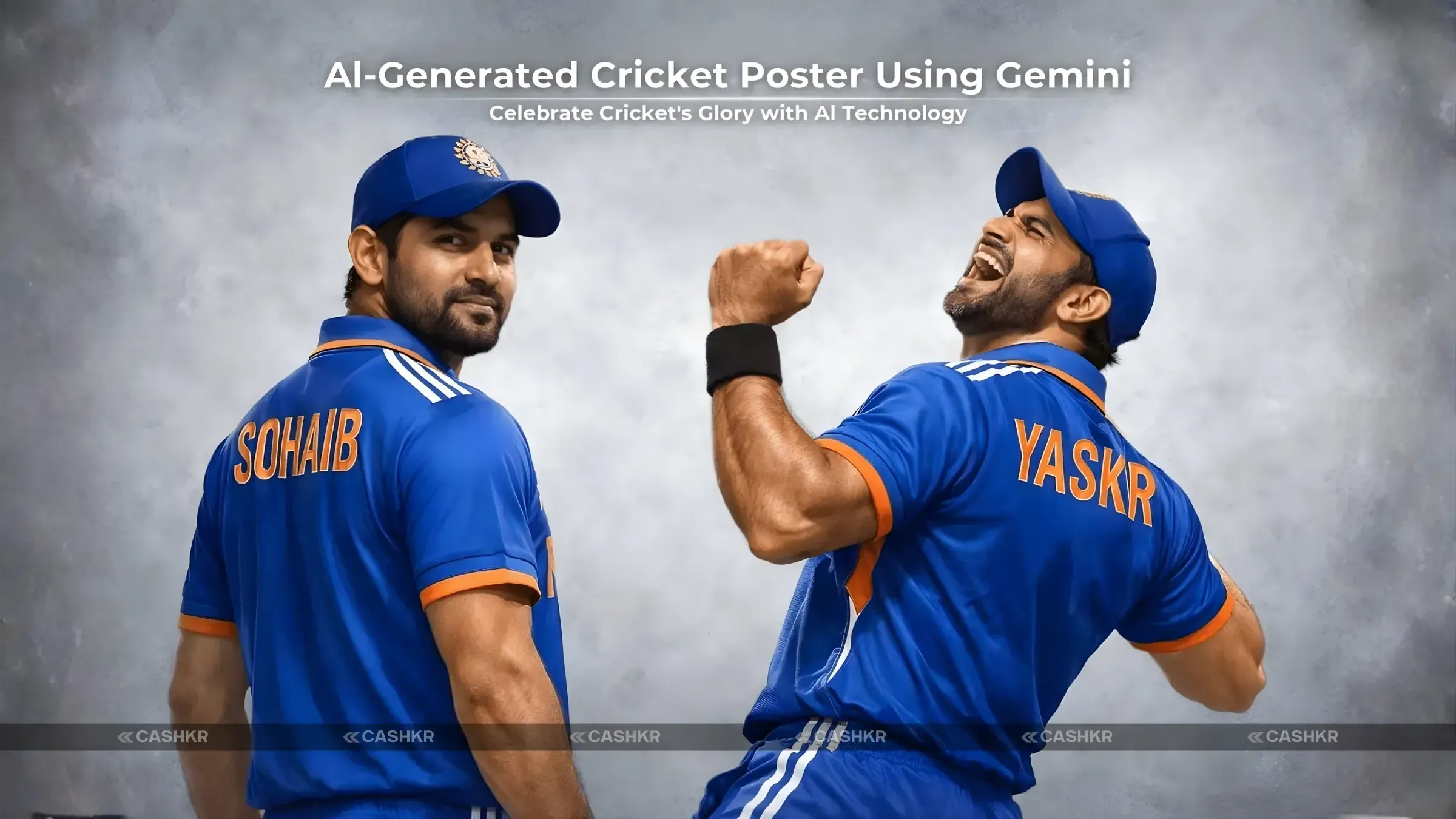
Making a sports poster with Google Gemini is a terrific way to show your appreciation for sports if you or someone you know likes cricket. This prompt makes a really realistic cricket poster with a moving pose that fans will love.
"Make a very realistic sports poster of a cricketer wearing the India blue team jersey." The player is standing up straight and looks a little bit at the camera. The word "Sohaib" is inscribed on the back. A second dynamic position of the cricketer in the foreground shows him celebrating with a clenched fist. The background should be light gray with a rough texture and a few things that draw the eye away from the cricketer.
This prompt is perfect for sports lovers, as it combines photorealism with clean graphic design to create a professional sports poster look.
Also Read: Top 5 Phone Selling Apps: Which Offers the Best Deals?
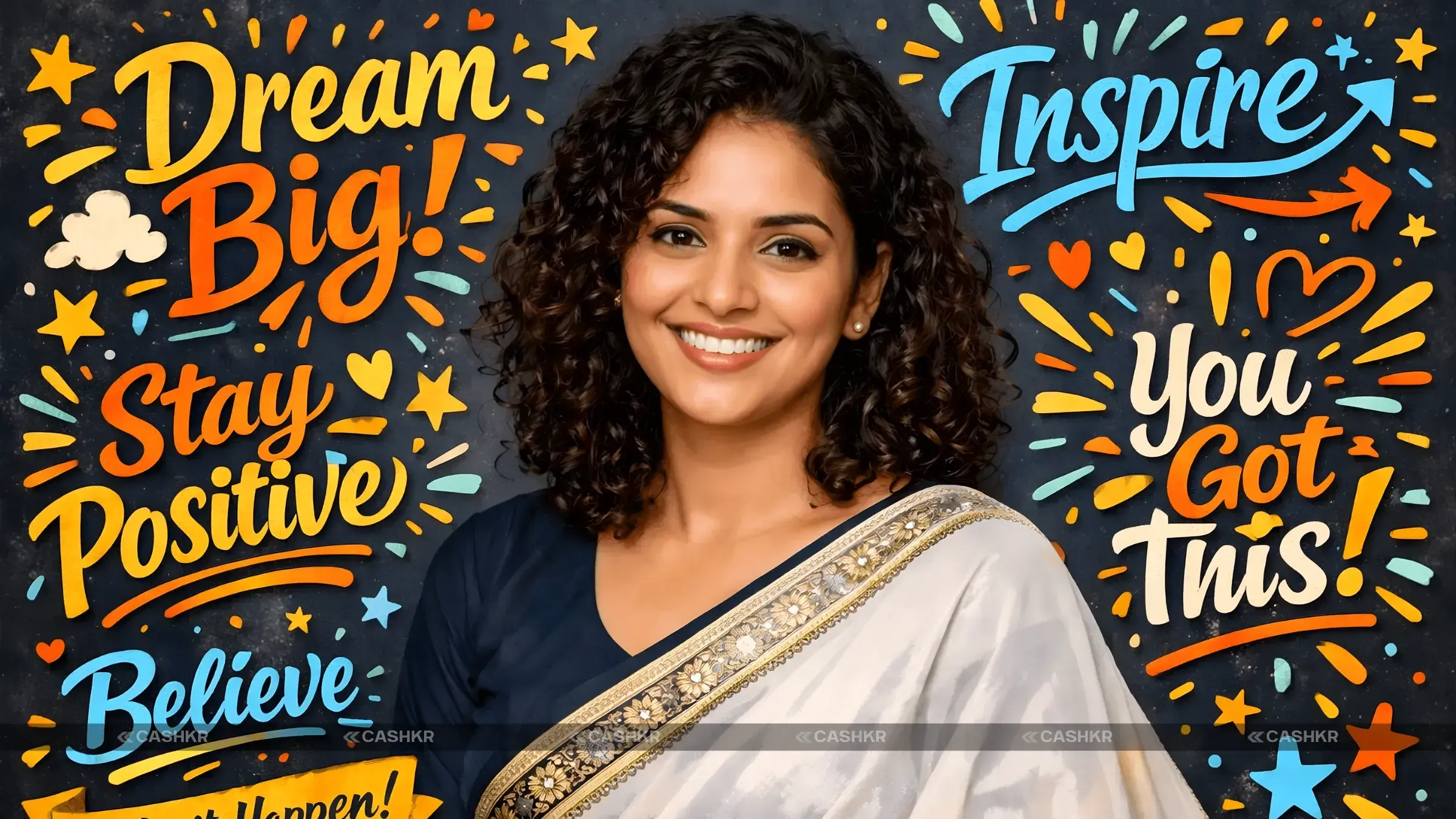
If you want both realism and creativity, Google Gemini can help you make beautiful digital portraits in a semi-realistic style. This is great for personal branding, social media, or creative projects.
“Create a semi-realistic digital illustration of a smiling young woman with curly hair, wearing a dark navy blue blouse and a white saree with a traditional patterned border. The background should be filled with colorful, hand-drawn motivational typography such as ‘Dream Big’ and ‘Inspire’. The overall style should be a combination of realistic portraiture and vibrant scrapbook art.”
This prompt gives you a creative, expressive portrait that mixes realistic details with artistic style, making it perfect for motivational projects.
Also Read: What Happens After You Sell Your Phone at Cashkr?
Google Gemini may make a trendy portrait with a sleek, current vibe for automobile lovers or anyone who likes automotive street fashion. This picture shows a person in front of a BMW sports car. It's perfect for people who want to blend fashion and automotive culture in a single picture.
"Make a street-style picture of a young man standing in front of a neon-yellow BMW sports car with confidence. For a cool, casual style, he should wear a black BMW racing jacket, loose black slacks, and white sneakers. The car behind him should have a sporty look with black accents. The overall look should be current, high-end, and striking, with a street fashion flair.
This prompt yields a dynamic, high-fashion automotive portrait that captures the essence of modern street style and luxury cars.

Also Read: 5 Ways to Celebrate an Eco-Friendly Diwali: Cashkr!
Google Gemini can save you a lot of time when editing photos with AI. With the right AI instructions, users can easily turn this picture into a beautiful image without making many changes themselves. Google Gemini AI can quickly give you high-quality results thanks to its efficient prompts. This makes it perfect for generating content quickly.
Google Gemini boosts creativity by offering a wide range of artistic possibilities. The platform's advanced AI algorithms allow users to experiment with various styles and concepts, fostering innovation in AI photo editing. By using Google Gemini AI, creators can explore new visual horizons and unlock their full creative potential, especially as new trends emerge.
With Google Gemini, it's easy for people to make professional-looking images. Google Gemini has all the tools and features you need to make a 4K HD portrait or a movie scenario. Anyone can make high-quality material that is good for professional portfolios and client projects if they learn how to use AI prompts well.
With its powerful AI capabilities, Google Gemini continues to set new standards in photo editing. Whether you’re creating 3D caricatures, editorial fashion portraits, or sports posters, Gemini offers the flexibility to generate stunning images that meet a variety of creative needs.
With these top 5 Google Gemini AI photo editing prompts, you can:
Experiment with unique styles and concepts
Create high-quality visuals for personal or professional use.
Save time while enhancing creativity.
As AI-generated imagery becomes more mainstream, Google Gemini will continue to empower creators to produce high-quality content effortlessly.
1. What makes Google Gemini AI different from other photo-editing tools?
Google Gemini AI is different because it understands prompts well and offers deep customization. Unlike basic editing tools, Gemini can make highly stylized and realistic images in many styles. It handles lighting, depth, textures, and artistic direction better, so your images look more professional.
2. Can I create 3D caricatures with Google Gemini?
Yes, Google Gemini is great at making 3D caricatures. It can create cartoon-like but realistic 3D models with bold facial features, expressive emotions, and smooth textures. This is perfect for profile pictures, avatars, and creative illustrations with a fun, modern style.
3. How can Google Gemini help with sports-themed photo editing?
Google Gemini can create high-impact sports-themed images by turning ordinary photos into dramatic sports posters. You can generate visuals featuring athletes in action poses, motion effects, stadium backgrounds, cinematic lighting, and professional typography—perfect for promotional posters or fan art.
4. Can I use Google Gemini for social media content creation?
Absolutely. Google Gemini is a strong tool for making social media content. It can create eye-catching portraits, creative illustrations, thumbnails, and posts that stand out on Instagram, X, and LinkedIn. This helps you keep a consistent look and boost engagement.
5. Is Google Gemini beginner-friendly?
Yes, Google Gemini is made for beginners. Even if you have no design or editing experience, you can make high-quality images with simple prompts. Its easy interface and smart AI make it simple to get professional results with little effort.
6. Does Google Gemini support various art styles?
Yes, Google Gemini supports many art styles. You can make realistic, semi-realistic, cartoon, 3D, and even abstract images. This flexibility makes it great for artists, marketers, and casual users.
7. Can I upload my own reference images for better results?
Yes, Google Gemini lets you upload reference images. By adding a reference photo, you help the AI understand your preferred look, colors, composition, or style. This way, the results match what you want.
8. Can I create a portrait with Google Gemini?
Yes, Google Gemini is an excellent tool for photographing people. It can create both realistic and stylized portraits with accurate details, authentic skin tones, and lighting that makes the subject look more emotive. This makes it great for branding, profile pictures, and creative endeavors.
9. How can I generate a sports poster using Google Gemini?
To generate a sports poster, you need to write a detailed prompt. Describe the athlete, their pose, the sport, background elements, lighting style, and mood. Google Gemini then uses this information to create a professional-looking sports poster with dynamic energy and visual impact.
10. How do I get started with Google Gemini?
Getting started with Google Gemini is easy. Open the Gemini app, choose Nano Banana mode, upload your photo if you want, and paste your editing prompt. The AI will process your input and make your image in seconds.
If you want to sell your old devices, then click here.
Sell with Cashkr
Cashkr buys used devices at a fair price with free doorstep pickup and same-day payment across 2,000+ pincodes. Get an upfront quote in seconds.
Sell Old Phone OnlineCheck your phone's value in seconds
Written by
Best camera phones 2026 — ranked for every type of shooter.
Xiaomi HyperOS update 3.1 : Check the full list of eligible devices.

Reduce e-waste by selling old devices responsibly with Cashkr.