How to Create & Remove Multiple WhatsApp Accounts on iPhone
 Yaskar Jung ShahUpdated: Aug 6, 2026·11 min read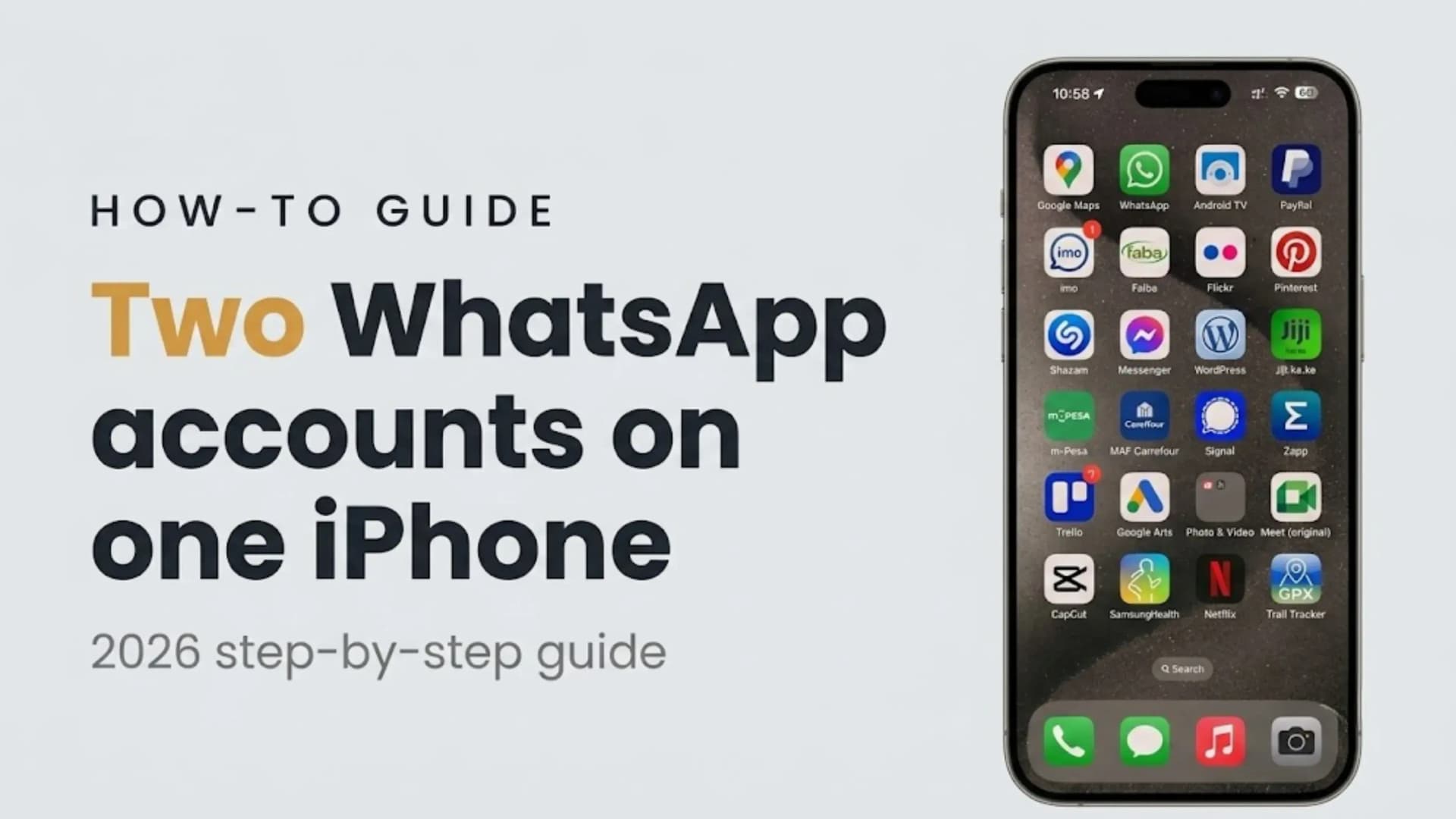
Learn how to add, switch & remove two WhatsApp accounts on one iPhone.

Get the Cashkr app for faster payouts

WhatsApp Multi-Account: Two accounts on one iPhone | Separate chats, settings and profiles | Independent privacy and notification preferences | Requires two phone numbers | Official built-in feature | No third-party apps needed | Available on the latest WhatsApp version | Free to use
Use two WhatsApp accounts on one iPhone.
Switch between accounts without logging out.
Separate profile photo for each account
Individual privacy settings
Different notification preferences
Separate About information
Receive messages and calls on both accounts.
Even when an account is idle, WhatsApp keeps delivering notifications for its incoming messages and calls, so you never miss anything on either number.
An iPhone running the latest version of WhatsApp
A second mobile number
A verification code sent by SMS or phone call
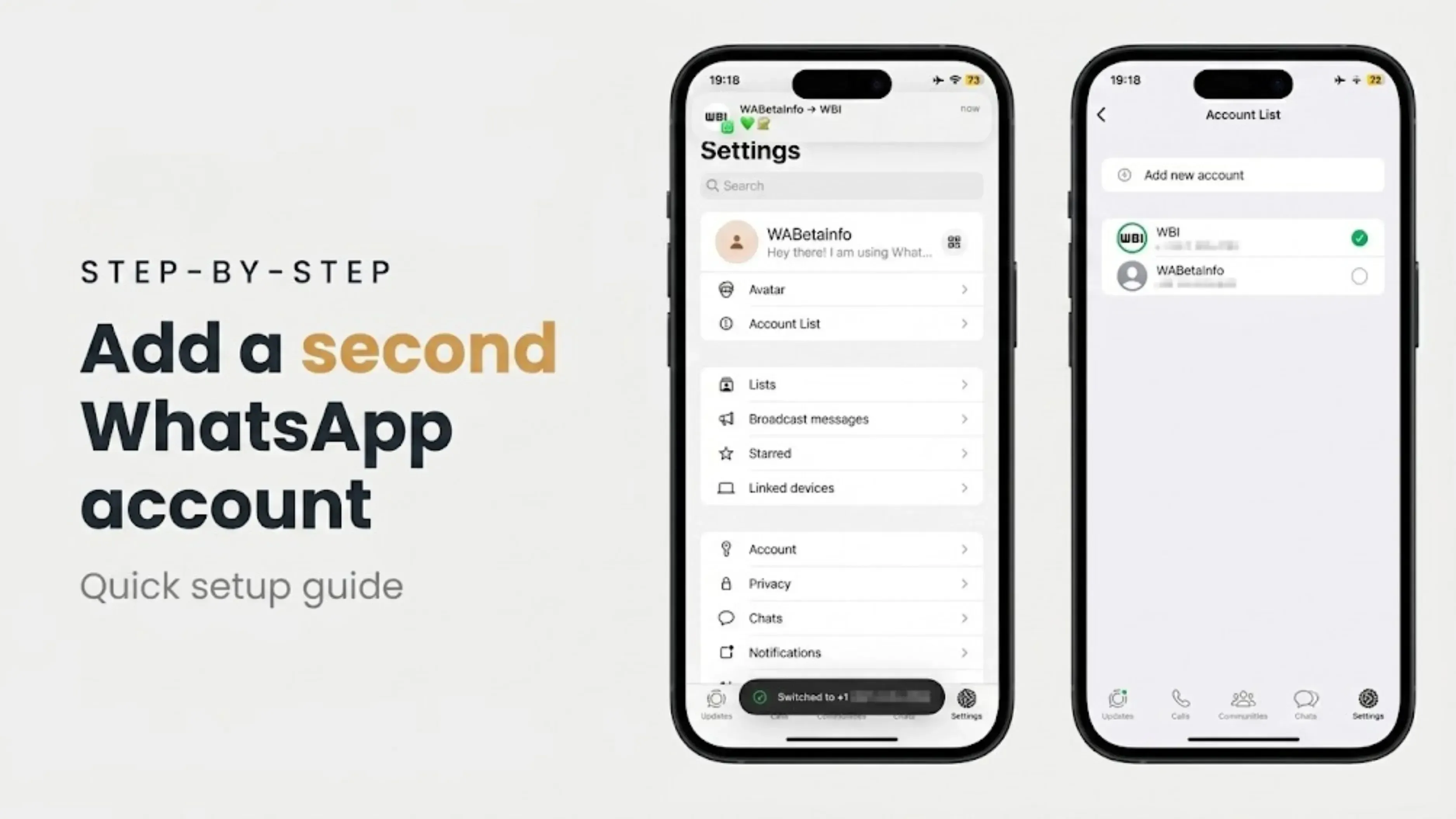
Open WhatsApp.
Go to Settings.
Tap your profile section at the top.
Select the account you want to use.
Bottom Line: You can now run two WhatsApp accounts on a single iPhone. Each account has its own number, chats, profile and privacy settings. Switch now without logging out. Both accounts get notifications. no delete, remove logs out; Delete means delete. Needs 2 telephone numbers. You need the latest version of WhatsApp. No third-party apps needed.
1. Can I really use two WhatsApp accounts on one iPhone?
Yes. WhatsApp now officially supports two separate accounts on a single iPhone, each with its own number, chats, and settings. You no longer need a second app or a second phone.
2. Do I need two phone numbers for dual WhatsApp accounts?
Yes. Each account needs a unique phone number, which can be a physical SIM, eSIM, or another supported mobile number that can receive a verification code.
3. How do I switch between my two WhatsApp accounts?
Open WhatsApp, go to Settings, tap your profile section at the top, and select the account you want. The switch is instant and does not require relogging in.
4. Will I get notifications for both accounts at the same time?
Yes. WhatsApp continues to deliver messages and calls to the idle account, too, so you receive alerts from both numbers even while using one.
5. Can I add a second account on any device?
No. A secondary account can only be created on your primary smartphone. You can link companion devices to it afterward, but switching between accounts only works on the phone.
6, What is the difference between removing and deleting a WhatsApp account?
This only logs you out of the current device but keeps your account, chats, and groups for you to use later. If you delete the account, it will permanently delete all message history, group memberships and backups.
7. Will I lose my chats if I remove an account from my iPhone?
Your account and chats stay safe and accessible when you log in again, but any messages not included in a backup at the time of removal can be lost, so back up first if they matter.
8. Why can’t I see the Add Account option?
Usually, this means WhatsApp or iOS is out of date, or that the feature hasn't rolled out in your region yet. Update both the app and your iPhone, then check again.
9. My verification code is not arriving. What should I do?
Check your network, make sure the number and country code are correct, and request a phone call instead of SMS if the text does not come through.
10. Is it safe to use two WhatsApp accounts this way?
Yes. It is a built-in feature of WhatsApp,, so there is no risk of getting banned like with third-party cloning apps. But remember not to switch accounts between devices too frequently, because too many verifications can lead to temporary restrictions.
If you want to sell your old devices, then click here.
Sell with Cashkr
Cashkr buys used devices at a fair price with free doorstep pickup and same-day payment across 2,000+ pincodes. Get an upfront quote in seconds.
Sell Old Phone OnlineCheck your phone's value in seconds
Written by
Google Find My Device guide, locate your phone in minutes.
Recycle old devices in India and earn instant cash today
Learn how to sell refurbished devices online and maximize profit.
Prepare smartphones for resale & sell old phones easily with Cashkr.
Support the circular economy by selling old phones on Cashkr today.
Reduce e-waste by selling old devices through Cashkr’s eco-friendly process.


