Sanchar Saathi IMEI Check: How to Verify Your Phone Before Selling
 Yaskar Jung ShahUpdated: Sep 29, 2026·12 min read
Sanchar Saathi IMEI check before selling: free, takes 2 minutes.
- What IMEI Is, and Why It Decides Whether You Can Sell
- Step 1: Find Your IMEI
- Step 2: Check the IMEI Status - Two Free Official Methods
- Step 3: What the Result Means
- Step 4: Two Other Locks Worth Checking
- Step 5: The Account Lock That Actually Stops Most Sales
- Pre-Sale Checklist
- Sharing a Clean Result With Buyers
- Selling to Us
- FAQs
How to Check Your IMEI Status Before Selling Your Phone in India
If a phone's IMEI has been blocked as lost or stolen, no SIM will work in it on any Indian network. No calls, no messages, no data, on any operator. The phone can be immaculate and still be worth almost nothing.
Checking your IMEI status takes about two minutes, and the government provides a free way to do it. There is no reason to sell without doing it, and one reason it matters more than most sellers realise: if the IMEI is flagged, the sale fails at the door regardless of the quote you were given.
Disclosure: Cashkr is our own device buyback platform. We buy used phones and we check IMEI on every device, so this is a step we benefit from you completing before pickup. The check itself is free and run by the government nothing here depends on selling to us.
How this guide was made: The portal details and verification methods below were confirmed against the Government of India's CEIR service on the Sanchar Saathi platform, operated by the Department of Telecommunications, in September 2026. Links at the end.
What IMEI Is, and Why It Decides Whether You Can Sell
IMEI stands for International Mobile Equipment Identity: a 15-digit number unique to every phone made. No two devices share one.
In India, operators and the Department of Telecommunications use it to control network access. When a phone is reported lost or stolen, its IMEI is blocked centrally not by one operator, but across all of them. That is why a blocked phone cannot be rescued by switching SIMs or networks.
For a seller, the check does two things: it confirms the phone is sellable at all, and it gives you something to show a buyer. On a private sale, a dated screenshot of a clean result removes the buyer's single biggest worry and tends to speed up the transaction.
If your phone has two SIM slots, it has two IMEI numbers. Check both. A device can have one clean and one flagged, and any serious buyer or platform will look at both.
Step 1: Find Your IMEI
Three ways, any of which gives the same number.
Dial *#06# in your phone app. The IMEI appears immediately. Works on Android and iPhone, and shows both numbers on a dual-SIM phone. This is the quickest method.
Check Settings. On Android: Settings → About phone → Status → IMEI information. On iPhone: Settings → General → About, then scroll to IMEI.
Look at the box or the invoice. It is printed on the barcode sticker on the original packaging and on the purchase bill. On some older Android phones it is inside the battery compartment; on some iPhones it is engraved on the SIM tray.
Note both numbers down, or screenshot them, before moving on.
Step 2: Check the IMEI Status - Two Free Official Methods
The government service is CEIR (Central Equipment Identity Register), which now sits on the Sanchar Saathi platform run by the Department of Telecommunications. The IMEI check is called Know Your Mobile (KYM).
The fast method: one SMS
Send KYM <your 15-digit IMEI> to 14422.
For example: KYM 123456789012345
You get the status back by SMS. No browser, no form, no OTP. This is the quickest route and most guides do not mention it.
The web method
Go to ceir.sancharsaathi.gov.in
Open the IMEI Verification or Know Your Mobile option
Enter the 15-digit IMEI and check every digit before submitting one wrong digit gives you a result for a different phone
Complete any verification the portal asks for
Screenshot the result
There is also a Sanchar Saathi mobile app, which offers the same check.
Use only the official service. Many sites advertise free IMEI checks. Some show stale data, some are collecting device information, and none of them have access to the Indian block list. The CEIR service is the only authoritative source in India, and it costs nothing.
Step 3: What the Result Means
The check tells you whether the IMEI is clean, or whether it has been blocked, duplicated, or is already registered against another device.
Clean, valid, or no issues found. The normal result. Proceed with the sale.
Blocked or blacklisted. The phone has been reported lost or stolen and blocked across all networks. It cannot be used on any Indian network, and no legitimate buyer or buyback service can take it.
This can happen to a phone you bought in good faith a device sold on to you after being reported. If you have proof of purchase, take it to your operator or raise it through the CEIR portal, which has an unblocking route for devices that were found or wrongly blocked.
One thing to be clear about: if the phone is genuinely stolen, selling it knowingly is a criminal matter, not a resale problem. Report it rather than pass it on.
Duplicate. The same IMEI appears on more than one device, which usually means a counterfeit or cloned handset. These sometimes work for a while and can be blocked without warning. Disclose it to any buyer and expect most platforms to decline it.
Not found. Can happen with very old devices or grey-market imports. Worth investigating before you sell, because a buyer may not be able to register it.
Step 4: Two Other Locks Worth Checking
An IMEI check does not cover these, and both affect what you can sell.
Carrier lock. A carrier-locked phone only accepts SIMs from one operator. Less common in India than it used to be, but still possible on devices bought through operator schemes or instalment plans. To test, put a different operator's SIM in. If you get a network error or a prompt for an unlock code, it is locked contact the operator before selling.
Finance or EMI lock. If the phone was bought on EMI through a bank or NBFC and payments are outstanding, the lender may have a claim on the device, and some financed phones carry software locks that activate on default. Settle the balance before selling, or tell the buyer plainly.
Step 5: The Account Lock That Actually Stops Most Sales
This is separate from IMEI and it is the single most common reason a pickup cannot be completed.
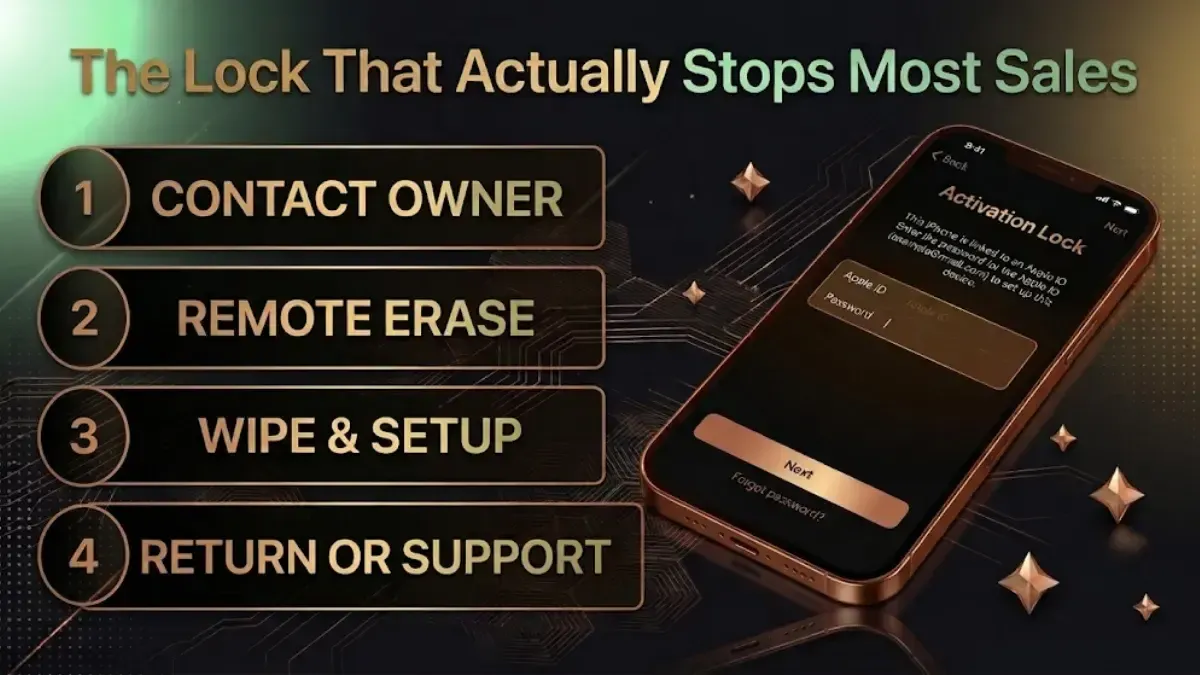
If you factory reset the phone while still signed in to your Google or Apple account, it locks itself to you Factory Reset Protection on Android, Activation Lock on iPhone. The next owner cannot set it up.
The order matters:
Back up your data, and verify the backup on another device
Sign out of your Google or Apple account. On iPhone: Settings → your name → Find My → switch off Find My iPhone, then Sign Out. On Android: Settings → Accounts → remove your Google account
Remove the SIM, memory card and any eSIM profile
Then factory reset
Do it in the other order and the phone is unusable to anyone else until you remove it remotely from your account.
Our full checklist before selling covers each step, and the backup guide covers the data side properly.
Pre-Sale Checklist
| Step | What to Check / Do | Why It Matters | Priority |
|---|---|---|---|
| 1 | Check both IMEIs via KYM | Confirms the phone is sellable at all | Critical |
| 2 | Sign out of your Google or Apple account | Prevents FRP / Activation Lock | Critical |
| 3 | Factory reset, after signing out | Removes your personal data | Critical |
| 4 | Remove SIM, memory card and eSIM | A reset does not always clear an eSIM | Critical |
| 5 | Test with another operator's SIM | Rules out a carrier lock | Important |
| 6 | Confirm no outstanding EMI | Confirms you can transfer ownership | Important |
| 7 | Find the invoice, box and charger | Adds to the price and proves provenance | Helpful |
| 8 | Note the condition honestly | Stops the quote changing at the door | Helpful |
Sharing a Clean Result With Buyers
On a private sale this is worth doing.
Screenshot the result showing the IMEI and the clean status, and share it with your listing photos. It answers the buyer's main fear before they ask.
Say so in the listing. "IMEI verified clean on CEIR" in the description attracts serious buyers and discourages lowball offers from people pricing in the risk.
Keep the dated screenshot after the sale. If a buyer later claims the phone was blocked, a dated result from before the handover shows the IMEI was clean when you sold it. This is the most practical piece of advice in this guide and almost nobody does it.
Selling to Us
We check IMEI as part of the assessment, so a clean result means no surprise at pickup. Running the check yourself first is simply the difference between finding out now and finding out at your door.
Check what your phone is worth.
FAQs
1. How do I check my IMEI status before selling my phone?
Find the IMEI by dialling *#06#, then send KYM <your 15-digit IMEI> by SMS to 14422, or enter it at ceir.sancharsaathi.gov.in under IMEI Verification. Both are free government services. If the phone has two SIM slots, check both numbers.
2. What is the official way to check IMEI status in India?
CEIR, the Central Equipment Identity Register, on the Sanchar Saathi platform run by the Department of Telecommunications by SMS to 14422 or at ceir.sancharsaathi.gov.in. Third-party IMEI sites have no access to the Indian block list, whatever they claim.
3. What does a blocked or blacklisted IMEI mean?
The phone was reported lost or stolen and blocked across every Indian network. No SIM will connect in it no calls, messages or data, on any operator. No legitimate buyer or buyback service can accept it.
4. Can I sell a phone with a blocked IMEI?
No legitimate buyer will take it, and buyback platforms cannot process it. If you bought the phone in good faith and it turns out to be blocked, take your proof of purchase to your operator or use the CEIR unblocking route. If the phone is genuinely stolen, selling it knowingly is a criminal matter report it instead.
5. My phone has two SIM slots. Do I check both IMEIs?
Yes. A dual-SIM phone has two, and one can be clean while the other is flagged. Buyers and platforms typically check both.
6. What is a duplicate IMEI?
The same IMEI registered against more than one device, which usually indicates a counterfeit or cloned phone. It may work for a time and can be blocked without notice. Disclose it, and expect most platforms to decline the device.
7. What happens if I sell without removing my Google account?
After a factory reset the phone demands your Google credentials at setup Factory Reset Protection and the buyer is locked out. Always sign out of the account before resetting, not after.
8. Should I factory reset before selling?
Yes, but only after signing out of your Google or Apple account. Reset first and the phone locks itself to you. The correct order is back up, sign out, remove SIM and eSIM, then reset.
9. Does a clean IMEI affect my price?
It determines whether there is a price at all. A clean IMEI means the quote stands. A blocked one means the phone cannot be sold through any legitimate route, whatever its condition.
Sell with Cashkr
Got an old phone lying around?
Cashkr buys used devices at a fair price with free doorstep pickup and same-day payment across 2,000+ pincodes. Get an upfront quote in seconds.
Sell Old Phone OnlineCheck your phone's value in seconds
Written by