Vivo X Fold 6 Leak: Atomic Workbench, Dimensity 9500, Specs
 Yaskar Jung ShahUpdated: Jul 9, 2026·15 min read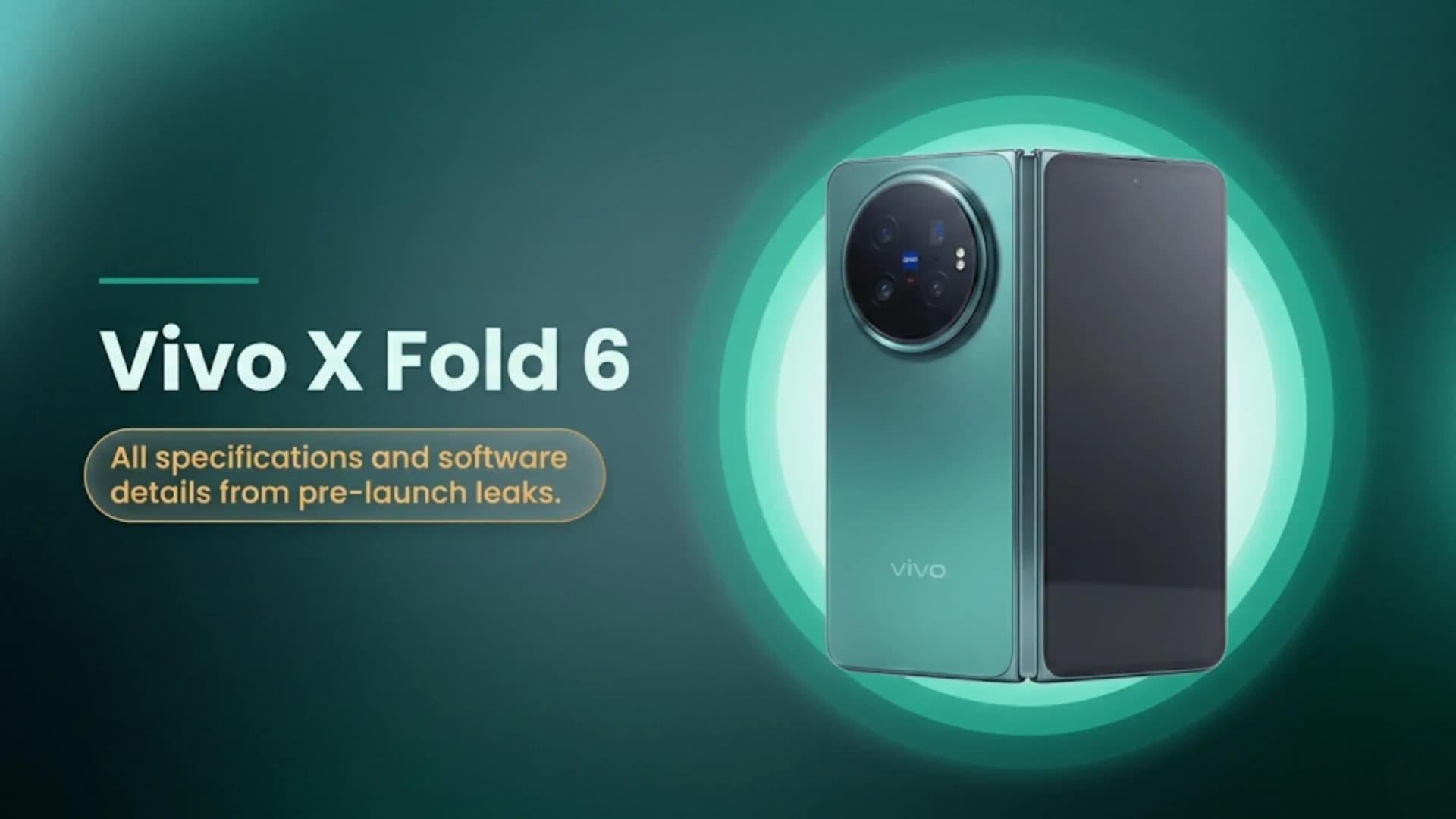
ivo X Fold 6 leak: Atomic Workbench multitasking, Dimensity 9500, 200MP.
We value your privacy
We use cookies to enhance your browsing experience and analyze site traffic. Learn more

Get the Cashkr app for the best experience

Vivo X Fold 6 Atomic Workbench leak: Serial Mode (5 apps simultaneously with dynamic space) | One-Screen Four-Use (4 apps with free rearrangement) | Parallel Mode (independent app operation) | Gesture controls: four-finger expansion and corner drag resize | OriginOS 6 Fold software base | Rumoured: Dimensity 9500, 200MP primary, 50MP periscope | China launch June 2026 (Vivo confirmed) | All leaked specs unconfirmed by Vivo
| Mode | Apps Simultaneously | How It Works | Best For |
|---|---|---|---|
| Serial Mode | Up to 5 apps | Intelligent screen-space allocation. The active app gets more space while other apps remain visible and accessible. | Professionals handling email, documents, browsers, spreadsheets, and messaging at the same time |
| One-Screen Four-Use | Up to 4 apps | Customizable window sizes with free rearrangement and simultaneous interaction across all apps. | Students, content creators, and multitaskers who need several windows open together |
| Parallel Mode | Multiple apps | Apps run independently without interrupting each other's processes. | Power users performing downloads, editing, streaming, and communication simultaneously |
| Standard Split Screen | 2 apps | Traditional Android split-screen mode with two apps sharing the display. | Everyday multitasking available on most Android phones |
Parallel Mode is all about independence. When you run two or more apps in this mode, each one keeps working on its own. For example, a download will keep going even if you switch to another app, and a video will keep playing while you type in another window. This solves the common problem of background apps pausing or resetting when you switch tasks, which often happens on Android.
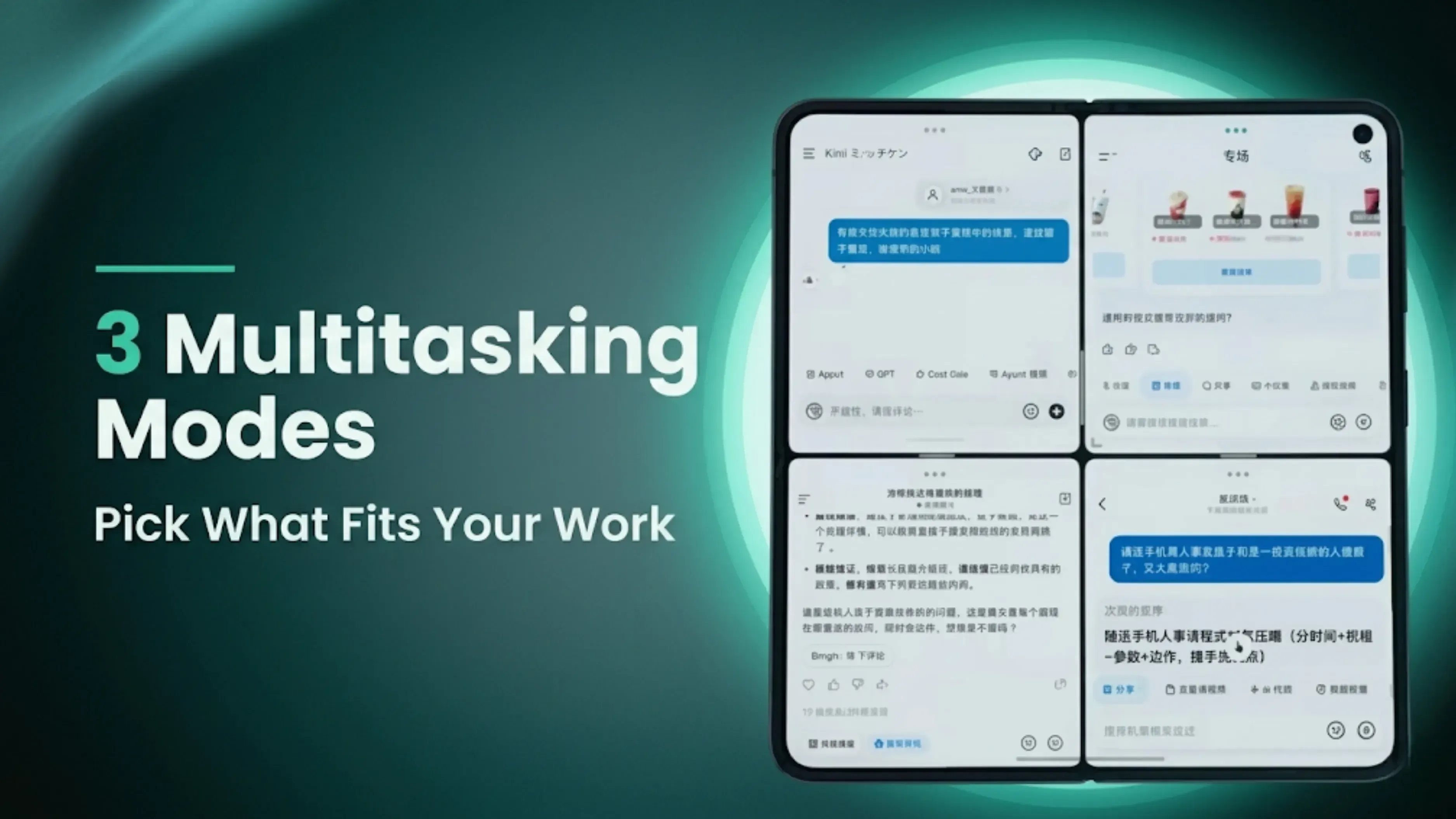
Dimensity 9500 on a foldable: The processing demands of running five apps simultaneously with gesture-based window management are higher than running a single app. A flagship-class chip with high memory bandwidth and strong parallel processing handles simultaneous background processes more smoothly than mid-range alternatives. For Atomic Workbench to perform as shown in the leaked video, a chip like the Dimensity 9500 at the top of the performance tier is the appropriate hardware pairing.
| Leaked or Reported (Weibo and Vivo Partial Confirmations) | Still Unknown Before Official Announcement |
|---|---|
| Atomic Workbench confirmed in leaked Weibo video | Exact launch date in June 2026 |
| Serial Mode showing 5 simultaneous apps | China and global pricing |
| One-Screen Four-Use Mode with 4 apps simultaneously | Inner and cover display specifications |
| Parallel Mode with independent app operation | Battery capacity and charging speed |
| Four-finger expansion gesture | RAM and storage variants |
| Corner drag window resizing | Global and India launch plans |
| Dimensity 9500 chipset rumoured | Colour options |
| 200MP main camera and 50MP periscope telephoto rumoured | India pricing and availability |
| OriginOS 6 Fold software base | Full hardware specifications |
| Vivo has confirmed a China launch for June 2026 | Official confirmation of all leaked features |
Bottom Line: Vivo X Fold 6 China launch June 2026 (Vivo confirmed). Atomic Workbench revealed in Weibo leak: Serial Mode 5 apps, One-Screen Four-Use 4 apps, Parallel Mode independent operation, four-finger expansion gesture, and corner drag resize. OriginOS 6 Fold. Rumoured: Dimensity 9500, 200MP primary, 50MP periscope telephoto. No specifications confirmed by Vivo. India launch TBC.
1. What is Atomic Workbench on the Vivo X Fold 6?
Atomic Workbench is a foldable-specific multitasking platform revealed in a Weibo leak for the Vivo X Fold 6. It allows up to 5 apps to run simultaneously on the inner foldable display across three modes: Serial Mode (5 apps with intelligent space management), One-Screen Four-Use (4 apps with free window arrangement), and Parallel Mode (multiple fully independent apps). It is part of OriginOS 6 Fold.
2. What is Serial Mode on the Vivo X Fold 6?
Serial Mode is a multitasking mode within Atomic Workbench that allows up to five apps to run simultaneously on the foldable inner display. The system intelligently gives more screen space to the active app while keeping background apps visible, allowing quick switching between tasks without closing any window.
3. What is One-Screen Four-Use on the Vivo X Fold 6?
One-Screen Four-Use is an Atomic Workbench mode that allows four apps to run simultaneously on the inner display with user-controlled window sizes and positions. Users can drag windows freely, resize each independently, and customize the layout, similar to desktop window management.
4. When will the Vivo X Fold 6 launch in India?
Vivo has confirmed a launch in China in June 2026. An India launch date has not been announced. Vivo India typically follows China's launches for the X Fold series within a few months.
5. What chipset does the Vivo X Fold 6 have?
Leaks point to the MediaTek Dimensity 9500 as the expected chipset. This is unconfirmed by Vivo. The Dimensity 9500 is MediaTek's current flagship chip, competing with the Snapdragon 8 Elite Gen 5.
6. What camera does the Vivo X Fold 6 have?
Hardware leaks report a 200MP primary camera and a 50MP periscope telephoto camera. These specifications have not been confirmed by Vivo.
7. What is Parallel Mode on the Vivo X Fold 6?
Parallel Mode is a multitasking mode in Atomic Workbench where multiple apps operate independently, without affecting each other. Downloads, video playback, document editing and messaging can all continue simultaneously without any process pausing or reducing quality due to background deprioritization.
8. What gesture controls does the Vivo X Fold 6 Atomic Workbench support?
Two gesture controls are shown in the leaked video: a four-finger expansion gesture that instantly maximizes the selected app window to full screen, and a corner-drag marker on each app window that allows dynamic resizing by dragging.
9. What operating system does the Vivo X Fold 6 run?
OriginOS 6 Fold, a foldable-specific version of Vivo's OriginOS 6, with Atomic Workbench as the centerpiece multitasking feature for the large inner display.
10. How does the Vivo X Fold 6 Atomic Workbench compare to Samsung DeX?
Samsung DeX projects a desktop interface to an external monitor. Vivo's Atomic Workbench provides multi-window desktop-like productivity on the foldable's inner screen, without an external display. DeX is suited to users who connect to external monitors. Atomic Workbench is suited to users who want desktop-like multitasking within the foldable device itself.
If you want to sell your old devices, then click here.
Sell with Cashkr
Cashkr buys used devices at a fair price with free doorstep pickup and same-day payment across 2,000+ pincodes. Get an upfront quote in seconds.
Sell Old Phone OnlineCheck your phone's value in seconds
Written by
Best camera phones 2026 — ranked for every type of shooter.

Top Google Gemini AI photo editing prompts to boost creativity
Xiaomi HyperOS update 3.1 : Check the full list of eligible devices.
Reduce e-waste by selling old devices responsibly with Cashkr.
Cashkr makes it easy and safe to sell your used phone. No hassle!

Phone recycling with Cashkr helps reduce e-waste and support sustainability.


