Why Is My Phone Overheating and How to Fix It: Every Cause and Every Solution Explained
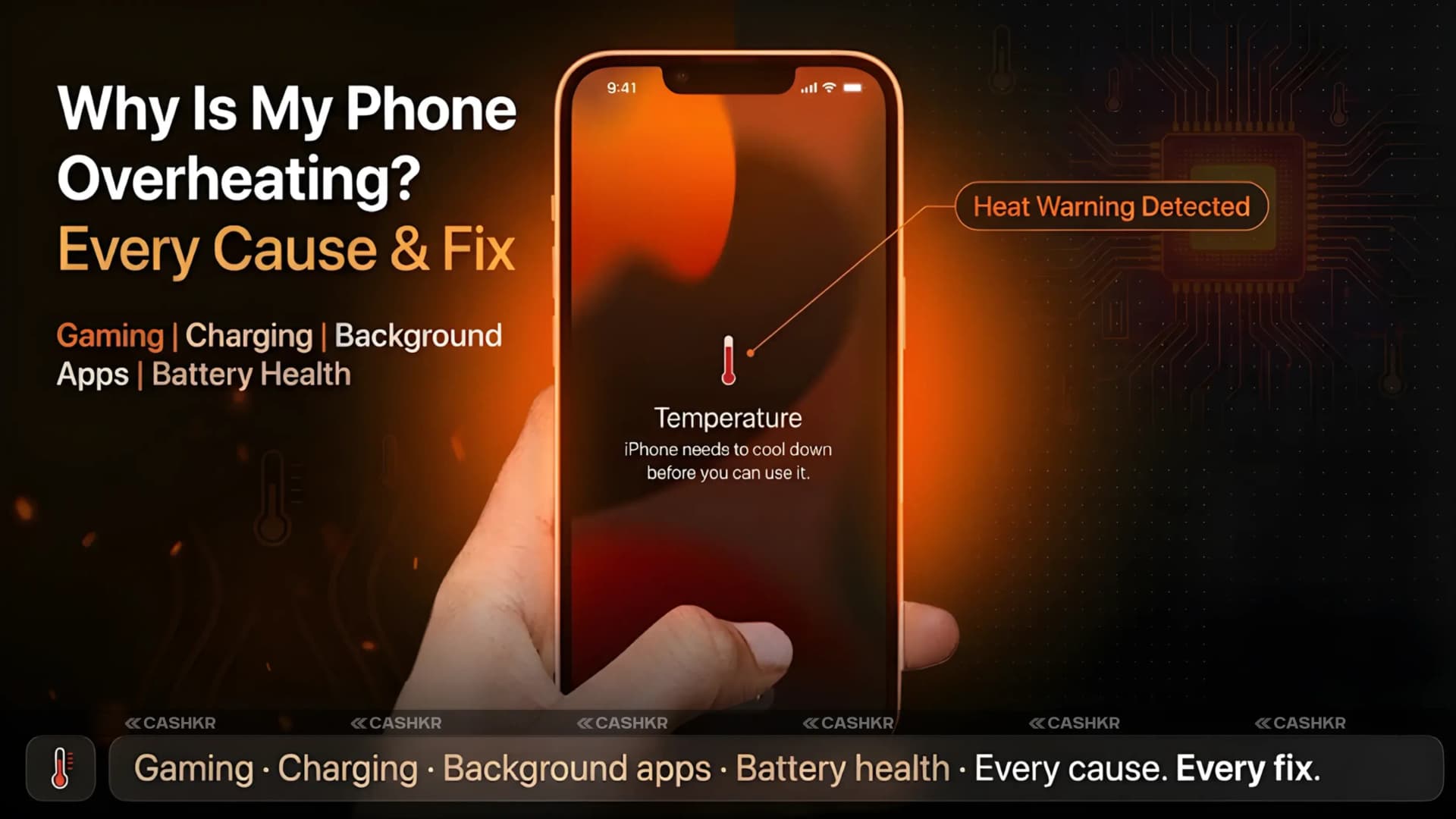
Your phone is getting hot. It might happen while gaming, charging, or even just browsing Instagram. No matter the cause, you can feel the heat, and it makes sense to be concerned.
Phone overheating is a common problem in 2026, but it’s often misunderstood. Many people see it as just an inconvenience, but it’s actually a warning sign. If your phone keeps overheating, it can permanently damage the battery, cause random restarts and app crashes, slow down performance, and in severe cases, lead to battery swelling.
The good news is that most phone overheating issues come from habits and settings you can change right now. This guide explains all the causes, risks, solutions, and how to know if overheating points to a hardware problem.
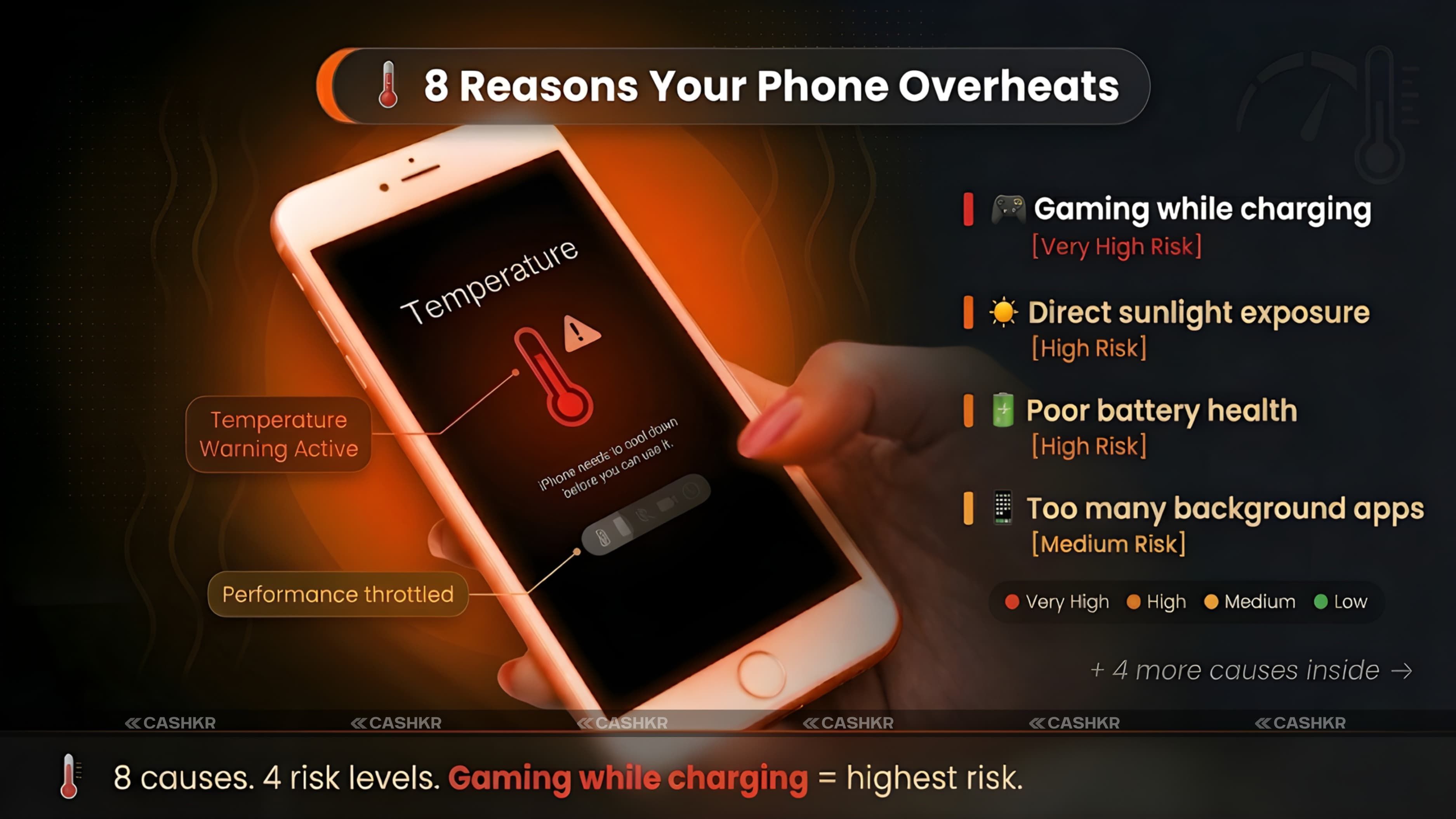
Quick answer: Your phone overheats because the processor and battery are generating more heat than the chassis can dissipate. The most common causes are gaming while charging, too many background apps, exposure to direct sunlight, outdated software, and poor battery health. Most cases are fixable with simple habit changes.
Why Phones Overheat: The Physics Behind the Heat
A smartphone generates heat from two main sources: the processor (CPU and GPU) and the battery.
The processor generates heat proportional to its workload. A phone sitting idle on a desk generates almost no processor heat. The same phone running BGMI at maximum graphics settings with full brightness generates substantial heat. The relationship is direct: more processing equals more heat.
The battery generates heat during charging and when discharging rapidly under load. Charging is a chemical process that always produces some heat as a byproduct. Discharging quickly, as happens during gaming or video streaming, also generates heat from the battery. When you charge and use the phone simultaneously, the two heat sources combine, and the total heat output can exceed the phone's chassis's ability to dissipate it.
Smartphones are designed to operate between 0 and 35 degrees Celsius. Above 45 degrees, the phone will start thermal throttling, which means deliberately slowing the processor to generate less heat. Above 55-60 degrees, the phone will typically shut off. Below the visible shutdown threshold, the heat is doing invisible damage to battery health and long-term performance even when the phone stays on.
Thermal throttling explained: When your phone gets too hot, the processor automatically slows down to reduce heat. This is why games lag, and apps become sluggish when the phone is hot. It is not a bug but a safety feature. The lag tells you the phone is at its thermal limit, and something needs to change.
Why Phone Overheating Is Dangerous: The Actual Damage It Causes
Most people ignore overheating until the phone shuts down or shows a temperature warning. By then, damage has often already begun.
Battery degradation:Every charging cycle slightly degrades a battery. Heat accelerates this dramatically. A phone that regularly reaches 45 degrees or above during charging loses battery capacity noticeably faster than one kept at lower temperatures. What should be 80 percent battery health after two years becomes 65 percent with chronic overheating.
Performance throttling: Sustained overheating trains the processor to throttle more aggressively. Over time, a phone that was fast at launch begins to lag during tasks it handled smoothly when new. The hardware specs have not changed, but thermal conditions make it more prone to performance degradation.
Random restarts and app crashes: Overheating can corrupt temporary data in RAM and cause instability in running processes. Random restarts, app freezes, and OS glitches become more common with chronic overheating.
Battery swelling: In extreme cases, a severely overheated battery swells due to internal gas production. A swollen battery pushes against the display and back panel. If severe, it can crack the screen from inside. A swollen battery is a safety hazard requiring immediate professional attention.
Data corruption: High temperatures can cause storage write errors that corrupt photos, documents, and app data. This damage is usually silent until the corrupted file fails to open.
Temperature safe zones: A phone running at 35 to 40 degrees is normal during gaming or charging. 40 to 45 degrees is warm but acceptable. Above 45 degrees is concerning and requires action. Above 50 degrees, place the phone somewhere cool and stop usage immediately.
Phone Overheating Fix: 8 Solutions That Actually Work
These solutions address the root causes rather than just the symptoms. Apply the ones relevant to your usage pattern.
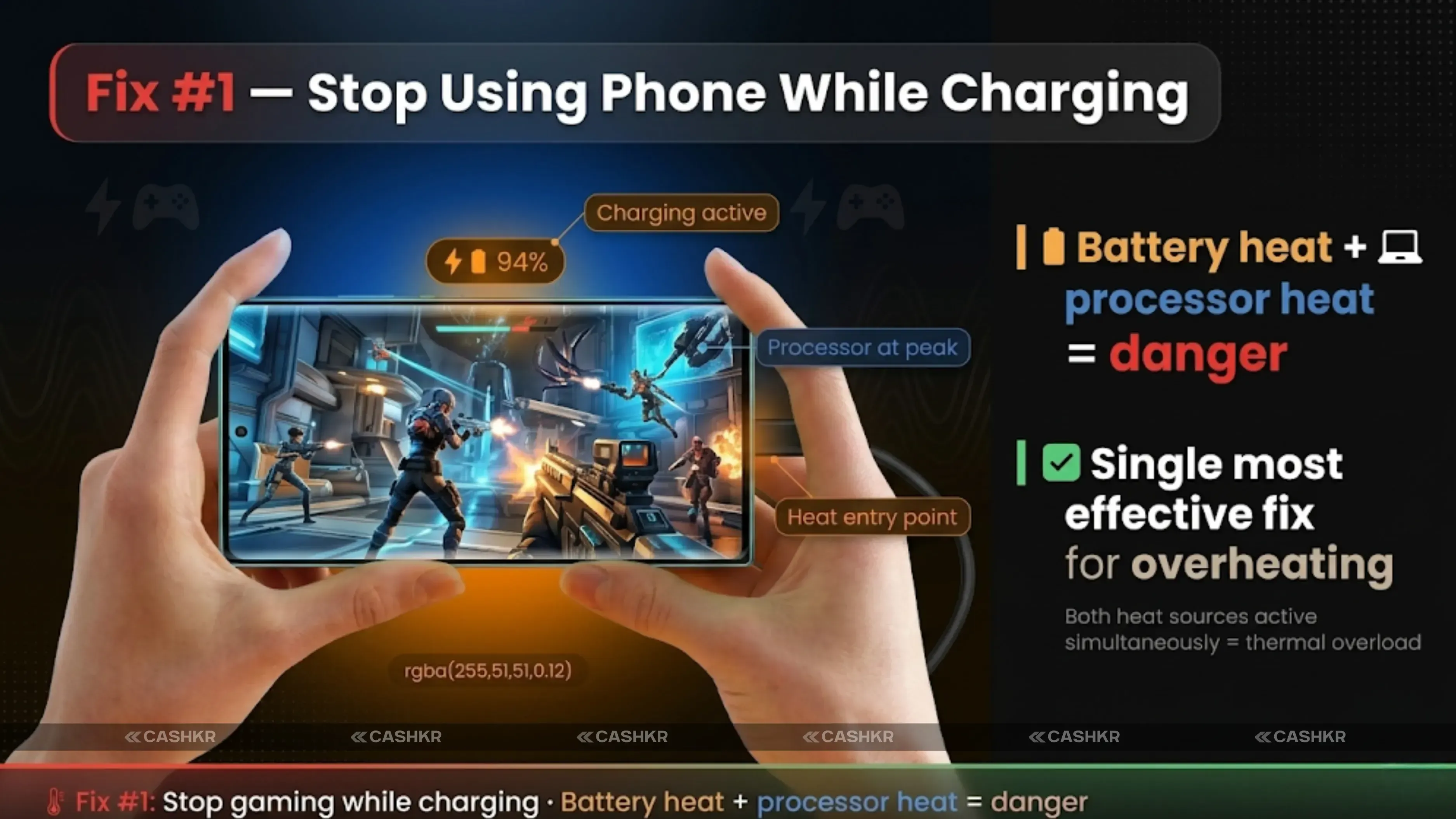
Fix 1: Stop Using the Phone While Charging. This is the most effective fix for most overheating complaints. Charging generates heat. Adding gaming or video streaming doubles the thermal load. Put the phone down while charging, especially during fast charging.
Fix 2: Close Background Apps Completely. Open the recent apps screen and close apps you are not actively using. On Android, go to Settings > Apps and restrict background activity for apps that do not need it. Each running app consumes CPU cycles and RAM, both of which generate heat.
Fix 3: Reduce Screen Brightness. High screen brightness is a significant power draw on both LCD and AMOLED displays. Enable auto-brightness and let the phone calibrate to ambient light rather than keeping brightness at maximum. On AMOLED phones, also enable dark mode systemwide.
Fix 4: Update Your Operating System and All Apps. Outdated software often contains inefficient code that keeps the processor's bus busier than necessary. Go to Settings > System > Software Update, then install any pending updates. In the Play Store or App Store, update all apps. Many overheating reports disappear after a system update.
Fix 5: Remove the Phone Case When Hot. In many cases, especially with full silicone and leather covers, heat is trapped against the phone's chassis. The chassis is designed to dissipate heat to the surrounding air. A case that covers the back panel reduces this dissipation. Remove the case temporarily when the phone is running hot.
Fix 6: Turn off Bluetooth, Wi-Fi, and GPS When Not in use. Each active radio draws power and generates heat. Bluetooth scanning for nearby devices, GPS maintaining a location lock, and Wi-Fi scanning for networks all run continuously in the background. Turn off what you are not actively using from the quick settings panel.
Fix 7: Keep the Phone Out of Direct Sunlight and Away from Cars. Ambient temperature directly adds to internal heat. A phone in direct Indian summer sunlight can reach dangerous temperatures within minutes, even when not in use. Never leave a phone in a parked car, as it can heat to extreme temperatures within minutes, even on moderately warm days.
Fix 8: Use Only the Original Charger and Cable. Third-party chargers often deliver inconsistent voltage and current. The phone's charging circuitry compensates for these inconsistencies, generating excess heat in the process. The original charger is calibrated precisely for your phone's charging protocol. If the original charger is lost, use a certified replacement from the same brand.
The most effective combination: stop gaming while charging, close background apps, enable dark mode, and reduce brightness. These four changes together eliminate the majority of overheating in gaming-focused users. If these do not help, the problem is more likely hardware-related.
If your phone is already hot and you need to cool it quickly, here is the fastest safe approach.
Step 1: Stop all activity immediately. Close the app you were using. Do not just minimize it. Swipe it off the recent apps screen. Every second of use adds more heat.
Step 2: Remove the phone case. The case is trapping heat. Remove it so the chassis can dissipate heat directly to the air.
Step 3: Place the phone on a flat, hard, cool surface. A wooden desk or tile floor works well. Do not place it on fabric, such as a bed or sofa, which further insulates. A flat, hard surface allows airflow beneath the phone and conducts heat away from the chassis.
Step 4: Turn off Bluetooth, GPS, Wi-Fi, and mobile data. Every radio off means less power draw and less heat generation while it cools.
Step 5: If the phone is very hot (50 degrees or above), turn it off. Power off completely for 10 to 15 minutes. This is the fastest, safest way to reduce the temperature to safe levels.
What NOT to do: Never put a hot phone in a freezer or apply ice directly to it. Rapid temperature changes cause condensation inside the device, damaging internal components. Room temperature cool-down is the only safe method.
Cool-down time guide: A phone at 45 degrees, with the case removed and on a cool surface, typically returns to 35 degrees in 5 to 8 minutes of idle time. A phone at 55 degrees takes 12 to 18 minutes. A phone at 60 degrees needs 20 to 25 minutes powered off. Never plug in a very hot phone to charge.
How to Check Your Phone Temperature
Many Android phones have built-in temperature monitoring accessible through the settings or battery menu. For Samsung phones, check Battery and Device Care in Settings. For Xiaomi and Realme phones, Battery settings often show a temperature reading.
For phones without a built-in temperature display, dial codes like the engineering mode code (varies by brand; search for your specific model) often display real-time CPU and battery temperatures.
Third-party apps, including CPU-Z and AIDA64, show real-time temperature readings for CPU, GPU, and battery. These are reliable for monitoring during gaming sessions to understand when your phone crosses into concerning temperature territory.
The practical threshold to remember: gaming below 40 degrees Celsius is normal. 40 to 45 degrees is warm but acceptable. Consistently above 45 degrees means something in your usage habits, or the phone's hardware needs attention.
When Overheating Is a Hardware Problem, Not a Habit Problem
Most overheating is habit-driven and responds to the fixes above. But some overheating persists despite all changes. These signs suggest a hardware problem.
Phone gets hot during basic tasks: If the phone overheats while checking WhatsApp, making a call, or doing nothing, the processor or battery has an internal issue that habit changes cannot fix.
Battery drains extremely fast alongside overheating: Rapid battery drain with heat often indicates a degraded battery that struggles to hold a charge and generates excess heat. Battery health below 70-75% typically shows this symptom.
Overheating started suddenly: If the phone was fine for months and started overheating after an update or drop, the cause is either a software bug (fixable with an update or factory reset) or hardware damage from the impact.
Visible battery swelling: If the phone's back panel bulges outward or the screen appears raised at the edges, the battery is swollen. This is a safety issue requiring immediate attention from the service center. Do not charge a swollen battery.
If the phone overheats after all habit fixes and the battery shows signs of degradation or swelling, do not keep using it, hoping the problem will resolve. Take it to the brand's authorized service center for a battery and hardware assessment. Battery replacement costs Rs. 800 to Rs. 2,500, depending on the brand, and is far cheaper than replacing a phone damaged by a swollen-battery fire.
AMOLED vs LCD and Overheating: Which Display Runs Cooler
Display type has a direct but often overlooked effect on phone temperature.
AMOLED displays in dark mode generate significantly less heat than in light mode. When an AMOLED screen displays a black background, those pixels are completely turned off and consume zero power. An AMOLED phone running WhatsApp, Instagram, and Chrome all in dark mode draws noticeably less display power and generates less display heat than the same phone in light mode.
LCD displays use a constant backlight regardless of on-screen content. The backlight runs at the same intensity whether the screen shows black or white. Dark mode on an LCD phone reduces visual brightness but does not meaningfully reduce backlight power consumption.
For overheating management: if you have an AMOLED phone, enabling dark mode across all apps is a free and immediate way to reduce both battery drain and display-generated heat. If you have an LCD phone, reducing screen brightness is the equivalent intervention.
Quick thermal win for AMOLED users: Enable dark mode system-wide in Settings, Display, Dark Mode. Then enable dark mode individually in WhatsApp, Instagram, YouTube, Chrome, and Gmail. Each app switching to dark backgrounds reduces display power by turning off many pixels. The cumulative effect on temperature and battery life is measurable in daily use.
Time to Upgrade? What to Do If Your Phone Keeps Overheating
If your phone overheats consistently despite all habit changes and no hardware issue is found at a service center, it may have reached the end of its useful life. Older phones with degraded batteries, slower processors working harder to run modern apps, and accumulated thermal wear contribute to overheating that cannot be fixed.
In this case, upgrading to a newer phone with a fresh battery, more efficient processor architecture, and modern thermal management hardware is the lasting solution rather than working around an aging device.
Before upgrading, you can sell your old phone on Cashkr, an Indian online platform for used electronics. Cashkr provides an instant price check, free doorstep pickup, certified data wiping before resale, and payment directly to your UPI or bank account. Even an overheating phone with reduced battery health has resale value on Cashkr, and proceeds can offset part of the new phone's cost.
Cashkr for phone upgrades: Get an instant price estimate for your current phone at Cashkr before buying your next phone. The exchange value reduces the effective upgrade cost and ensures your old device is properly data-wiped before it leaves your hands. Free doorstep pickup means no store trip is required.
Final Verdict
Phone overheating is almost always preventable and usually fixable. The eight solutions in this guide address root causes behind most overheating complaints.
Stop using the phone while charging. Close background apps. Update your software. Reduce brightness. Keep the phone out of direct sunlight. Use the original charger. These habits cost nothing and fix most overheating problems.
If overheating persists after all habit changes, check battery health. A degraded battery generating excess heat is the most common hardware cause and is inexpensive to replace at an authorized service center. A swollen battery requires immediate attention and is a safety issue, not a performance inconvenience.
If the phone is old and overheating is chronic despite all interventions, sell it on Cashkr and upgrade to a newer phone with the proceeds. Modern phones with silicon-carbon batteries, efficient chipsets, and vapor chamber cooling run significantly cooler than phones from three to four years ago under equivalent loads.
Bottom Line: Close all background apps. Stop gaming or streaming while charging. Drop brightness to auto. Enable dark mode if you have an AMOLED phone. Remove the case when the phone is hot. Update all software. Use the original charger. These seven habits fix most phone overheating. If they do not help, get the battery checked.
FAQs
1. Why is my phone overheating for no reason?
If your phone is overheating with minimal use, the most common causes are a background app consuming excessive CPU resources, a software bug keeping the processor active, outdated system software, or a degraded battery generating excess heat. Check battery health in Settings and update all software. If the problem persists, a factory reset or a visit to a service center may be needed.
2. Is it bad to use your phone while charging?
Yes, especially for heavy tasks like gaming. Charging generates heat. Heavy app usage generates additional processor heat. Both heat sources together exceed the phone's safe dissipation limit, accelerating battery degradation over time. For quick WhatsApp checks while charging, the impact is small. For extended gaming sessions while plugged in, the impact on battery health is significant.
3. How do I cool down my phone quickly?
Stop all app usage immediately. Remove the case. Place the phone on a flat, hard, cool surface in shade. Turn off Bluetooth, GPS, Wi-Fi, and mobile data. If the phone is very hot (above 50 degrees), turn it off completely for 10 to 15 minutes. Never use ice, a freezer, or cold water to cool a phone.
4. What temperature is too hot for a phone?
Phones operate between 0 and 35 degrees Celsius. During heavy use, such as gaming or fast charging, 35 to 45 degrees is normal. Above 45 degrees is concerning. Above 50 degrees requires immediate action (stop usage, cool the phone). Above 55-60 degrees, the phone will typically shut off automatically.
5. Does dark mode help with overheating?
Yes, but only on AMOLED displays. On AMOLED phones, dark mode turns off pixels that display black backgrounds, reducing both power consumption and heat generation. On LCD phones, dark mode changes the visual appearance but does not significantly reduce backlight power or heat. Reducing screen brightness is the equivalent fix for LCD phones.
6. Why does my phone heat up during gaming?
Gaming is the most processor and GPU-intensive activity a phone performs. Both the CPU and GPU run at or near 100 percent during intensive gaming. The display is at full brightness, and the battery discharges rapidly. All three heat sources, the processor, GPU, and battery, combine during gaming to produce the highest thermal load the phone experiences. Long gaming sessions without breaks are the most common cause of sustained overheating.
7. Can overheating damage my phone permanently?
Yes. Chronic overheating degrades battery health faster than normal use, reducing the battery's total capacity over time. It can also cause thermal damage to internal components, corrupt storage data, and in extreme cases, cause battery swelling, which is a safety hazard. The damage accumulates gradually rather than happening in a single event.
8. Why does my phone get hot while charging, even when not in use?
Fast charging naturally generates heat, particularly in the first 30 to 50 percent of the charging cycle, where current flow is highest. This is normal. If the heat is excessive (too hot to hold comfortably), the charger may be delivering incorrect voltage or the battery may have degraded. Switch to the original charger and charge in a ventilated location rather than under a pillow or in a closed drawer.
9. Should I replace my phone if it keeps overheating?
Not necessarily. First, try all the habit fixes in this guide, then check the battery health. If the battery has degraded significantly (below 75 percent health), a battery replacement at a service centre costs Rs. 800 to Rs. 2,500 and may resolve the overheating completely. If the phone is three to four years old, has a severely degraded battery, and a replacement does not help, upgrading to a new phone is the lasting solution. You can sell the old phone on Cashkr to offset the upgrade cost.
10. What is the best way to prevent phone overheating long-term?
Charge the phone to 80 to 90 percent rather than 100 percent whenever possible. Avoid gaming while charging. Use the original charger. Keep software updated. Take short breaks during long gaming sessions. Keep the phone out of direct sunlight. Use dark mode on AMOLED phones. Store the phone in a cool, ventilated location when not in use. These habits maintain lower operating temperatures and preserve battery health over the full ownership lifecycle.
If you want to sell your old devices, then click here.
 Yaskar Jung ShahUpdated: Aug 21, 2026·21 min read