Best Tablets for Students in 2026: iPad, Samsung, Lenovo, Xiaomi and Surface Go 4 Compared for Note-Taking and Online Classes
Picking the right tablet for students in 2026 isn’t simple anymore. Students now rely on tablets for online classes, handwritten notes, reading PDFs, research, assignments, presentations, recordings, and even some creative work. A tablet that can handle all these tasks smoothly, lasts a full day on one charge, and has a reliable stylus for note-taking is much more valuable than one with great specs but poor real-life performance.
The best student tablets aren’t always the ones with the highest specs. What matters most is how well a tablet fits into a student’s daily routine, lasts through long study sessions, and keeps working well for several years. This guide looks at five tablets in different price ranges, from Rs. 20,000 to over Rs. 45,000, and gives clear recommendations for different types of students.
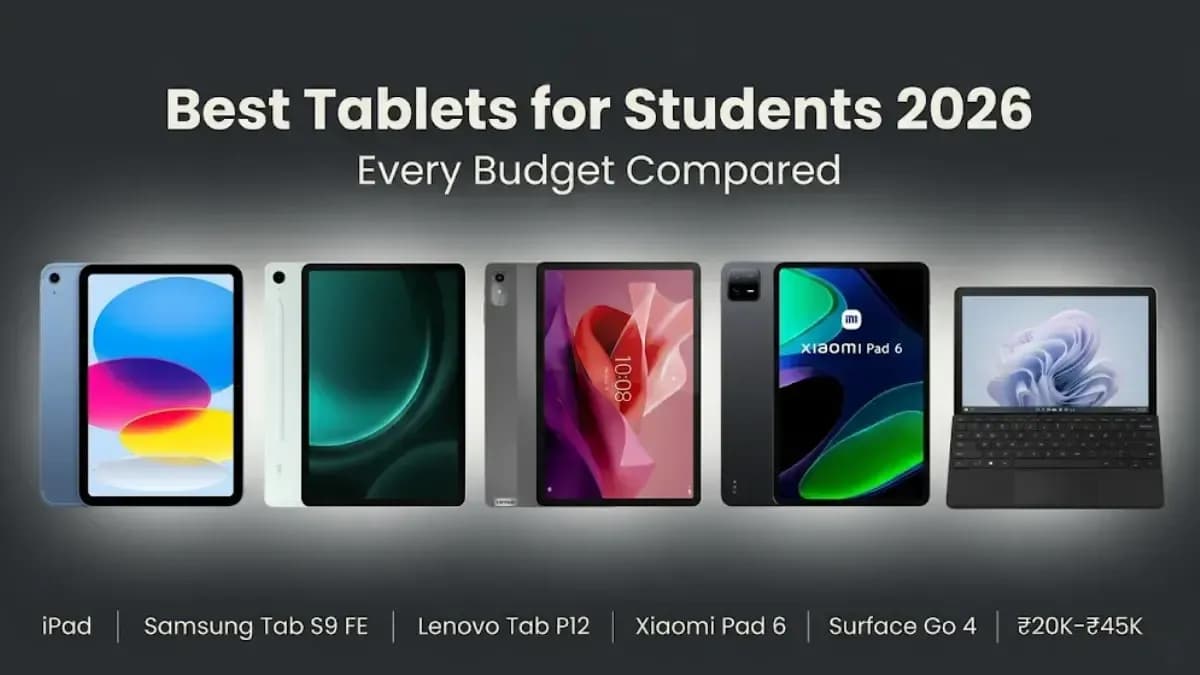
Here are the top tablets for students in 2026 for every budget and need, along with what each one does best and where it could be better.
Quick picks: Best Overall — Apple iPad 10th Gen (Rs. 27,000 to 35,000) | Best for Note-Taking — Samsung Galaxy Tab S9 FE (Rs. 35,000 to 45,000) | Best Budget — Lenovo Tab P12 (Rs. 20,000 to 26,000) | Best Performance Value — Xiaomi Pad 6 (Rs. 23,000 to 28,000) | Best Windows Tablet — Microsoft Surface Go 4 (Rs. 40,000+)
Best Windows tablet for assignments, Office apps, and desktop software
What to Look for in a Student Tablet: The Honest Checklist
Feature
Target Specification
Why It Matters for Students
RAM
6GB minimum | 8GB recommended
Ensures smooth multitasking between Zoom, Chrome, note-taking apps, PDFs, and background apps without lag
Storage
128GB minimum | microSD expansion preferred
Lecture recordings, study materials, PDFs, and downloaded courses can quickly fill 64GB storage
Battery Life
10 hours minimum | 12+ hours ideal
Covers a full day of classes, note-taking, and assignments without needing a charger
Display Size
10–11 inches for portability | 12+ inches for productivity
Larger displays improve PDF reading, split-screen multitasking, and online learning
Stylus Support
Palm rejection and low-latency stylus essential
Provides a natural handwriting experience for digital note-taking and annotations
Keyboard Support
Optional but highly recommended
Makes writing assignments, reports, and essays significantly easier
Software Support
Reliable app ecosystem with 3–4 years of updates
Long-term updates ensure compatibility with educational apps and better security
A common mistake students make when buying a tablet is focusing on the wrong specs. For example, refresh rate is more important than screen resolution for long reading sessions. It’s better if the tablet stays cool during long online classes than just having a high benchmark score. And having a microSD card slot for easy storage expansion is often more useful than just looking at the storage size.
The stylus is the most important feature for students that often gets overlooked. You won’t see stylus performance in benchmark numbers, but in real life, it can make or break your note-taking experience. A good stylus has low latency, so the ink appears right under the tip as you write. Palm rejection lets you rest your hand on the screen without causing problems. Pressure sensitivity makes your handwriting look natural. With a good stylus, taking lecture notes is easy. With a bad one, most students switch to typing within a week.
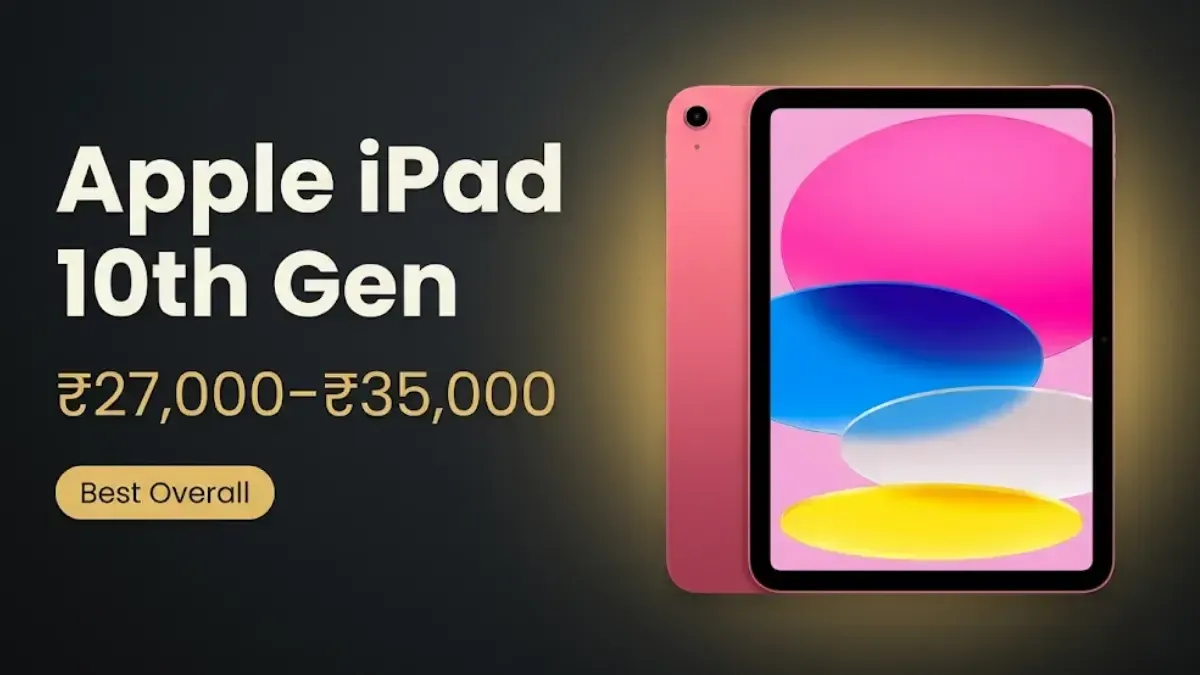
Apple iPad 10th Gen: Best Overall Tablet for Students
Best for: Overall balance of apps, performance and long-term value | From Rs. 27,000 to Rs. 35,000
The Apple iPad 10th Generation is the best all-round student tablet for 2026 because of one advantage that specifications alone cannot convey: the iPadOS app ecosystem. Student-facing apps, including GoodNotes, Notability, Noteful, and Microsoft Office, run at their most polished, most regularly updated, and most feature-complete on iPadOS. The iPad 10th Gen’s A14 Bionic chip handles simultaneous Zoom classes, Chrome tabs, PDF reading and active note-taking without lag or stutter. In real-world student testing across four-hour Zoom lectures with simultaneous note-taking, Chrome tabs, and background music, the tablet remained responsive throughout.
The iPad 10th Gen’s other strength is longevity. Apple provides iPadOS updates for iPad models significantly longer than most Android tablets receive Android updates. A tablet purchased today should receive software support through 2028 at minimum, meaning three or more years of students reliably using current features of GoodNotes and Microsoft Office without compatibility concerns.
The honest limitations: the 64GB base variant fills faster than most students expect with lecture recordings, PDF textbooks and offline notes. The Apple Pencil is sold separately and adds cost. There is no microSD card slot. Students who plan to store large volumes of locally downloaded content should factor in the cost of the higher storage configuration or external cloud storage.
Recommended for: Arts, humanities, business and law students who use GoodNotes or Notability for handwritten notes, and any student who wants a reliable ecosystem with premium app support for three to four years.
Apple Pencil compatibility note: The iPad 10th Gen is compatible with the Apple Pencil (USB-C) and Apple Pencil 1st generation (with adapter). The Apple Pencil 2nd generation and Apple Pencil Pro are not compatible with the 10th Gen iPad.
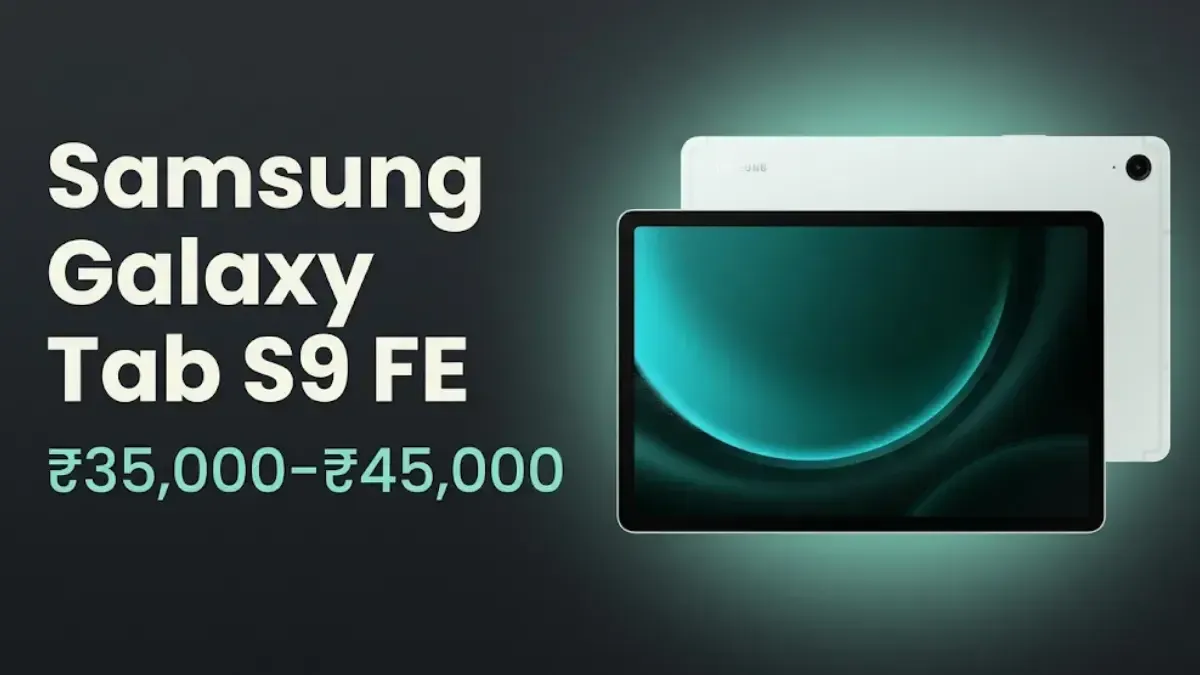
Samsung Galaxy Tab S9 FE: Best Tablet for Note-Taking
Best for: Handwritten notes, PDF annotation, medical and engineering students | From Rs. 35,000 to Rs. 45,000
The Samsung Galaxy Tab S9 FE (Fan Edition) is the best student tablet for handwritten note-taking in this price range because the S Pen is included in the box, so no additional purchase is required. On competing tablets, styluses are sold separately for Rs. 5,000 to Rs. 10,000 or more, which effectively makes the Samsung Galaxy Tab S9 FE better value than its price suggests when the stylus cost is factored in. The S Pen’s latency and palm rejection in Samsung Notes produces a writing experience that feels close to writing on paper, which is critical for students who take extensive handwritten notes in lectures.
For students in disciplines that require diagram drawing, equation solving, chemical structure annotation and hand-drawn figures alongside typed text, Samsung Notes and OneNote on the Tab S9 FE provide a genuinely productive note-taking environment. The expandable microSD card slot means storage can be extended affordably as textbook and recording libraries grow, unlike the iPad 10th Gen.
The Tab S9 FE’s limitations are honest: the processor is mid-range rather than flagship, which means gaming-intensive apps and heavy 3D content run at moderate rather than maximum settings. The display is LCD rather than OLED, which means blacks appear dark grey rather than true black. For studying, reading and note-taking these limitations are irrelevant. For students who want the best display for media consumption alongside note-taking, the OLED Galaxy Tab S9 is the upgrade path at higher cost.
Recommended for: Medical students, engineering students, science students and anyone who takes extensive handwritten notes daily. The S Pen’s inclusion makes this the most complete note-taking package in the mid-range.
Samsung DeX for student productivity: The Galaxy Tab S9 FE supports Samsung DeX, which turns the tablet into a desktop-like interface when connected to a monitor via USB-C. For students with a monitor in a hostel room or apartment, DeX with a Bluetooth keyboard and mouse creates a functional workstation without purchasing a separate laptop.
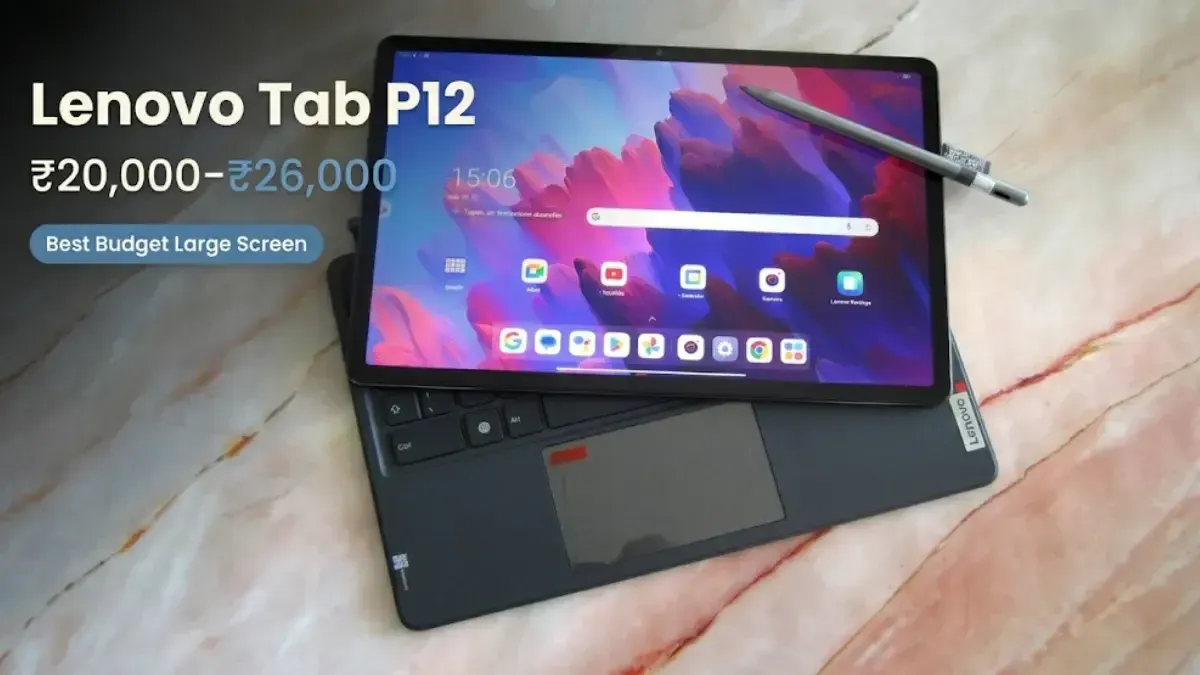
Best for: Budget-conscious students who want a large screen for PDFs and lectures | From Rs. 20,000 to Rs. 26,000
The Lenovo Tab P12 has the biggest screen here at 12.7 inches, making it the most comfortable for reading long PDF textbooks, using split-screen during lectures, and working with two apps at once. If you spend hours reading academic PDFs, the larger display is much easier on the eyes than a 10.9-inch screen. You can see more text at once without zooming, so you don’t have to scroll as often.
The Lenovo Tab P12, which costs between Rs. 20,000 and Rs. 26,000, is the cheapest large-screen tablet on this list. It's also the best value for a certain type of student: one who mostly consumes material rather than creating it. It's easy to watch recorded lessons on YouTube, follow online class streams, read e-books, and make notes on PDFs with the stylus that comes with it. The 12,200 mAh battery lasts for about 12 to 14 hours of mixed use, which is more than enough for a full school day.
There are some real drawbacks: the processor is entry to mid-range, so running lots of Chrome tabs or high-quality video calls at the same time can cause some lag. The plastic build doesn’t feel as premium as Samsung or iPad models. Lenovo also offers shorter software support than Apple or Samsung. If you mainly need a tablet for reading and watching lectures on a budget, the Tab P12 is a great choice. But if you want a tablet for heavy note-taking and productivity over several years, Samsung or iPad is a better long-term pick.
Recommended for: First-year students on a strict budget who want a large screen for reading and lectures, and students who want a secondary tablet for content consumption alongside a primary laptop.
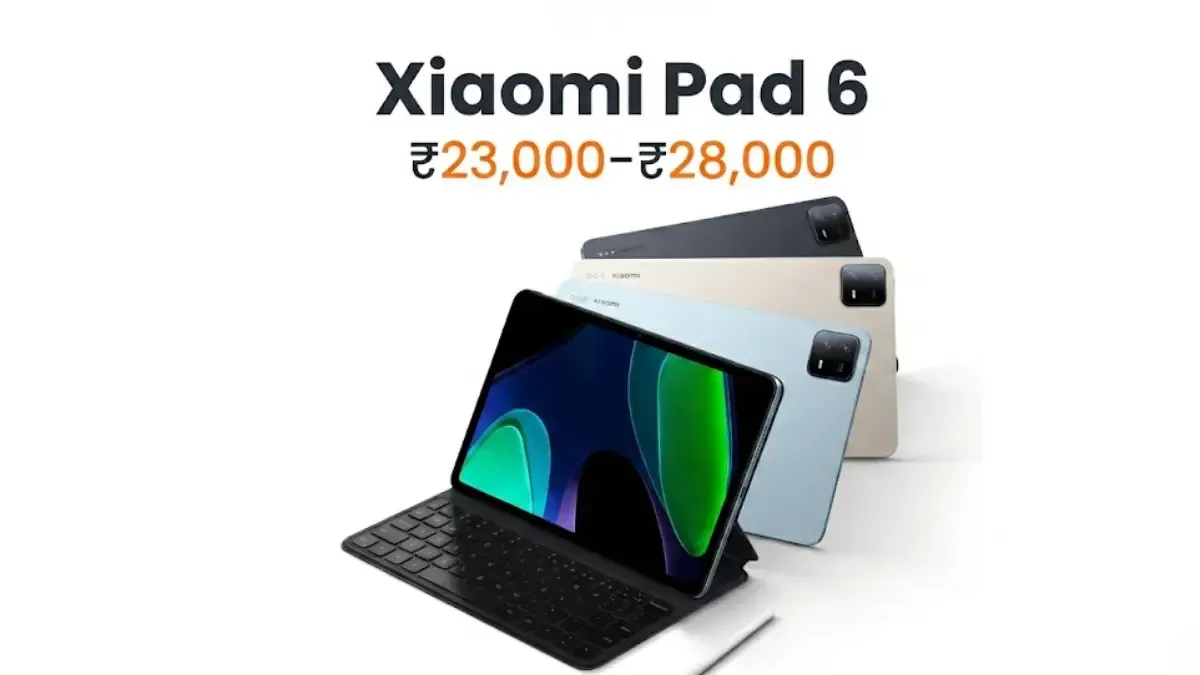
Xiaomi Pad 6: Best Performance Value
Best for: Students who prioritize smooth multitasking and gaming alongside academics | Rs. 23,000 to Rs. 28,000
The Xiaomi Pad 6, priced between Rs. 23,000 and Rs. 28,000, offers the best hardware performance per rupee in this student tablet comparison. The Snapdragon 870 processor at this price point provides faster app loading, smoother multitasking and better sustained performance than the mid-range chips in the Samsung Galaxy Tab S9 FE and Lenovo Tab P12. The 144Hz display makes scrolling through Chrome, flipping through notes and navigating course materials feel exceptionally fluid — more so than 60Hz or 90Hz displays on competing budget and mid-range tablets.
For students who balance academic work with mobile gaming and entertainment, the Xiaomi Pad 6 delivers better gaming performance than any other tablet at this price. BGMI, Genshin Impact and intensive titles run at higher settings with less thermal throttling than on comparable-priced alternatives. The large speaker system and 11-inch display create a good media consumption experience for streaming lectures.
Limitations to note: the Xiaomi Pad 6 does not support microSD card expansion, so storage is fixed at purchase. The 144Hz refresh rate increases battery consumption relative to 60Hz displays — expecting 10 to 12 hours at 144Hz versus a tablet with a lower refresh rate at the same capacity. MIUI for Pad has more pre-installed apps than other Android tablet interfaces. For students who want primarily a high-performance academic and gaming tablet without the ecosystem depth of Apple or Samsung, the Xiaomi Pad 6 is the choice.
Recommended for: Engineering, computer science and gaming-alongside-academics students who want the fastest performance at the mid-range price and are comfortable without microSD expansion.
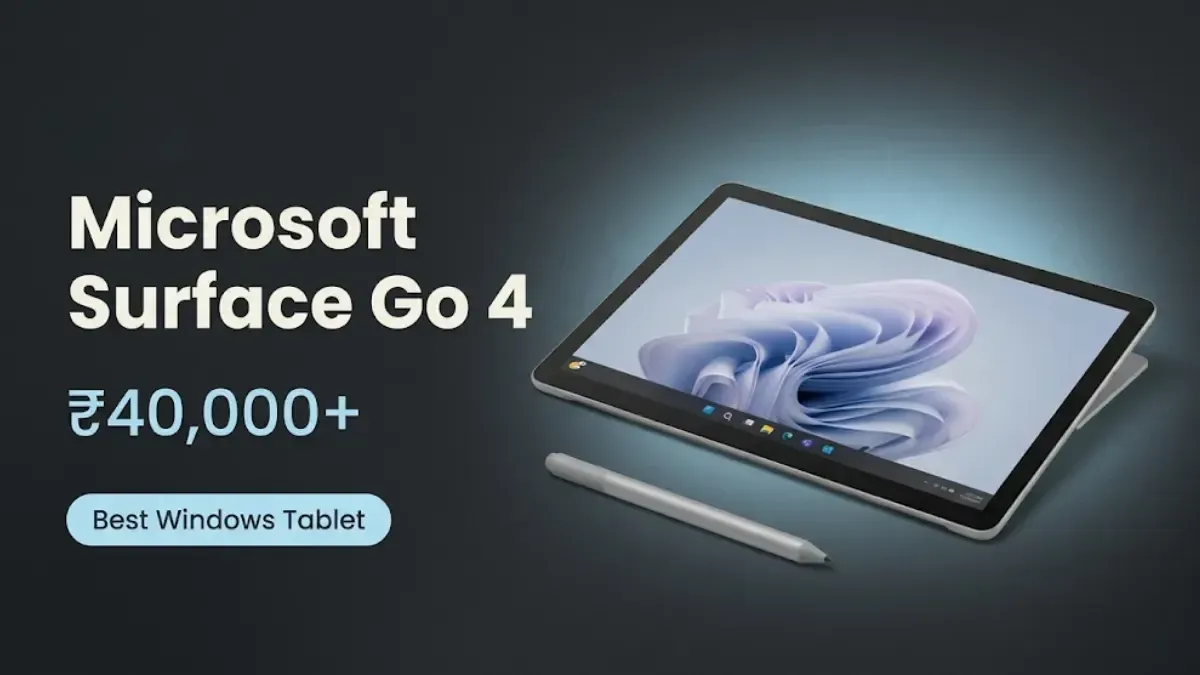
Microsoft Surface Go 4: Best Windows Tablet for Students
Best for: Computer science, engineering and business students who need full Windows software | Rs. 40,000+
The Microsoft Surface Go 4 is the only Windows tablet in this comparison and earns its place for a specific student profile: one whose coursework requires Windows-specific software that iPadOS and Android cannot run. Computer science students who need full Visual Studio, engineering students who use AutoCAD or MATLAB, and business students running advanced Excel macros with Power Query all have workflows that Android and iPadOS apps cannot fully replicate. The Surface Go 4 runs Windows 11 on a compact, portable tablet that weighs less than most laptops and fits into a student bag without adding significant weight.
The Surface Go 4's performance ceiling is its main functional flaw. The Intel engine in the Surface Go 4 isn't made to handle heavy processing tasks; it's made to work efficiently in a small package. Running many Windows programs at once, compiling code, or working with large files can slow down your computer, but a MacBook or a more powerful Windows laptop can handle it without any problems. It's best to think of the Surface Go 4 as a portable Windows device for light schoolwork, not as a replacement for a powerful workstation.
The Type Cover keyboard is sold separately and is the single most important Surface Go 4 accessory for student use. Without the keyboard, the Surface Go 4 is a touchscreen Windows tablet that operates less efficiently than iPadOS or Android tablets for note-taking and document work. With the keyboard, it becomes a compact Windows laptop capable of all the course-specific software a student needs.
Recommended for: Computer science, engineering, and business students whose coursework requires Windows software not available on Android or iPadOS. Not recommended if your course can be completed on iPadOS or Android, as the performance-per-rupee is significantly lower than other options on this list.
Which is the Best Tablet for Students by Course Type
Arts and humanities students: Apple iPad 10th Gen with GoodNotes or Notability. The iPadOS app ecosystem for academic note-taking is the deepest and most reliable. Add the Apple Pencil USB-C for handwritten notes.
Medical and science students: Samsung Galaxy Tab S9 FE with S Pen included. Diagram drawing, chemical structures, equation annotation and dense note-taking benefit from the S Pen’s accuracy and the included stylus.
Engineering students: Microsoft Surface Go 4 if Windows software is required for specific tools. If Android apps and web-based tools cover the coursework, the Xiaomi Pad 6 provides better performance at lower cost.
Business students: Apple iPad 10th Gen for Microsoft Office and PDF-heavy coursework, or the Microsoft Surface Go 4 if advanced Excel, Access or course-specific Windows software is required.
Budget-first students: Lenovo Tab P12 for the largest screen at the lowest cost, or Xiaomi Pad 6 for maximum performance at a similar price if storage flexibility (no microSD) is acceptable.
Final Verdict
No matter the brand or price, the best student tablets in 2026 are the ones that fit smoothly into your daily routine. If a tablet dies before your last lecture, lags during Zoom calls, misses stylus strokes while you’re taking notes, or runs out of storage in the middle of the semester, it hasn’t passed the real test—no matter what the benchmarks say.
Among the best tablets for students in this guide, the Apple iPad 10th Gen is the right choice for most students who want a balanced, long-lasting tablet with a premium app ecosystem. The Samsung Galaxy Tab S9 FE is the right choice for students who take handwritten notes daily and want the S Pen included at no extra cost. The Lenovo Tab P12 is the right choice for students on a tight budget who need a large screen for lectures and reading. The Xiaomi Pad 6 is the right choice for students who want maximum performance at a mid-range price. And the Microsoft Surface Go 4 is the right choice only for students whose coursework specifically requires Windows software.
Final ranking: 1. Apple iPad 10th Gen — best overall ecosystem and long-term value | 2. Samsung Galaxy Tab S9 FE — best note-taking with S Pen included | 3. Xiaomi Pad 6 — best performance per rupee | 4. Lenovo Tab P12 — best budget large screen | 5. Microsoft Surface Go 4 — best for Windows-required coursework only
FAQs
1. Which is the best tablet for students in 2026?
As of 2026, the Apple iPad 10th Gen is the best tablet for most students because it offers balanced performance, a premium app ecosystem with apps like GoodNotes, Notability, and Microsoft Office, and long-term support for iPadOS. For students who prefer taking notes first, the Samsung Galaxy Tab S9 FE with the S Pen is the best option. 2. Is a tablet better than a laptop for students?
For note-taking, PDF reading, online lectures and media consumption, tablets are lighter and more portable. For advanced software, code compilation, and heavy typing, laptops handle these better. Many students use a tablet for class and a laptop or desktop for assignment writing and project work.
3. Which tablet is best for handwritten notes?
The Samsung Galaxy Tab S9 FE is the best tablet for handwritten notes in this price range because the S Pen is included, has low latency, accurate palm rejection and good pressure sensitivity in Samsung Notes and Microsoft OneNote.
4. How much RAM does a student tablet need?
6GB RAM handles most student workflows, including simultaneous Zoom, PDF reading and note-taking. 8GB RAM is recommended for students who multitask heavily or plan to use the tablet for four or more years.
5. How much storage does a student need?
For most students, 128GB is the bare minimum. Samsung and Lenovo tablets with microSD card holes let you add more storage space for less money. MicroSD cards can't be used with the Apple iPad or the Xiaomi Pad 6, so it's important to pick the right storage option when you buy them.
6. Is the Apple iPad 10th Gen good for students?
Yes. The iPad 10th Gen is one of the best student tablets available due to its app ecosystem, performance reliability and long-term software support. The limitations are no microSD slot and the Apple Pencil is sold separately.
7. Which tablet is best for online classes?
Any tablet with 6GB RAM or more, a bright display and at least 10 hours of battery handles online classes well. The Apple iPad 10th Gen and Samsung Galaxy Tab S9 FE both performed reliably through four-hour Zoom lectures in testing.
8. Is the Microsoft Surface Go 4 good for students?
Only for students whose coursework requires Windows-specific software that iPadOS and Android cannot run — such as Visual Studio for coding, AutoCAD for engineering or course-specific desktop applications. For general student use, other tablets in this list provide better value.
9. Should students buy a tablet with a keyboard?
For essays, reports and assignments, a keyboard significantly improves tablet productivity. Samsung Galaxy Tab S9 FE, iPad 10th Gen and Microsoft Surface Go 4 all support optional keyboards. For students who write frequently, a keyboard is a worthwhile additional investment.
10. Which is better for students: iPad or Samsung tablet?
iPad for a premium app ecosystem, long-term software support and overall reliability. Samsung Galaxy Tab S9 FE for an included S Pen, expandable storage and Samsung DeX desktop mode. The right choice depends on whether the student’s priority is the iOS app ecosystem or the included stylus and Android flexibility.
If you want to sell your old devices, then click here.
 Yaskar Jung ShahUpdated: Aug 6, 2026·19 min read