How to Protect Your Phone From Water Damage: A Complete Guide
Your smartphone goes everywhere with you. To your office, your gym, on vacations, road trips and yes, even the bathroom. And though phones are more durable than ever, a single inadvertent splash, an unexpected deluge, or that stomach-dropping moment when your phone falls out of your hand and into water may still mean expensive repairs or irreversible damage.
Water damage is one of the most common reasons cellphones cease operating, whether you’re using a budget Android or the latest flagship. A lot of people think their phone is waterproof, or believe tales like putting a damp phone in a bag of rice. Sadly, these misunderstandings often make the situation worse.
So what to do to safeguard your phone from water damage? The good news is that preventing water damage is far easier than dealing with it afterwards. With a few basic habits and a grasp of the real limitations of your phone, you may lessen the chances of costly repairs and the loss of your critical data.
In this guide, I’ll walk you through how water damages smartphones, what water-resistance ratings actually mean, practical ways to protect your phone from water damage, what to do if your phone gets wet, and when it’s time to repair or replace your device.
How Does Water Damage a Smartphone?
Most smartphones are packed with delicate electronic components that absolutely do not like coming into contact with water. When moisture sneaks in through the charging port, speaker grille, SIM tray, or those tiny little gaps around your device, it interferes with the electrical circuits inside.
Here's the kicker though: water itself isn't necessarily the main culprit. Then there's the rusting that follows it. The minerals and pollutants in the water will slowly eat away at the interior components . Sometimes it may take days or even weeks for the problems to arise .
Some common effects of water damage include:
Phone won’t turn on
Display flickering or black screen
Battery draining unusually fast
Advertisement
Charging problems
Speaker distortion
Camera fogging
Touchscreen not responding
Random restarts
Overheating
Even if your phone seems to work fine right after getting wet, hidden moisture can keep damaging internal components over time. It’s a slow burn you don’t want to risk.
Is Your Phone Really Waterproof?
One of the biggest myths out there is that expensive smartphones are completely waterproof.
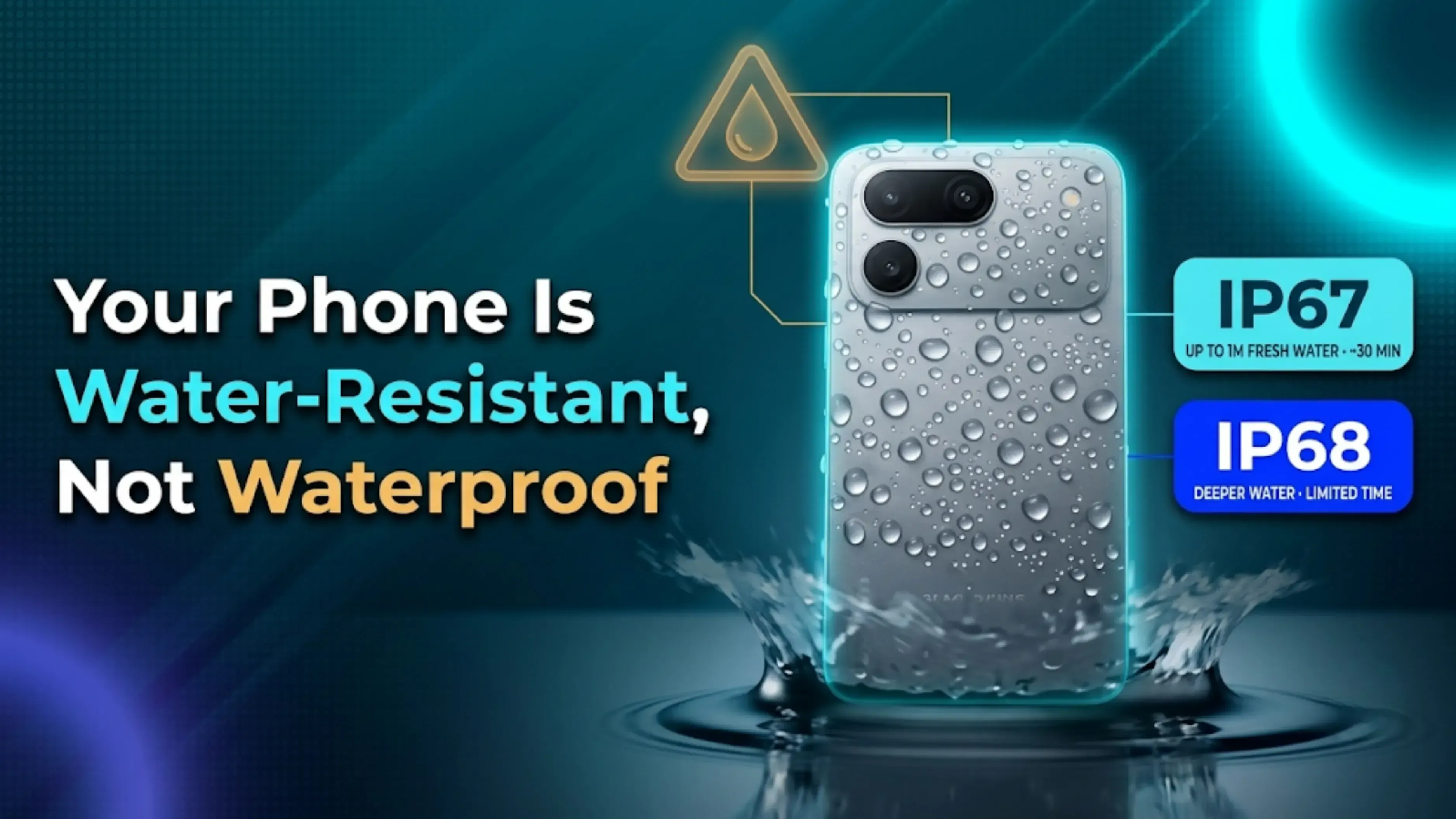
Here’s the truth: most smartphones are water-resistant, not waterproof.
Water resistance means your phone can survive limited exposure to water under specific testing conditions. It does not mean you can safely take it for a swim, use it in the shower, or dunk it underwater for fun.
That water-resistance protection also fades over time because of:
Daily wear and tear
Small drops
Heat exposure
Aging seals
Previous repairs
Even a phone with an IP68 rating deserves to be treated carefully around water.
Understanding IP67 and IP68 Ratings
Lots of smartphones advertise IP67 or IP68 protection, but honestly, very few people actually know what those ratings mean.
Rating
Protection Level
IP67
Protected against dust and can survive immersion in up to 1 meter of fresh water for about 30 minutes.
IP68
Protected against dust and can withstand deeper water for a limited time, depending on the manufacturer’s specifications.
But here’s the catch: these ratings are tested in controlled lab conditions using clean, fresh water.
They do not cover:
Salt water
Swimming pools
Soap water
Hot water
Coffee
Tea
Soft drinks
Rain mixed with dirt.
High-pressure water
That’s exactly why manufacturers still recommend avoiding unnecessary liquid exposure, even if your phone has a fancy IP67 rating or IP68 rating.
You don’t need expensive gadgets to protect your phone from water damage. Small, everyday precautions can make a huge difference.
1. Use a Quality Protective Case
A good phone case does more than just protect against drops.
Many rugged cases have raised edges and sealed designs that reduce the chances of water sneaking in through exposed areas.
If you travel often, hike, or work outdoors, investing in a durable case is definitely worth it.
2. Keep Your Phone Away From Water Sources
I know , it sounds obvious. But so many accidents happen because people casually leave their phones near:
Kitchen sinks
Bathroom counters
Swimming pools
Buckets
Water bottles
Bathtubs
One accidental nudge, and your phone takes an unexpected dive. Get into the habit of placing your phone on a dry surface whenever possible.
3. Use a Waterproof Pouch During Travel
If you’re heading to the beach, boating, trekking, camping, or anywhere near water, a waterproof pouch is one of the smartest investments you can make.
These pouches protect your phone from:
Rain
Splashes
Sand
Dust
Snow
Accidental drops into water
Many waterproof pouches even let you use the touchscreen without taking the phone out , pretty handy, right?
4. Don’t Use Your Phone in Heavy Rain
A lot of people assume a few raindrops won’t hurt their phone.
And honestly, the occasional light rain usually isn't a problem for water-resistant electronics. But moisture can work its way through the ports and speaker grilles over time.
If it is raining hard, put your phone in your pocket, backpack or a waterproof bag. A little rain protection goes a long way.
5. Never Charge a Wet Phone
This is one of the biggest and most expensive mistakes people make.
If there’s moisture in the charging port and you plug in a charger, it can cause a short circuit and permanently damage your phone.
If your device gets wet:
Disconnect all accessories
Dry the charging port.
Wait until the phone is completely dry.
Only then attempt charging.
Many newer smartphones actually display a “Liquid Detected” warning to prevent you from making this mistake.
6. Avoid Using Your Phone Near Swimming Pools
Pool water contains chlorine and other chemicals that are way more harmful than clean water.
Even if your phone survives the water exposure, those chemicals can slowly corrode internal components and damage the seals.
7. Protect Your Phone During Monsoon
To be honest, monsoon season = water damage season.
Simple behaviours can help you save:
* Use a water proof pouch.
* Use a zip lock bag in case of emergency
* Keep your phone in your backpack not in your hand
* Wipe your hands on a dry towel before using your phone
* Do not place your phone on moist surfaces
These little procedures can save you money and a lot of stress from costly repairs.
8. Don’t Take Your Phone Into the Bathroom
Steam from hot showers can create moisture inside your phone even without direct contact with water.
Over time, humidity can affect:
Camera lenses
Display
Internal circuits
Charging port
Keeping your phone outside the bathroom is a much safer choice.
9. Seal the Charging Port When Needed
If you are going to be out in the rain or near water, you might want to consider some protective port covers that are included with some robust cases.
They directly assist prevent exposure to damp and dust.
10. Back Up Your Data Regularly
Take all the precautions you want, but there will always be accidents.
Regular backups help you avoid losing your valuable stuff: *Pictures * Videos * Contact Us * Paper work * SMS
If your phone becomes destroyed, cloud storage makes it much easier to recover your data. Don’t miss this!
11. Check Your Phone for Small Cracks
Tiny cracks in the screen or back panel might seem harmless, but they can seriously weaken your phone’s water resistance.
Even small gaps let moisture seep in more easily.
Repairing cracked glass early can prevent much bigger problems later.
12. Avoid Extreme Temperatures
Rapid shifts between hot and cold environments can create condensation inside your phone.
For example:
Moving from an air-conditioned room into heavy humidity
Leaving your phone in direct sunlight
Using your phone in a hot shower
Moisture from condensation can be just as damaging as direct water exposure.
Common Mistakes That Cause Water Damage
Most water damage, to be frank, happens from basic everyday blunders.
Do not do these usual things:
Putting your phone in your back pocket at swimming pools* Washing dishes while on your phone
Taking selfies in the pouring rain
Placing your phone next to the sink
On bike rides in the rain, wearing it loosely
Gazing at broken screens
Charging a wet phone* Assuming “water-resistant” implies water-proof
Being aware of these circumstances can literally save you thousands in repairs.
What to Do If Your Phone Gets Wet
Acting quickly can make all the difference in saving your phone.
Follow these steps immediately:
Step 1: Remove the Phone From Water
The longer it stays submerged, the greater the damage
Step 2: Turn It Off Immediately
If the phone is still on, power it off.
Avoid pressing unnecessary buttons.
Step 3: Remove Accessories
Remove:
Mobile Case
SIM card
Tarjeta de memoria
Stylus (if applicable)
This allows any trapped moisture to escape.
Step 4: Dry the Exterior
Use a clean microfiber cloth or soft towel.
Gently wipe away visible water.
Avoid shaking the phone aggressively, as that can actually push water deeper inside.
Step 5: Let It Dry Naturally
Place the phone in a dry, well-ventilated area.
If possible, position it so water can drain away from the charging port.
Be patient. Giving it enough time to dry naturally is much safer than rushing the process.
What NOT to Do
Knowing what to avoid is just as important.
Don’t Put It in Rice
The “rice trick” is one of the most popular myths out there.
Rice can soak up some surface moisture but does very little to draw water from deep inside your phone. Plus, microscopic bits of rice can get lodged in the charging port or speaker holes, causing new difficulties.
Silica gel packets are generally more effective for absorbing moisture, but even they aren’t a guaranteed fix.
Don’t Use a Hair Dryer
Hot air can damage:
Battery
Display
Adhesives
Internal seals
Don’t Charge It Immediately
Charging a wet phone is a recipe for electrical damage.
Always wait until the device is completely dry.
Don’t Press Every Button
Repeatedly pressing buttons can force water deeper into the phone.
Don’t Panic
I know it’s easier said than done, but many phones survive minor water exposure if handled correctly.
Quick and careful action gives your device the best chance of recovery.
Can You Repair a Water-Damaged Phone?
Yes, but it really depends on how bad the damage is.
Minor water exposure might only require cleaning and drying by a professional technician.
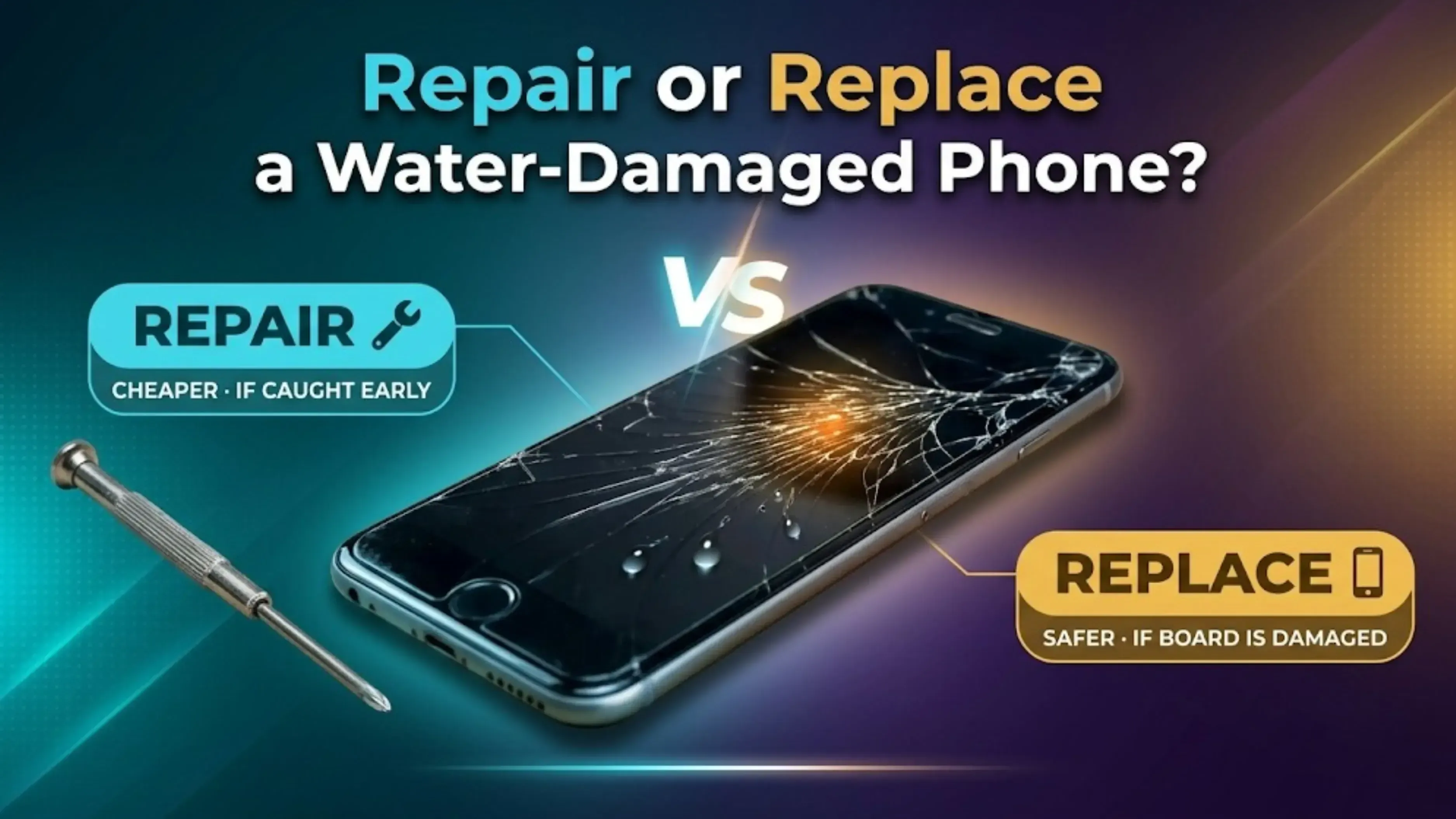
However, if corrosion has already damaged the motherboard or battery, repairs can get expensive and sometimes just aren’t worth it.
If the repair cost is close to the value of the phone, replacing it is probably the smarter move.
Should You Repair or Replace a Water-Damaged Phone?
Here’s a simple way to decide:
Situation
Repair
Replace
Minor splash, phone works normally
✅
❌
Charging port affected
✅
❌
Speaker issue after water exposure
✅
❌
Motherboard damage
❌
If your phone is already a few years old and suffers major water damage, investing in a new device usually gives you better long-term value than paying for repeated repairs.
Final Thoughts
Learning how to safeguard your phone from water damage could save you from surprise repair fees, missed memories, and the hassle of replacing a device prematurely. Modern smartphones have water resistance, but they’re not designed to withstand every spill, splash, and accidental drop.
There are a few simple behaviours that can make a huge difference in your phone’s life: Protect your phone with a case. Keep it out of the water unless you absolutely have to. Keep the charging port dry. Backup your data into the cloud. Act fast if your phone becomes wet.
If your smartphone has suffered severe water damage and repairs are no longer worth the cost, don’t let it sit useless in a drawer. Depending on its condition, you might still be able to recover value from it.
That’s where Cashkr comes in. You can sell your old or damaged smartphone through a simple, hassle-free process. With free doorstep pickup, secure data wiping, transparent device evaluation, and instant payment, upgrading to your next phone becomes way easier while ensuring your old device is responsibly reused or recycled.
Protect your phone before accidents happen, but if it’s time to move on, make sure your old device still works for you by turning it into value instead of letting it go to waste.
The solution is to be proactive. Use a good protective case Avoid water sources like sinks and pools Avoid using your phone in heavy rainfall Never charge your phone when it’s wet While travelling or in monsoon, a waterproof pouch is a good investment for extra safety. Simple behaviors might help safeguard your phone from water damage.
2. What to do if your phone gets wet?
First, don’t panic. Remove it from the water immediately. Turn it off, take out the SIM card and case, dry the outside with a soft cloth and leave it to dry in a well-ventilated place. Do not charge, do not repeatedly press buttons, and do not use a hair dryer. If your phone becomes wet, acting promptly is the main thing to figure out what to do.
3. Does rice fix a water-damaged phone?
No. For real. The rice trick is one of the biggest fallacies around. Rice can absorb some moisture on the surface, but it does little to remove water stored deep inside your phone. Also, little grains of rice can get stuck in the charging port or speaker holes. So if you’re asking, does rice heal a water-damaged phone, the answer is no. Silica gel packets are better, but even these aren't a sure-fire remedy.
4. How to save a water damaged phone?
Time is everything. Remove the phone from water, power it off, remove all accessories, dry the outside gently, and let it dry naturally in a dry area. Don’t charge it, don’t use heat, and don’t shake it. If you act fast and follow these steps, you have a much better chance of saving a water-damaged phone successfully.
5. Can you repair a water damaged phone?
Yes, but it depends on how severe the damage is. Minor water exposure might only need professional cleaning and drying. However, if corrosion has damaged the motherboard or battery, repairs can get expensive and may not be worth it. So can you repair a water-damaged phone? Sometimes yes, but if the repair cost is more than half the phone’s value, replacing it is usually the smarter move.
6. Can water damage a waterproof phone?
Yes, of course. Most phones are water resistant, not water proof. That means they can handle limited exposure under certain conditions, but are not made for swimming, showering or salt water. Even phones with an IP67 or IP68 rating might get damaged over time as the seals wear out. So the answer to the question can water destroy a waterproof phone is a yes, very definitely in practical use.
7. How to protect your phone during monsoon?
Monsoon season is tricky, but you can stay safe. Bring a waterproof pouch, have a zip-lock bag as a backup, keep your phone in your backpack, not in your hand, dry your hands before using it, and don’t put it on wet surfaces. These little behaviours are the easiest ways to preserve your phone during monsoon without much difficulty.
8. How to prevent moisture damage in smartphones?
Moisture can get in through charging ports, speaker grilles, and even minuscule pores. How can you prevent this? Don’t use your phone in humid places such as bathrooms, keep the charging port dry, use protective port covers when outdoors, and avoid extreme temperature changes that lead to condensation. These methods are the key to preventing moisture damage in cellphones.
9. How to dry a wet smartphone?
Gently pat it dry with a microfiber cloth, remove the case and SIM tray, and place it in a dry, well-ventilated area with the charging port facing down so water can drain out. Leave it there for at least 24 to 48 hours. Resist the urge to use a hair dryer or put it in rice. Patience is everything when it comes to how to dry a wet smartphone.
10. Should I sell a water damaged phone or repair it?
That depends on how much it's been mangled up. If it's something minor like a bad charging port or speaker, it might be worth fixing. But if the motherboard is fried or the phone won’t power up, repairs might be pricey. Then you're better off selling it for parts or recycling it. Even if your phone is broken, you can still get value from it with services like Cashkr. They provide free doorstep pickup, safe data erasing, clear assessment and quick cash for water-damaged phones.