How to Spot Fake Electronics: 12 Warning Signs Every Buyer Should Know
It's thrilling to purchase a new laptop, smartwatch, smartphone, or wireless earphones. Until you find out the item isn't authentic. That depressing sensation you get when you discover you've been duped? Believe me, it's not enjoyable—I've been there.
The sophistication of counterfeit electronics has increased, making it more difficult than ever to distinguish genuine products from plausible fakes. Every year, scammers become more skilled at this.
At first glance, a fake product might look identical to the original. It may come in similar packaging, display the same logo, and even include accessories that resemble the genuine ones. However, beneath the surface, counterfeit electronics often use low-quality components, lack proper safety certifications, and deliver poor performance. In some cases, they can even pose safety risks due to faulty batteries or unreliable charging systems. I’ve seen cheap knockoff chargers literally melt.
The good news? To avoid these scams, you don't have to be an expert in technology. You may avoid squandering money on phoney gadgets and reliably recognise authentic products if you know what to look for before making a purchase.
In this guide, I’ll explain how to spot fake electronics, the most common warning signs, and simple steps you can take to verify whether a device is authentic.
Why Are Fake Electronics So Common?
Counterfeit electronics have become a global problem because they’re highly profitable for scammers. From smartphones and laptops to chargers, headphones, gaming consoles, and smartwatches, almost every popular electronic product has fake versions circulating in the market. Nothing is safe anymore.
A lot of fake goods are offered at prices that seem too good to be true by local vendors, social media listings, and unofficial web markets. While some consumers intentionally buy replicas, many unintentionally pay for phoney items because they think they're obtaining a real product at a discount. The con artists are hoping you won't pay too much attention.
In addition to having subpar performance, fake electronics frequently lack crucial safety measures, which makes them less dependable and occasionally hazardous to use. While a phoney charger could harm your device, or worse, a fake phone might function for a month.
12 Signs an Electronic Device May Be Fake
Let’s get into the real stuff. Here’s what you need to watch out for.
1. The Price Seems Too Good to Be True
This is the oldest trick in the book, and people still fall for it.
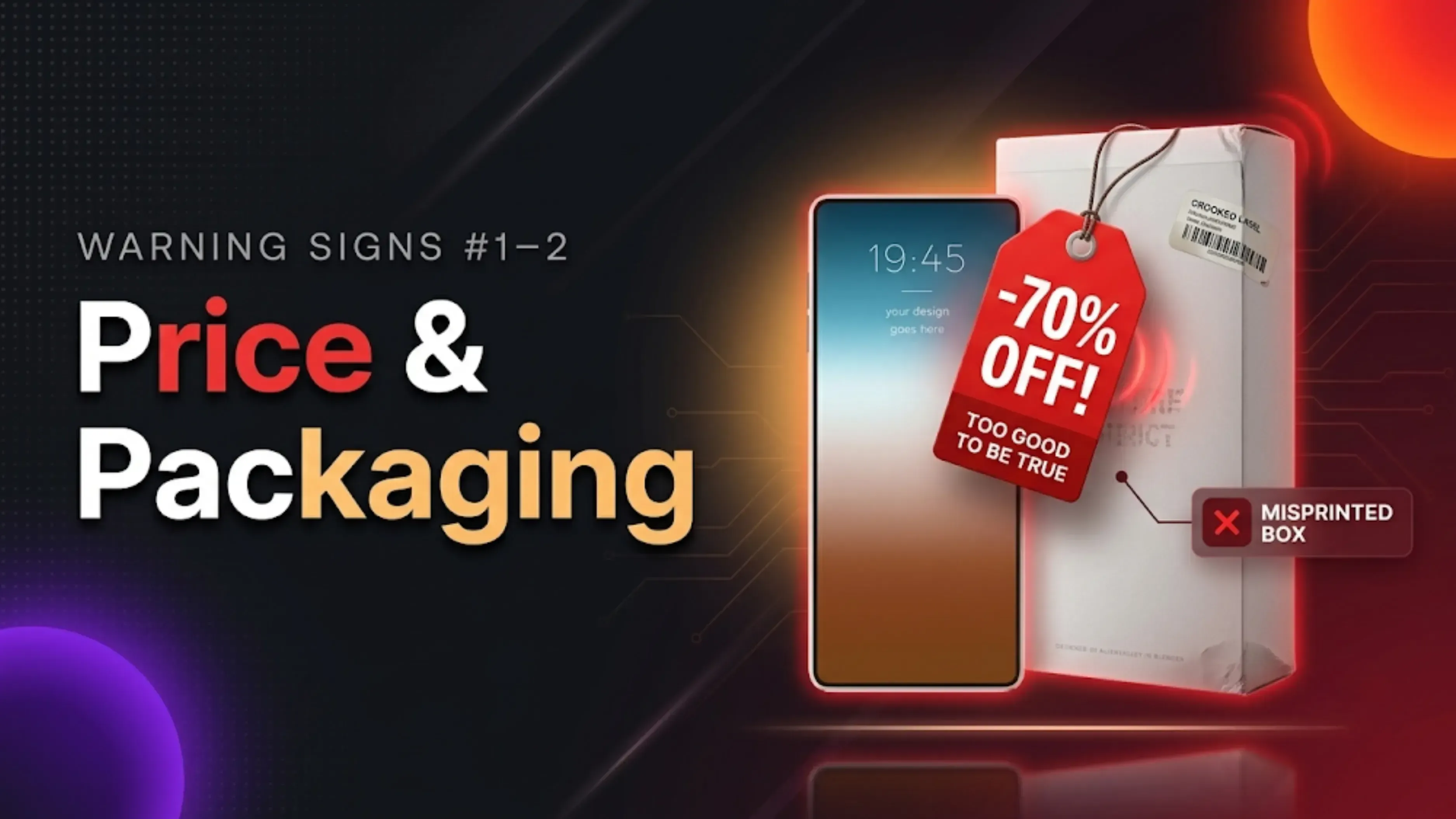
An exceptionally low price is one of the biggest red flags. There is typically a reason why a high-end laptop or smartphone is being sold for far less than its typical market value. Low prices are used by scammers to entice customers who believe they have got a fantastic deal.
There are true bargains, but when you see anything for an unbelievably low price, you should always be suspicious. Check prices from various trusted stores before you buy to get an idea of the market price. If something sounds too good to be true, it probably is.
2. Poor Packaging Quality
Original brands invest heavily in high-quality packaging. It’s part of their brand image.
Counterfeit electronics often arrive in boxes with faded printing, poor-quality cardboard, spelling mistakes, blurry images, or missing labels. I once received a “genuine” phone in a box where the logo was literally crooked.
A tiny change in packaging is a clue the product is not legitimate. Before you open the box, take a good look at it.
3. Check the Brand Logo Carefully
Often fake items will copy logos but cannot reproduce them correctly. Up close, the distinctions are clear. Look for:
Misspelt brand names
Incorrect fonts
Misaligned logos
Poor printing quality
Missing trademarks
Small design inconsistencies are often one of the easiest ways to identify counterfeit electronics. A genuine Apple logo, for example, has a specific shape and finish that fakes rarely get right.
4. Verify the Serial Number or IMEI
Most electronic equipment has a unique serial number or IMEI number. These are like fingerprints for your device.
Before buying, compare the number printed on the gadget with the package and official documentation. A lot of serial numbers can also be checked on the manufacturer's website. On phones, you can often check the IMEI by dialling a certain code.
If the statistics don’t match up, or aren’t there at all, that’s a huge danger indicator. Leave.
5. Inspect the Build Quality
Authentic electronics usually have excellent fit and finish. Premium materials, tight seams, and a solid feel.
Look for indications such as:
* Buttons loose
* Irregular gaps
* Plastic edges are sharp
Lightweight construction
* Cheap materials
* Loose charge ports
Bad craftsmanship is a sign of a fake product. Feel it in your palm. Does it feel cheap? It is. And that’s why.”
6. Test the Software
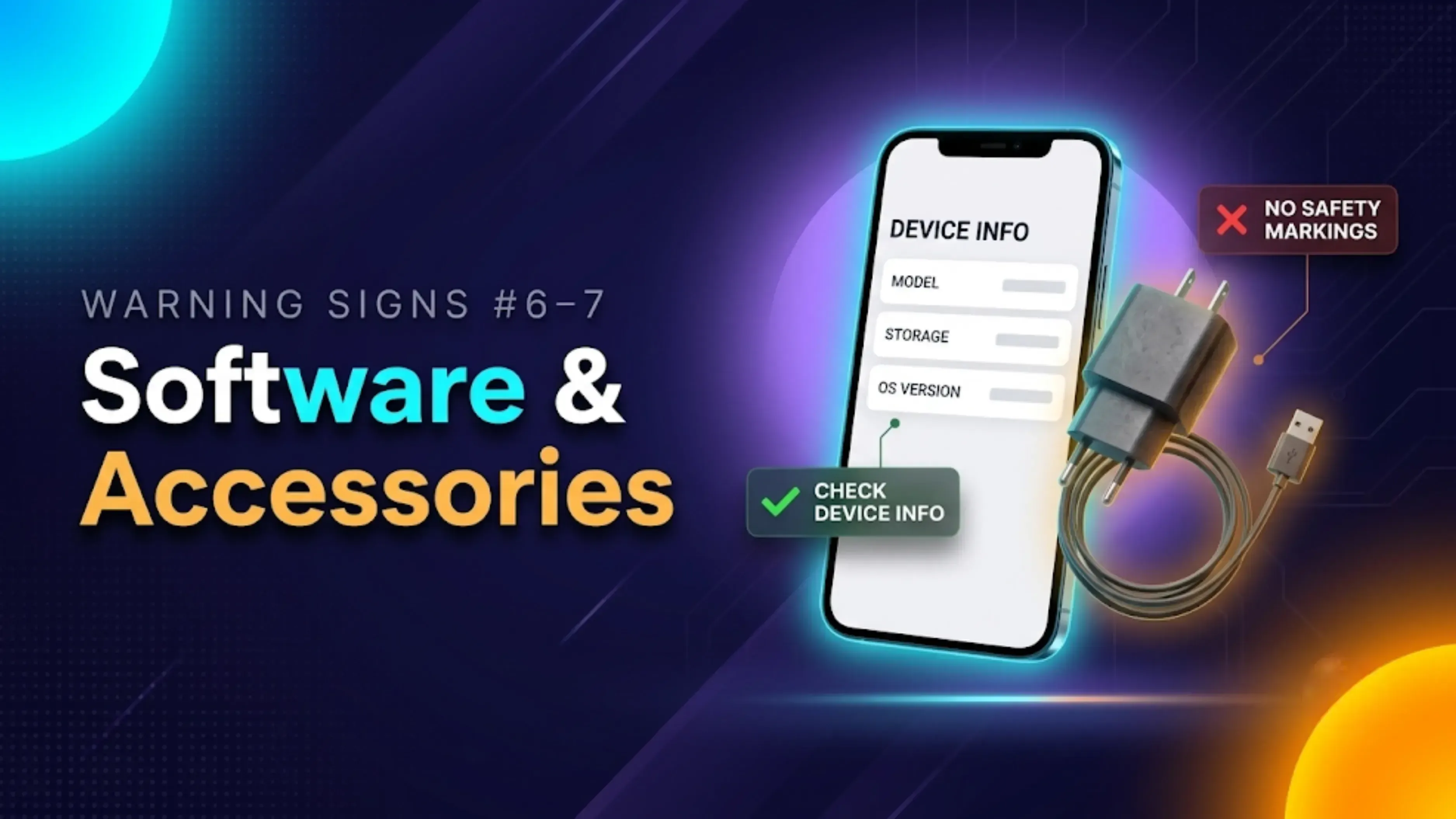
Fake smartphones and tablets may look like the real operating system, but may not have many of the official functions. It may appear like iOS or Android, but the underlying system is a mess.
Pay attention:
* Reactive slowly
* missing system updates Ads that surprise
* Unkown apps
Wrong device information
* Low quality cam
Often these quirks are telling you the program isn’t the real deal. If the settings menu is weird or the camera is slow, something is amiss.
7. Check the Accessories
Fake chargers, cords, earbuds and adapters are frequently bundled with counterfeit electronics. Accessories make the box look more believable, and scammers know it.
• Check accessories for:
* Poor print quality
* Wrong logos
Loose connections
* Light construction
* Lacking certification labels
Using fake charging accessories might also cause damage to your device or battery life. A phoney charger might function, but the danger is not worth it.
Might work, but it’s not worth the risk.
8. Confirm Warranty Coverage
Most reputable manufacturers provide an official warranty. It’s one of the benefits of buying genuine.
Ask the seller for:
If the seller avoids warranty-related questions or cannot provide supporting documents, proceed carefully. Genuine sellers don’t hide from warranty questions.
9. Look for Safety Certifications
Electronic devices sold in many countries must comply with safety standards. These certifications exist to protect you.
Depending on your region, check for certifications such as:
Missing or poorly printed certification marks can indicate a fake product. If the label looks photocopied, it probably is.
10. Buy Only from Trusted Sellers
One of the easiest ways to avoid counterfeit electronics is to purchase from authorised retailers or reputable sellers. It’s really that simple.
When buying used electronics, choose platforms with transparent processes and clear device information rather than anonymous sellers offering unrealistic deals. Do your homework on the seller before handing over your money.
11. Read Reviews Before Buying
If you are shopping online, take a few minutes to check consumer feedback. Solely this step has rescued me from terrible purchases more times than I can count.
Don’t just look at the overall rating. Look for comments regarding legitimacy, packaging, warranty support, and vendor reliability.
A trend of complaints concerning counterfeit items is an obvious warning indicator. Don't miss the red flags, please
12. Trust Your Instincts
This one might sound silly, but it’s actually important.
If something feels off, whether it’s the seller’s behaviour, incomplete product information, or unusually aggressive discounts, it’s worth taking a step back. Your gut is usually right about these things.
Spending a little more time verifying a product can save you from an expensive mistake. Walk away and do more research.
Tips for Buying Used Electronics Safely
Buying pre-owned electronics can be an excellent way to save money, but it’s important to be cautious. I’ve bought used devices that worked perfectly for years, but I’ve also been burned a couple of times.
Things to know before you buy:
* Check serial number or IMEI
*Test all important features including display, speakers, camera, keyboard and ports.
* Request the original invoice, if available.
* Check battery health if you can.
*The device is not locked to another account.* Examine the gadget carefully for any evidence of prior repairs or physical damage.
Likewise, if you’re looking to sell your own gadget, transparency fosters trust. Giving a listing with precise details about the condition, specs and functionality helps consumers make informed buying selections.
Planning to upgrade your current device? Discover its worth on the resale market in just a few minutes on Cashkr. It’s an easy method to learn what your equipment is worth while it’s still in good shape. No pressure, just excellent stuff to know. Common Myths About Fake Electronics
Myth: Fake electronics are always easy to identify.
Not any more. Modern counterfeits are often very similar to the real thing, therefore require thorough investigation. The obvious false days are over.
Myth: Buying from an online marketplace always guarantees authenticity.
Not exactly. Even with the many precautions of marketplaces, third-party merchants can still post phoney products. Always examine the reputation of the seller before buying.
Myth: Only expensive devices are counterfeited.
Counterfeit versions exist for everything from flagship smartphones and gaming consoles to chargers, power banks, headphones, and smartwatches. Nothing is safe.
Myth: If it turns on, it’s genuine.
Many counterfeit devices will work initially , but are often made with inferior parts that result in reduced performance , minimal software support , or premature failure . It turns on, but that doesn’t make it real.
Myth: Refurbished electronics are always fake.
No, that's not true. Refurbished products from authorised sellers are often genuine and warrantied. Just make sure you get it from a trusted source.
Final Thoughts
Learning how to identify fake electronics is one of the finest methods to safeguard your money and save unnecessary frustration. A little research before you buy can help you spot counterfeit products, check authenticity and select equipment that is safe, reliable and made to last.
Always inspect the packaging, check serial numbers, look at build quality, and buy from trusted sources. These basic steps can go a long way to significantly reduce the danger of buying fake devices.
If you are thinking of upgrading your current smartphone, laptop, tablet or other electronic gadget, don’t wait until it has lost most of its worth. Selling it while it's still authentic, working, and in good shape often gives you a better resale price. Before you upgrade next time, check the resale value of your device on Cashkr and make an informed decision based on its current market value.
FAQ's
1. How to tell if electronics are fake even if the boxes look great?
Even if the package looks like it's real, check the serial number or IMEI on the manufacturer's website. Check the program to see how well it was made. Real fakes don't always get it right, but sometimes they do.
2. How to identify fake electronics without opening the box?
Look at the spelling, logos, certification marks, and quality of the package. Check the official measurements and weights against the item. To be sure, read the QR code on the box if you can.
3. How to check if electronics are genuine using the manufacturer's website?
On their official website, most big brands have a page where you can verify your account. The system will tell you if it's real if you enter the serial number, IMEI, or product code.
4. What’s the difference between original vs fake electronics in terms of safety?
A lot of the time, fake electronics don't have the right safety certifications, use bad batteries, and don't have good insulation. This can cause things to get too hot, short-circuit, or even start a fire. Real devices are very safe and meet strict rules.
5. How to avoid counterfeit electronics when buying online?
Online marketplaces should only have official brand stores and sellers that are authorised. Deals that seem too good to be true should be avoided. Read reviews carefully and look at seller scores. Constantly ask for information about the warranty and the bill.
6. Are refurbished electronics more likely to be fake?
Not as long as you buy from approved repair shops. Stick to brand-certified secondhand programs or stores that you know you can trust. Don't buy from random people who are selling used items without the right paperwork.
7. How to verify electronic devices using QR codes?
A lot of real items have QR codes on the package or the item itself. Use your phone to scan the code. It should take you to the official verification page for the manufacturer, not just any website.
8. What should I do if I accidentally bought a fake product?
Get in touch with the seller right away and ask for a return. Report them to the platform or marketplace if they refuse. You can also tell consumer protection authorities about fake goods.
9. How to check if a charger or accessory is genuine?
Make sure the marks are correct, such as CE or BIS. Check out the official pictures to see how the weight, build quality, and graphics compare. Most of the time, real items are heavier and better made.
10. Can fake electronics damage my other devices?
Yes, without a doubt. Power from fake chargers and cables can be unstable, which can hurt your device's battery or internal parts. Saving a few bucks isn't worth the risk.
Sll your old devices here