How to Speed Up a Slow Android Phone: 12 Easy Tips That Actually Work
AAathikshan Nadar Updated: Aug 27, 2026·10 min read

Simple tips to make your slow Android phone run faster.

Get the Cashkr app for faster payouts

Have you ever unlocked an Android phone app only to have to wait a few seconds for it to launch? Or perhaps it takes a long time to switch between apps, games lag suddenly, and social media browsing feels jerky.
A slow Android phone is a frequent issue, particularly after several years of use. Fortunately, replacing your phone is not always necessary. Its speed and general performance may often be greatly increased with a few easy adjustments.
We'll go over how to speed up a slow Android phone utilizing useful techniques that are compatible with nearly all Android devices in this post. These suggestions can help improve the performance of any Android smartphone, including Samsung, OnePlus, Xiaomi, Vivo, OPPO, Motorola, Google Pixel, and others.
It's useful to know what causes the issue before attempting to solve it.
Among the most typical causes are:
The storage is nearly filled
There are too many background-running programs.
Over time, cached files have collected.
It's been weeks since the phone was rebooted.
outdated software.
outdated hardware.
Performance is impacted by battery deterioration.
RAM and computing power are being used by heavy apps.
Fixing your phone gets considerably simpler if you figure out what's causing it.
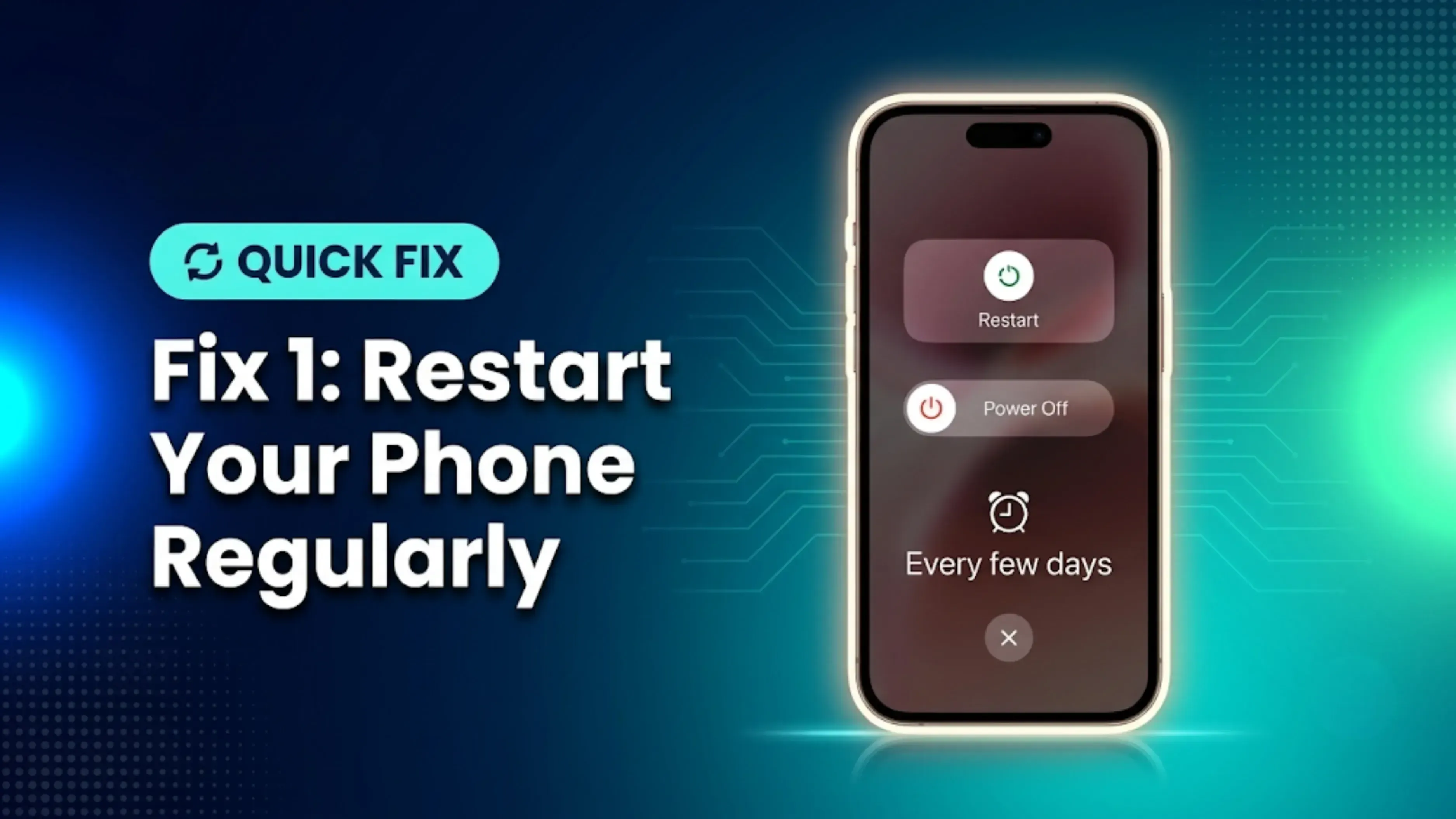
A lot of individuals don't often reset their phones. Restarting, on the other hand, ends apps that might be using needless resources, clears off transient processes, and releases RAM.
Performance can be significantly enhanced by just rebooting your phone once every few days.
Lack of storage is one of the main causes of Android phones' slowness.
Android finds it difficult to generate the temporary files needed for seamless operation when your storage is almost full.
At least 15% to 20% of your storage should be kept free.
You can make room by:
Eliminating redundant images
Eliminating downloaded files
Getting rid of big videos
Eliminating unnecessary documentation
Removing programs that you don't use
Your phone will often operate more smoothly if it has more free storage.
Every application uses a cache to store temporary data.
Although cache speeds up app loads, an excessive amount of information can corrupt or become outdated.
To empty the cache:
Storage → Clear Cache → Settings → Apps → Choose App
Pay attention to apps such as:
ChromeI
nstagram
YouTube
Don't delete app data unless absolutely required to avoid being logged out.
Dozens of apps are generally pre-installed on phones, and users frequently add more over time.
Apps that are not in use continue to consume:
RAM
Storage
The battery
processing power in the background
Examine your list of apps and remove any that you haven't used in a few months.
Better performance is generally associated with less clutter.
Software upgrades enhance performance, security, and stability in addition to adding new features.
Visit to see any updates.
Settings → Software Update
Additionally, update Google Play Store apps to ensure optimal functionality.
Information such as stock prices, news, and weather is continuously updated by widgets.
In a similar vein, active wallpapers constantly use processing power.
Your phone will seem noticeably faster if you reduce the number of widgets and change to a plain wallpaper, especially on low-cost models.
Even after you've closed them, a lot of programs keep running.
These programs use up battery life and memory in the background.
Background activity can be decreased by:
Limiting the use of batteries
Turning off auto-start for unused apps
Disabling background refresh when it is available
This can be automatically managed by Android's built-in battery optimization options.
Lightweight versions of well-known apps can enhance speed if your phone's RAM is restricted.
Examples consist of:
Facebook Lite
Lite Messenger
Google Go
Maps Go
These programs provide the majority of the necessary functionalities while consuming minimal resources.
AndroiAlthough Android animations improve the interface's appearance, they also demand more processing power.
Developer Options allows you to slow down the animation.
Steps:
Enable Developer Options.
Open Developer Options.
Reduce:
Window Animation Scale
Transition Animation Scale
Animator Duration Scale
Setting these to 0.5x often makes the phone feel much quicker.
Certain harmful applications silently use up system resources.
Signs consist of:
Advertisements at random
Quick battery depletion
The phone is getting hot.
Poor performance
Install apps only from reliable sources, such as the Google Play Store, and get rid of any dubious ones right away.

A factory reset can give your phone a new lease on life if it has been sluggish for years and none of the preceding fixes work.
Prior to resetting:
Backup pictures
Save your contacts.
Backup conversations on WhatsApp
Keep vital documents safe.
Much of your phone's original functionality can easily be restored with a clean installation.
Sometimes age is the problem rather than software.
Depending on the hardware and usage, the majority of Android phones are built to last three to five years. Even after you've optimized the device, older processors with less RAM may find it difficult to keep up with the increasing demands of newer programs.
Upgrading your phone might be a better choice if you've tried all of the above suggestions and it still seems sluggish. It's worthwhile to find out how much your current phone is worth before purchasing a new one. With only a few clicks, you can get a free estimate of your old phone's market worth from websites like Cashkr. Selling your phone can help pay for your next upgrade, even if it's a few years old, rather than keeping it in a drawer.
Maintaining your phone's speed involves more than simply correcting issues; it also involves avoiding them.
Here are some beneficial behaviors to adopt:
Every few days, restart your phone.
Don't fill storage more than 85%.
Apps should be updated often.
Remove any superfluous downloads and screenshots.
Steer clear of installing programs from unidentified sources.
Periodically clear the cache.
For images and movies, use cloud storage.
Delete any programs that you are no longer using.
Small maintenance habits can make a big difference over time.
It's not always necessary to replace a slow Android phone. A large portion of its initial performance can often be restored by cleaning storage, deleting superfluous apps, upgrading software, and adjusting settings.
However, your gadget may be nearing the end of its useful life if it is several years old and still has issues after attempting these repairs. Remember to examine the free resale value of your old phone before upgrading. You can easily determine the value of your mobile with services like Cashkr, which will help you recoup some of its value and lower the cost of your future smartphone purchase.
You may have a quicker, more seamless Android experience with a little routine maintenance and the appropriate time to upgrade.
1. Why is my Android phone so slow?
Low storage, an excessive amount of background programs, out-of-date software, an enormous cache, or aged hardware can all contribute to your phone's slowness.
2. Does clearing cache make an Android phone faster?
Indeed. App responsiveness is enhanced by clearing the cache, which gets rid of temporary files that can build up over time.
3. How much free storage should I keep on my Android phone?
For best results, it's a good idea to leave at least 15–20% of your storage free.
4. Will restarting my phone improve its speed?
Indeed. In addition to clearing up transient processes and updating system memory, restarting can enhance overall performance.
5. Can too many apps slow down my Android phone?
Yes.Performance can be impacted by even unused programs using RAM, storage, and background resources..
6. Is it safe to use Developer Options to reduce animations?
Yes, provided that you solely modify the animation's scales. Don't alter other settings until you know why.
7. Should I factory reset my phone to make it faster?
If slowdowns are being caused by accumulated data or software problems, a factory reset can greatly improve performance. Make a backup of your data first at all times.
8. How often should I update my Android phone?
To take advantage of security patches and performance enhancements, install software and app updates whenever they become available.
9. How do I know if it's time to replace my Android phone?
It could be time to upgrade if your phone is still slow after optimization, stops getting updates, or struggles to do daily chores.
10. Can I check my old phone's resale value before selling it?
Indeed. Before upgrading, you may use websites like Cashkr to compare offers, find out how much your old phone is worth, and determine if selling it is the best option.
Also Read : iPhone 15 Second-Hand Price in India (2026): Latest Used & Resale Value Guide
Also Read : Snapdragon vs MediaTek 2026: Which One Actually Wins?
Sell with Cashkr
Cashkr buys used devices at a fair price with free doorstep pickup and same-day payment across 2,000+ pincodes. Get an upfront quote in seconds.
Sell Old Phone OnlineCheck your phone's value in secondsWritten by

Google Find My Device guide, locate your phone in minutes.

Recycle old devices in India and earn instant cash today
Learn how to sell refurbished devices online and maximize profit.
Prepare smartphones for resale & sell old phones easily with Cashkr.

Support the circular economy by selling old phones on Cashkr today.
Reduce e-waste by selling old devices through Cashkr’s eco-friendly process.


