How to Spot a Fake Smartphone Before You Buy It: A Complete Guide
While it is exciting to buy a smartphone, it has become increasingly difficult to distinguish between genuine and counterfeit models. Fake phones, although cheap, are known for their defects, such as poor performance, buggy software, and security issues. This guide will help you identify a fake smartphone before purchasing, ensuring you buy an original device. It will also show you how Cashkr can help you purchase a smartphone at the best price. 1. Check the Brand and Model
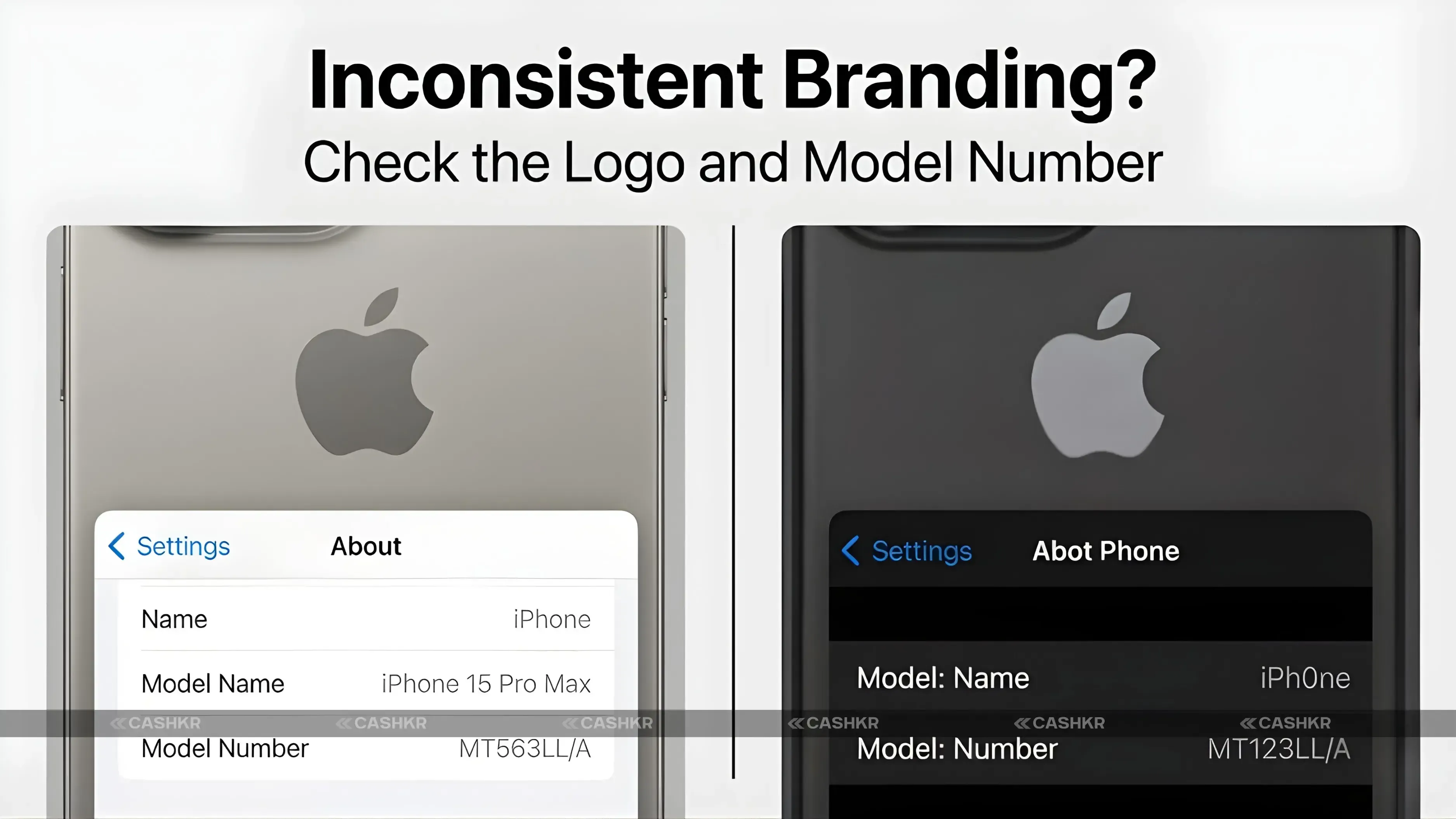
Look for Inconsistent Branding:
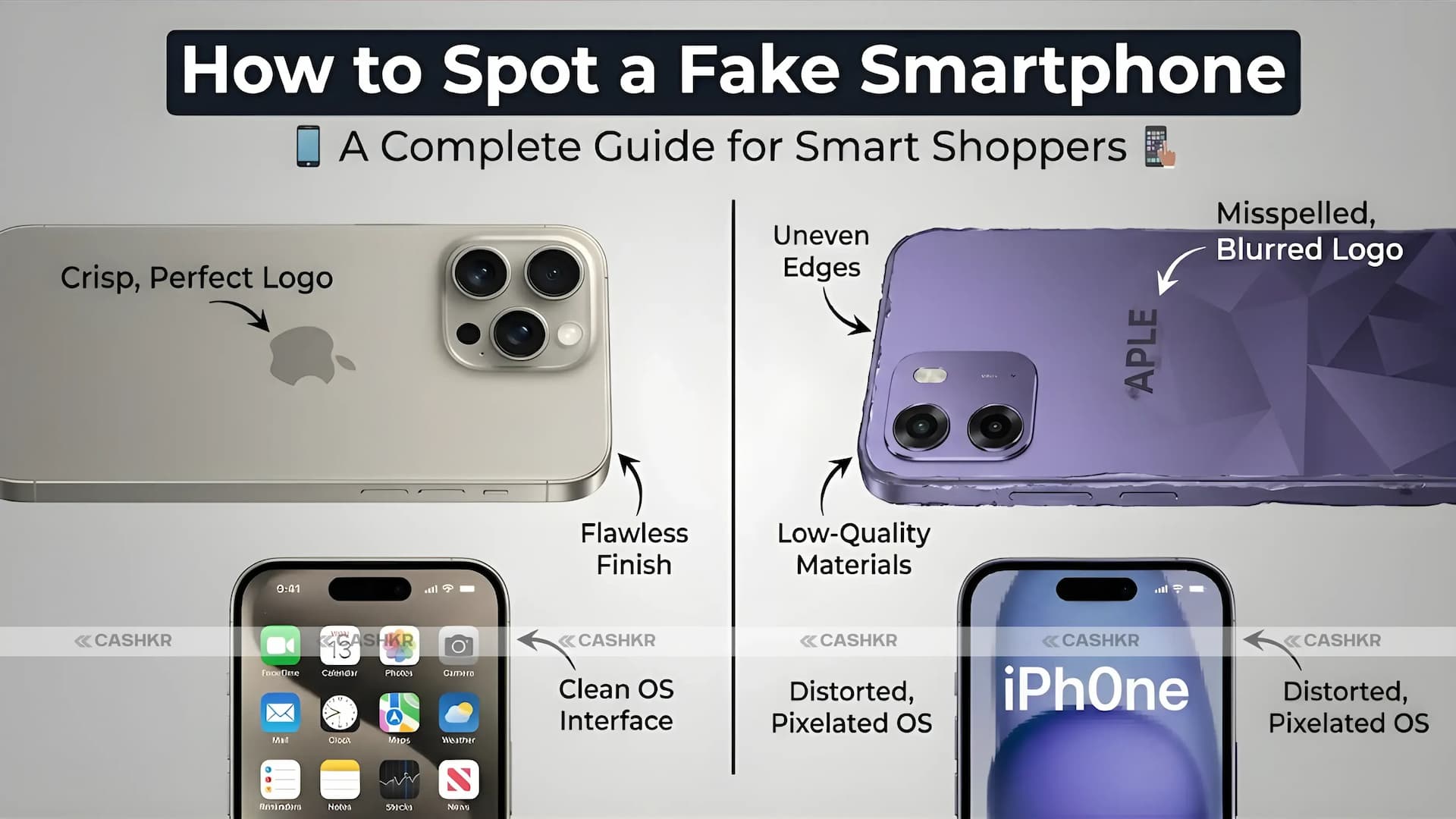
- Logos and Labels: Fake smartphones usually have logos that don’t look quite right. Look for misaligned logos or cheap-looking printing. Real phones from brands like Apple, Samsung, and Xiaomi have clear, well-placed logos.
- Model Number: Every real phone has a model number printed on it or listed in the settings. Check the box or the phone’s settings to find it, then compare it with the brand’s official website.
Cashkr Tip:
At Cashkr, we make sure every device we sell is genuine. Whether you’re buying or selling, you can trust that all our phones are checked and authentic. We never sell fake phones.
2. Inspect the Build Quality and Materials
Material Quality:
- Plastic vs. Metal or Glass: Fake smartphones often use cheap plastic instead of metal or glass. Real phones usually have quality materials like aluminum, stainless steel, or Gorilla Glass.
- Buttons and Ports: Fake phones may have loose buttons or ports that aren’t lined up right. Make sure the buttons feel sturdy and the ports are in the right place.
Cashkr Tip:
Cashkr only sells genuine devices that meet high-quality standards. When you buy from us, you get a genuine, well-made phone at a great price. We guarantee you get what you pay for.
3. Check the Display Quality
Screen Resolution and Color Accuracy:
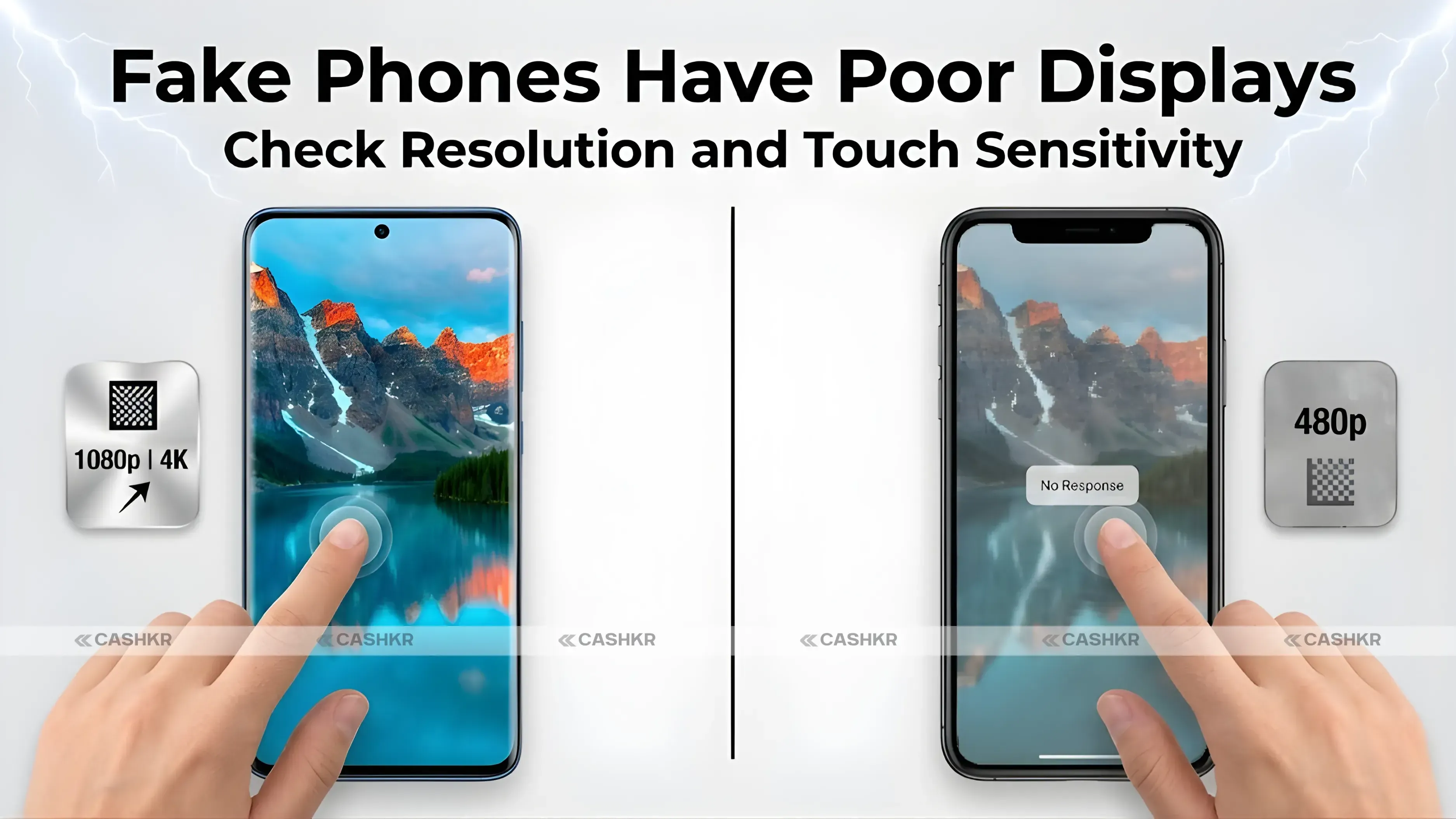
The display on fake smartphones is not clear. The display on real smartphones is clear and bright, but on fake smartphones, it is dull.
- Pixel Density: Real phones from top brands have high pixel density, so images and text look crisp. Fakes often have screens that look blurry or pixelated.
- Touch Sensitivity: Fake phones often have touchscreens that don’t respond well. Try using the screen to make sure it reacts smoothly to your touch.
Also Read: Oppo K14 5G India Launch: Price, Battery, Camera, and More
Cashkr Tip:
With Cashkr, all our smartphones have high-quality displays that are clear and responsive. We want you to have a great experience every time you buy from us.
4. Verify the Operating System and Software
Operating System:
- OS Authenticity: Real phones from brands like Apple, Samsung, and OnePlus run their official operating systems. Fake phones often use modified Android or bad copies of iOS.
- App Store Access: Real smartphones let you use the official app stores, like Google Play or the App Store. Fakes might block these or only offer third-party stores.
Cashkr Tip:
When you buy from Cashkr, our phones run official, licensed operating systems. You’ll get all the original apps and updates, so your phone stays secure and works well.
5. Inspect the Camera Quality
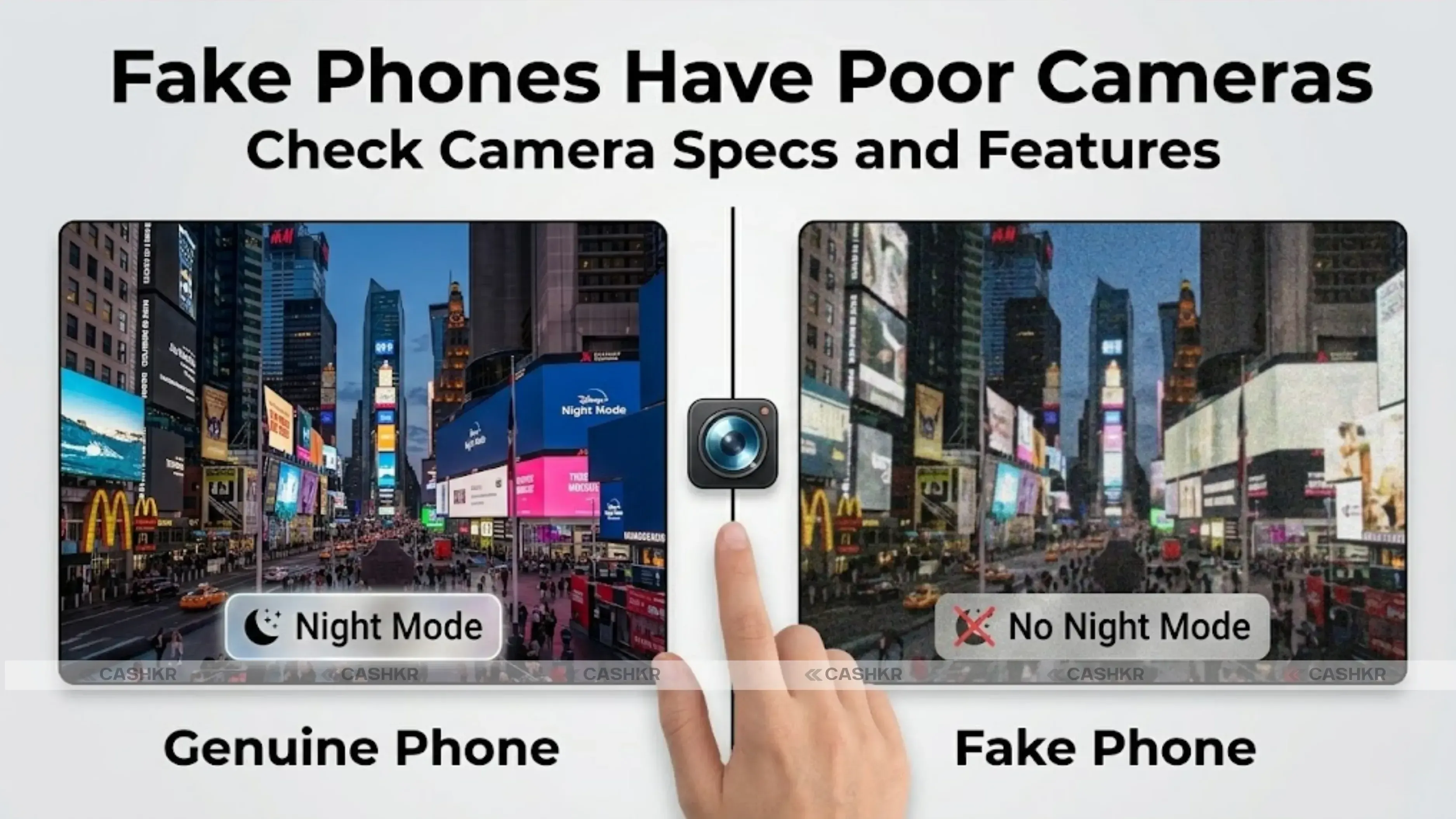
Fake Phones Have Poor Cameras:
- Low-Resolution Cameras: Many fake phones say they have high-resolution cameras, but the photos turn out blurry or pixelated. Always check the camera specs before you buy.
- Camera Features: Fake phones might promise features like night mode or 4K recording, but these often don’t work as promised.
Cashkr Tip:
At Cashkr, we only sell smartphones with real, high-quality cameras. Our phones deliver the photo and video quality you expect, so you can take pictures with confidence.
6. Verify the IMEI and Serial Number
Check the IMEI Number:
- IMEI Check: Every phone has a unique IMEI number. You can check if your phone is real by looking up the IMEI on the brand’s website or with an IMEI checker tool. To find it, dial *#06# or look in the settings under “About Device.”
- Cross-reference Serial Numbers: Fake phones may have missing or mismatched serial numbers. Always check that the serial number on the box matches the one on the phone.
Cashkr Tip:
With Cashkr, we verify every IMEI and serial number to ensure your device is genuine. You can trust that your phone’s details match official records.
Test the Phone’s Speed and Responsiveness:
- Lag and Freezes: Fake phones often have weak processors, so they run slowly or freeze. Try opening apps and multitasking to see how the phone performs.
- Benchmark Scores: Use tools like AnTuTu or Geekbench to check the phone’s performance and compare it with the brand’s official specs.
Cashkr Tip:
Every phone we sell at Cashkr is tested to make sure it works well. You can count on us for a real, fully working device with smooth performance.
8. Price Red Flags
Too Good to Be True Pricing:
If a deal looks too good to be true, it probably is. Fake phones are often sold much cheaper than the real thing. Be careful with big discounts, especially from sellers you don’t know.
Cashkr Tip:
At Cashkr, we offer great prices on real smartphones, so you get the best value without worrying about fakes. We also provide free doorstep pickup and instant payment for a smooth, easy process.
Why Choose Cashkr for Genuine Devices?
When you buy from Cashkr, you’re getting a real smartphone with guaranteed quality and value. We know the risks of fake phones, so every device we sell is fully checked and genuine. Whether you’re buying or selling, Cashkr promises: - Genuine Devices: We only deal with authentic smartphones, ensuring no counterfeit products.
- Best Price: We provide the best market value for your device, whether you’re buying or selling.
- Convenience: Our platform is easy to use, and we offer free doorstep pickup and instant payment to make everything simple.
Conclusion
Spotting a fake smartphone isn’t always easy, but if you check things like the brand, build quality, display, software, and performance, you can avoid buying a fake. If you want a real smartphone at a great price, Cashkr is a trusted choice for genuine devices and top value.
Always buy from trusted sources like Cashkr to get a real device with great performance and features at the best price. You can also sell your old phone to Cashkr and get paid instantly.
- Remember: A genuine seller is happy to wait while you verify. A suspicious seller pressures you to make a decision now. That pressure alone is a reason to walk away.
FAQs
1. How do I know if a smartphone is original or fake?
Check the IMEI by dialling *#06# and matching it against the box and SIM tray. Verify the IMEI on the brand's official website. Also check logo alignment, build quality, display quality, and whether the phone can access the genuine app store.
2. Can fake phones have the same IMEI as genuine ones?
Some sophisticated counterfeits clone real IMEI numbers. This is why you should also verify the IMEI online through the brand's official IMEI checker or a trusted third-party tool. If the IMEI returns a different model or shows as unregistered, the phone is a fake.
3. What is the fastest way to spot a fake iPhone?
Try to sign in with a real Apple ID on the device. Go to Settings and try to connect to iCloud. A genuine iPhone connects immediately. A fake iPhone either fails entirely or shows a convincing fake login screen that does not actually connect to Apple's servers.
4. How do I check if an Android phone is genuine?
Go to Settings, then About Phone. Check the Android version and software build number against the brand's official support page for that model. Also, try to access the Google Play Store. Counterfeit phones often block or replace the Play Store with a fake alternative.
5. What should I do if I already bought a fake phone?
Document everything immediately. Take photos of the device, box, and any receipts. Contact the seller and request a refund. If the sale was through an online platform, raise a dispute through their buyer protection programme. If purchased from an individual, file a complaint with local consumer protection authorities.
6. Do fake phones support real SIM cards?
The majority of these counterfeit phones do support SIM cards and call functionality, which is why they look so legitimate. However, features such as 5G, VoLTE, and carrier-related features do not work well on these fake phones.
7. Are refurbished phones safe to buy?
Certified refurbished phones from official brand programmes or reputable platforms are generally safe. They go through documented testing and come with a warranty. Avoid refurbished phones from unverified sellers or those with no documentation of the refurbishment process.
8. What is the best way to verify that a Samsung phone is real?
Visit Samsung's official IMEI check page, enter the IMEI number from the device and box, and verify that the model, colour, and specifications match what you are being sold. Samsung also has a Samsung Members app that runs diagnostics on genuine devices.
9. Can benchmark apps detect a fake phone?
Yes, partially. Apps like AnTuTu and Geekbench report the actual processor performance. If a phone claims to have a Snapdragon 8 Elite but scores like a budget Dimensity chip, the specifications are false. This is a reliable cross-check for performance claims.
10. Is buying from a grey market seller risky?
Yes. Grey market phones may be genuine devices imported without official authorization, but they can also be counterfeit. They typically have no official warranty support, and verifying authenticity is harder without access to regional IMEI databases. Buying from authorised channels is always safer.
If you want to sell your old devices, then
click here.
 Yaskar Jung ShahUpdated: Aug 1, 2026·11 min read