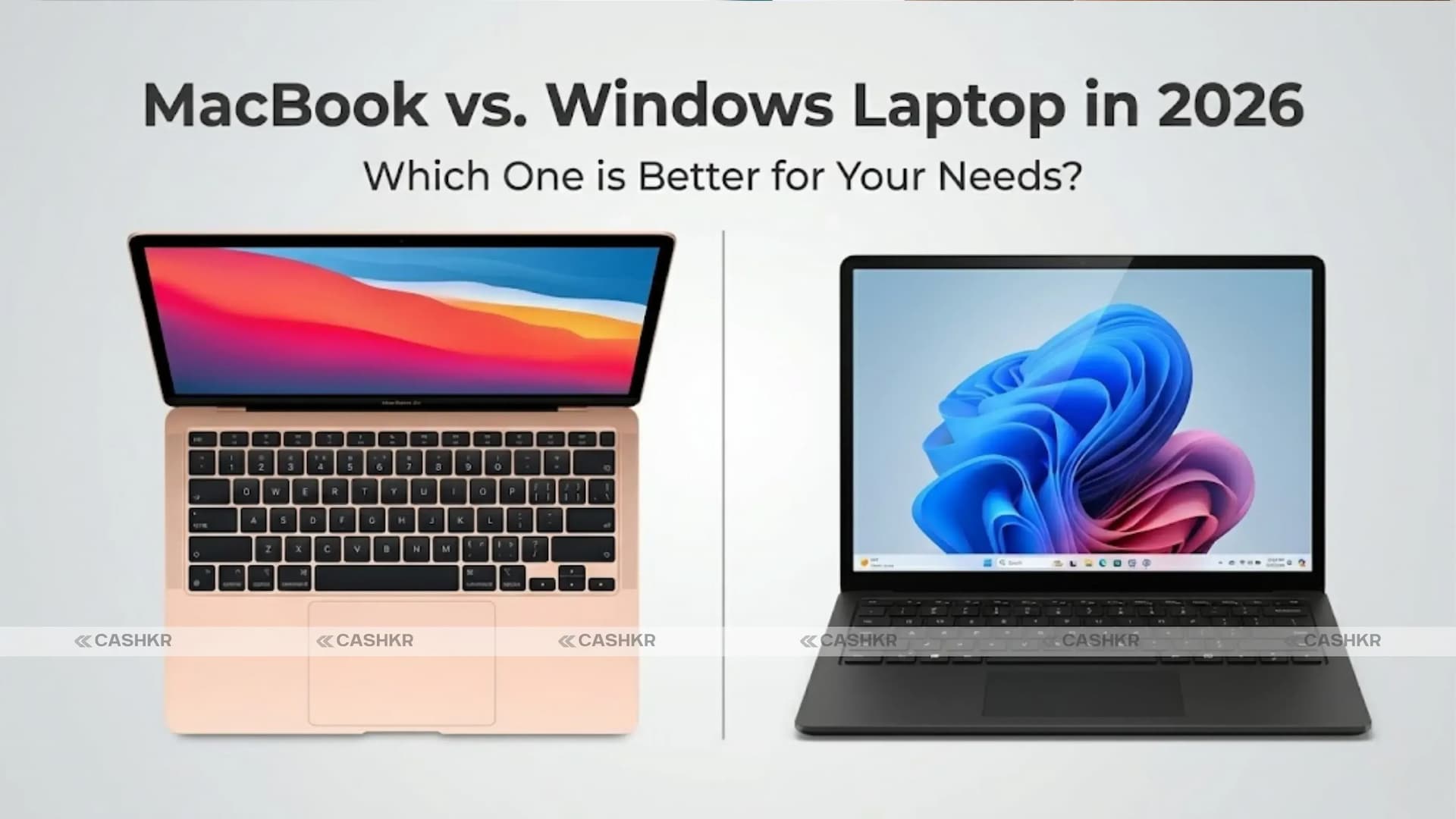
MacBook vs. Windows Laptop in 2026: Which Is Better for Your Needs?
Deciding between a MacBook and a Windows laptop often comes down to what you need and prefer. By 2026, both have strong features, great performance, and their own strengths. No matter if you’re a professional, student, gamer, or just use your laptop casually, this guide will help you choose what’s right for you. In this blog, we’ll look at how MacBooks and Windows laptops compare in performance, design, ecosystem, price, and other important areas.
- Quick Answer: Choose MacBook for battery life, build quality, Apple ecosystem integration, and long-term value. Choose Windows for gaming, budget options, software flexibility, and upgrade-friendly hardware.
MacBook vs. Windows Laptop: Key Differences Explained
MacBooks and Windows laptops both offer a wide range of models for different users. MacBooks are known for their high-quality build, stylish design, and smooth connection with other Apple products. Windows laptops, on the other hand, give you more choices, ways to customize, and flexibility for all kinds of needs.
MacBook:
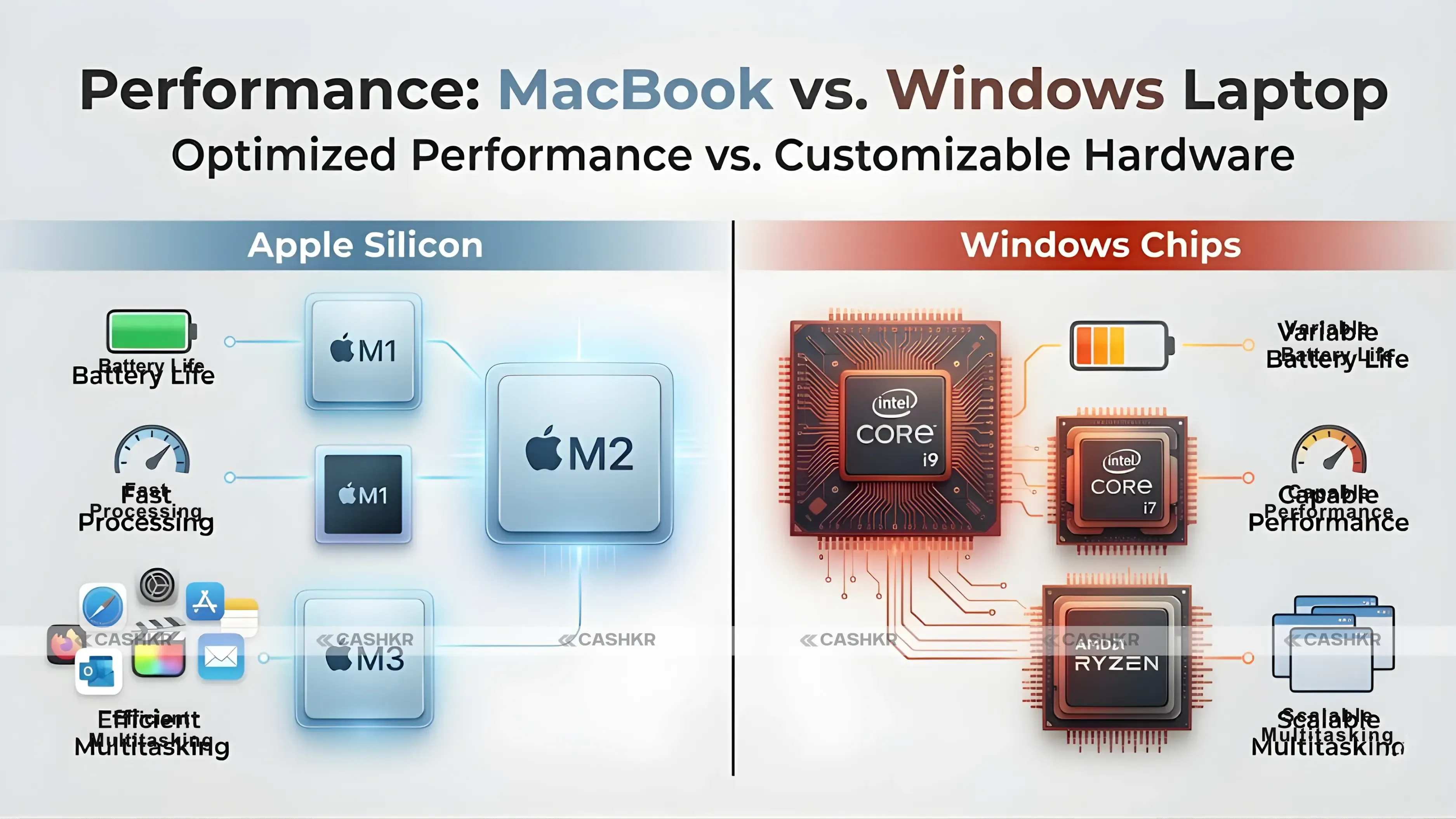
Apple’s MacBook Air and MacBook Pro run on M-series chips, including the M1, M2, and M3 chips. These chips provide good performance and efficiency, making the MacBook line suitable for activities such as video editing, programming, and content creation. Key Performance Features of MacBook:
- Optimized for macOS, ensuring better performance and battery life.
- Ultra-fast SSDs for quicker boot-up and file transfers.
- Excellent graphics performance, especially on the MacBook Pro.
- Seamless multitasking with macOS Ventura and beyond.
Also Read: AirPods Max 2 Launched in India: Price, Features, and Specs
Windows Laptop:
Windows laptops come with many processor options, including Intel Core i5, i7, and i9, and AMD Ryzen chips. Performance depends on the model, and top models can match MacBooks in speed and power.
Key Performance Features of Windows Laptops:
- Wide range of configurations, allowing you to pick the right processor for your needs.
- Intel and AMD offer high-performance chips for gaming, creative work, and heavy multitasking.
- Customizable hardware options, including RAM and storage upgrades.
Verdict: Both MacBooks and Windows laptops deliver strong performance. MacBooks excel in software and hardware integration, while Windows laptops offer greater choice and flexibility.
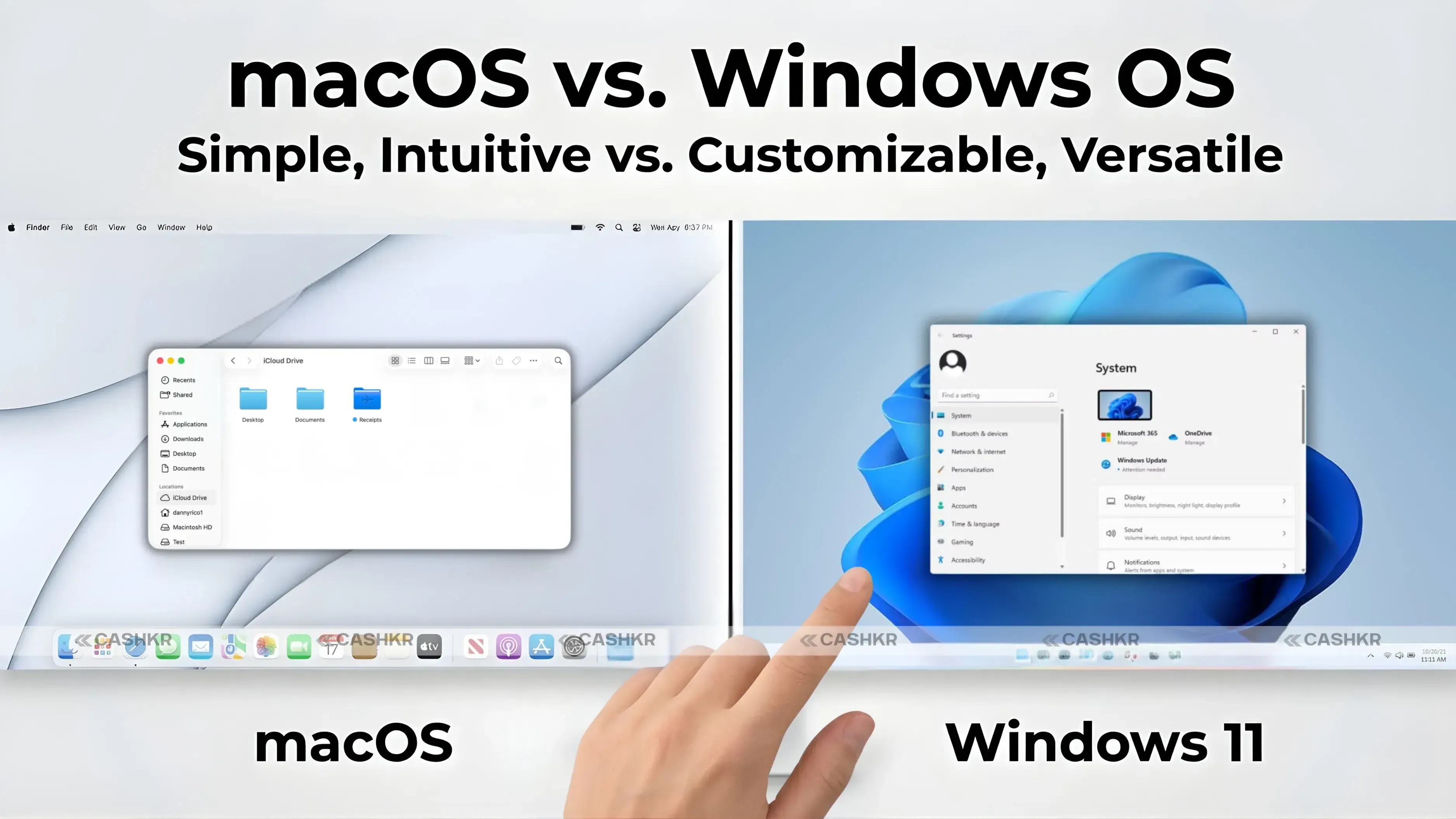
2. Operating System: macOS vs. Windows OS
macOS:
MacBooks use macOS, which is simple, stable, and secure. It has an easy-to-use interface, good multitasking, and works smoothly with other Apple devices like iPhones, iPads, and Apple Watches. macOS is made to work well with MacBook hardware, so you get strong performance and long battery life.
Key macOS Features:
- Smooth user interface with a focus on productivity.
- Better security with built-in encryption and privacy features.
- Strong ecosystem integration (iCloud, Handoff, AirDrop).
Windows OS:
Windows 11 is the newest version of Windows and runs on most Windows laptops. It lets you customize your setup, is flexible, and works with a wide range of software, including games and business programs.
Key Windows OS Features:
- Highly customizable and flexible.
- Greater software compatibility with a wide range of applications, especially business, gaming, and enterprise tools.
- Frequent updates with new features and security improvements.
Verdict: macOS is best if you want a simple, secure, and efficient system. Windows is more versatile and better for gaming, business software, and customizing your laptop.
3. Design and Build Quality
MacBook:
Apple’s MacBooks are famous for their high-end design, slim aluminum bodies, and thin shape. The MacBook Air is the lightest and thinnest, while the MacBook Pro is a bit heavier but more powerful. Both feature Retina displays with excellent color accuracy, ideal for creative work.
Key Design Features of MacBook:
- High-end build quality with an aluminum unibody.
- Stunning Retina displays with True Tone technology.
- Lightweight and portable (especially the MacBook Air).
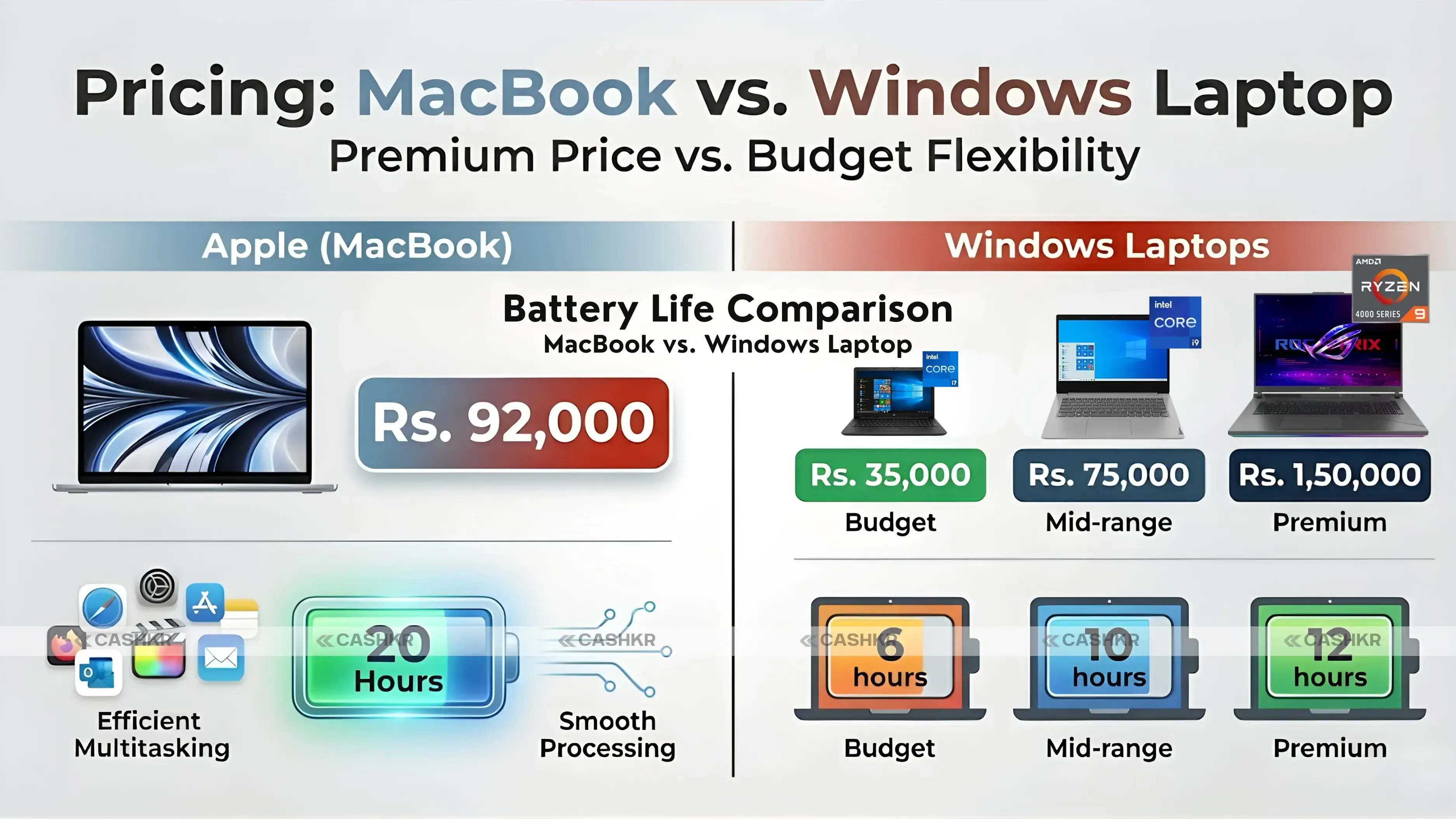
- Longer-lasting battery (up to 20 hours in some models).
Windows Laptop:
Windows laptops have many designs, from affordable plastic models to high-end metal ones. Brands like Dell XPS, HP Spectre, and Microsoft Surface offer slim, quality aluminum laptops that can match the premium feel of a MacBook.
Key Design Features of Windows Laptops:
- Wide variety of designs and form factors, including 2-in-1s and gaming laptops.
- Some premium models offer 4K touchscreens and OLED displays.
- Customizable build options for different budgets.
- Lighter models like the Dell XPS 13 offer excellent portability.
Verdict: If you want a stylish, high-quality laptop, MacBook is the top choice. But if you prefer more options and customization, Windows laptops have something for everyone.
4. Software and Ecosystem Integration
MacBook Ecosystem:
One of the best things about MacBooks is how well they work with other Apple products. macOS, iPhone, iPad, and Apple Watch all connect smoothly. Features like Handoff, AirDrop, and Continuity make it easy to move between your devices.
Benefits of the Apple Ecosystem:
- Seamless integration with iPhones, iPads, and other Apple devices.
- Unified software ecosystem for applications like Safari, iMessage, FaceTime, and more.
- iCloud for syncing documents and media.
Windows Laptop Ecosystem:
Windows laptops work with many different devices and services, but the experience isn’t as connected as with Apple products. Microsoft services like OneDrive, Office, and Skype are available on many platforms, but they might not feel as seamless as using macOS.
Benefits of the Windows Ecosystem:
- Broad compatibility with a wide range of hardware.
- Microsoft Office and OneDrive integration.
- Easy access to a vast selection of third-party software.
Verdict: MacBooks are best if you already use Apple devices or want everything to work together easily. Windows laptops are better if you need flexibility and want to connect with many different devices and services.
5. Pricing: MacBook vs. Windows Laptop
MacBook:
MacBooks usually cost more than most Windows laptops. The MacBook Air starts at about ₹92,000, and MacBook Pro models start at ₹1,29,900. Higher-end versions can be even pricier.
Pros of MacBook Pricing:
- Excellent value for high-end specs.
- Long-term software support.
Windows Laptop:
Windows laptops are available at many price points. You can find budget models starting at ₹35,000, and premium ones can go up to ₹1,50,000 or more.
Pros of Windows Laptop Pricing:
- Offers better budget-friendly options.
- Greater value in terms of flexibility, upgrades, and features.
Verdict: If you want to save money, Windows laptops give you better value. MacBooks cost more, but you get premium features, design, and performance for the price.
Why Choose Cashkr for Your Devices?
Whether you pick a MacBook or a Windows laptop, Cashkr offers great prices on genuine devices. We offer real smartphones, laptops, and accessories you can trust. Our competitive prices mean you can buy or sell with confidence, knowing you’re getting the real thing. Check out Cashkr today to see a wide range of devices at great prices! Final Verdict
Both MacBooks and Windows laptops have their own strengths and suit different needs. If you want top build quality, a smooth user experience, and easy connection with other Apple devices, MacBooks are a great choice. They’re perfect for creators, professionals, and anyone who values simplicity and premium features.
If you’re looking to spend less or want more flexibility, customization, and software options, Windows laptops give you lots of choices at different prices. They’re great for gamers, business users, and anyone who likes to try different hardware setups.
- Bottom Line: MacBook for battery life, build quality, and Apple ecosystem users. Windows for gaming, budget options, software flexibility, and anyone who needs more than macOS can offer.
FAQs
1. Which is better in 2026, a MacBook or a Windows laptop?
Neither of these is better than the other. MacBooks excel in battery life, build quality, and integration with Apple devices. Windows laptops excel in gaming, price range, software flexibility, and hardware customization. The choice of a laptop depends on your specific requirements and budget.
2. Is a MacBook worth the price in India?
For users who keep laptops for four or more years, do creative work, or are already in the Apple ecosystem, yes. The MacBook Air at Rs. 92,000 offers exceptional battery life and performance that justifies its price over time. For budget buyers or gamers, Windows offers more value.
3. Can you game on a MacBook in 2026?
Only casually. macOS has a smaller gaming library than Windows. Apple Arcade and some ported AAA titles are available, but if gaming matters to you, a Windows laptop with a dedicated GPU is the right choice.
4. Which laptop has better battery life, MacBook or Windows?
MacBook. Apple's M-series chips are significantly more power-efficient than Intel and AMD chips. MacBooks consistently achieve 15 to 20 hours of real-world battery life. Most Windows laptops deliver 6 to 12 hours under similar workloads.
5. Are Windows laptops upgradeable?
Many Windows laptops allow RAM and storage upgrades, which can extend their useful life at a lower cost than buying a new device. MacBooks are not upgradeable after purchase. The RAM and storage you buy at the start is what you have for the life of the machine.
6. Which is better for students, MacBook or Windows?
For students with a budget under Rs. 60,000, Windows is the practical choice. Capable Windows laptops are available in this range, while the cheapest MacBook starts at Rs. 92,000. Students who can afford a MacBook and use an iPhone will benefit from the Apple ecosystem integration.
7. Does MacBook work well with Android phones?
Basic functions work fine, but you lose most of the ecosystem advantages. AirDrop, Handoff, and seamless hotspot connection only work with iPhones. If you use Android, a Windows laptop integrates more naturally with your existing setup.
8. Which is better for video editing, a MacBook or Windows?
MacBook. Apple's M series is great at video editing, especially with Final Cut Pro, as it is very efficient and fast. A MacBook Pro with an M3 or M4 processor is a great tool for video editing. High-end Windows laptops with dedicated graphics cards can compete with this on paper, but at a much higher cost with much less battery life.
9. What is the cheapest MacBook available in India in 2026?
The MacBook Air with M-series chip starts at approximately Rs. 92,000 in India. There is no budget MacBook option below this price point.
10. How long do MacBooks last compared to Windows laptops?
MacBooks typically receive macOS updates for 7 to 8 years. A MacBook bought in 2026 should stay supported until 2033 or later. Windows laptop software support varies by manufacturer, typically ranging from three to five years for mainstream models.
If you want to sell your old devices, then
click here.
 Yaskar Jung ShahUpdated: Jul 31, 2026·12 min read