Water-Damaged Phone: Can You Still Sell It and Get Your Money Back?
Yes, you can sell a water-damaged phone even if it will not turn on at all.
The amount you get back does not depend on the water itself. It depends on what you do in the first hour and how long you wait before selling.
This guide explains both, starting with how to protect your money.
Advertisement
The Short Answer
If your phone still works, you can sell it for less than an undamaged phone, but you must mention the water exposure. More on this below.
If it has some faults but still turns on, you can still sell it, though for even less.
If your phone is completely dead, you can still sell it. The screen, cameras, and other parts may still have value even if the phone does not work. Many people think a dead phone is worthless and just leave it in a drawer, but that guarantees you get nothing.
How much can you get? That depends on your phone’s model, what still works, and what the inspection finds. Any guide that gives a single rupee figure for "a water-damaged iPhone" is just guessing. The same damage on a flagship and a budget phone will not have the same value. Always get a quote for your specific phone.
Selling sooner is better than waiting. This is not due to an artificial deadline, but because of what happens inside the phone after water damage. We will explain this in an upcoming section.
First, Before You Think About Selling
What you do right now will determine which of the three situations above applies to you. Most online advice is different from what manufacturers say, so this guide follows Apple and Samsung’s recommendations.
1. Switch it off and leave it off. Do not keep pressing buttons to check whether it still works.
2. Take it out of its case. Water sits between the case and the phone.
3. Take out the SIM tray and any memory card. This opens a drain path.
4. Tap it gently with the charging port facing down. Apple recommends this as the first step. The goal is to let liquid drain out instead of pushing it further inside.
5. Stand it upright on a dry cloth, port downwards, somewhere with moving air.
6. After that, leave the phone alone.
How long should you wait before charging? Apple says to wait half an hour, then try again. If your iPhone still shows a liquid alert, leave it in a dry place with airflow for up to a day.
Samsung India recommends letting the port air dry, which can take several hours. Using cool air from a fan can help speed up the process. Try charging again after a few hours, and if the alert returns, contact Samsung support.
If your phone shows a moisture warning, do not plug anything in. This warning is there to prevent current from crossing a wet connector. If your phone supports wireless charging, use that option once the device is dry.
What Not to Do
Do not put your phone in rice. Apple clearly says rice "could allow small particles of rice to damage your iPhone." Rice does not remove water from a sealed phone and can add dust to your ports.
Do not use a hair dryer, heater, or direct sunlight. Both Apple and Samsung advise against drying your device with external heat. Heat can warp parts and weaken the adhesive that keeps your phone sealed.
Do not use compressed air. Apple warns against this as well, since it can push moisture deeper into the phone.
Do not insert anything into the ports. Both Apple and Samsung say not to use foreign objects, including cotton buds or tissue.
Do not try charging the phone just to see if it works. This could send current through a connector that might still be wet.
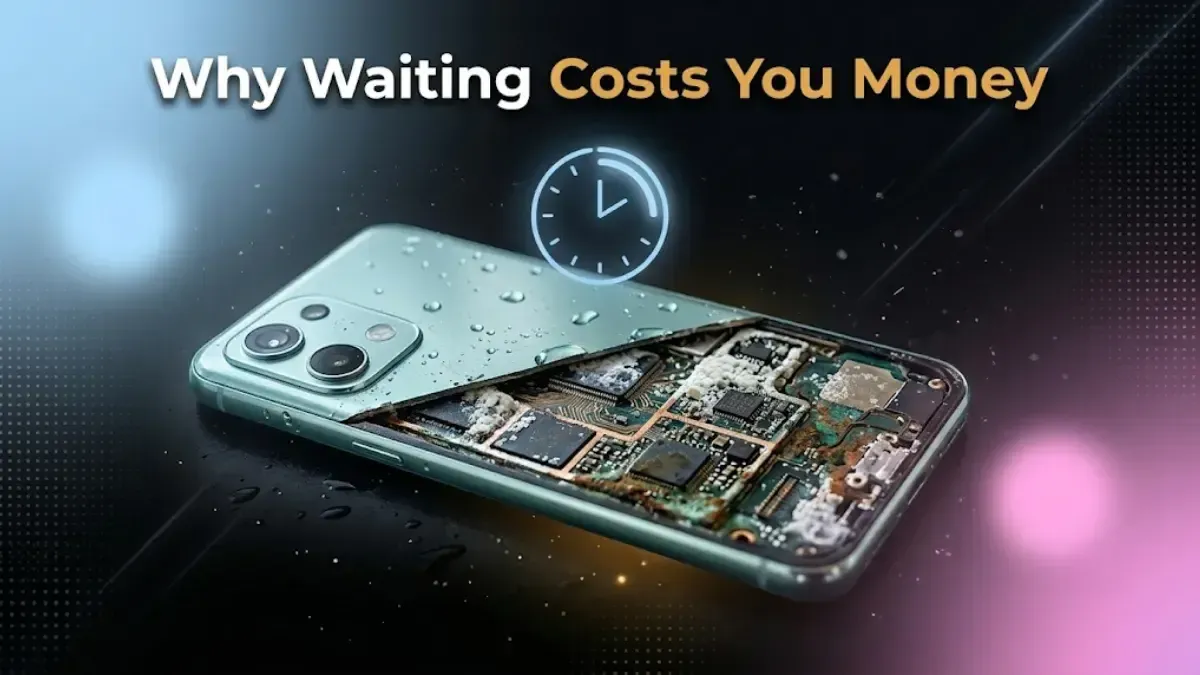
Why Waiting Costs You Money
This is important to understand, as it explains everything else.
The water itself is not the main problem. The real issue is what the water leaves behind.
Rain, tap water and tea all carry dissolved minerals. When the water evaporates, those stay on the circuit board. They hold humidity against the metal, and the metal begins to corrode. Copper traces oxidize, solder joints degrade, and contacts build resistance.
This process continues even after the phone is dry, whether it is switched on or off.
A phone that works perfectly right after getting wet can stop charging weeks later. This is also why repairs done months later often find new damage that was not there at first.
What does this mean for you? A phone that still works is easier to sell than one that has already failed. No one can predict how quickly corrosion will affect your phone, so we cannot give you a countdown. But waiting has never improved the outcome.
Back Up and Sign Out Today, Not Later
This is the most important advice on this page, and it is the opposite of what most people actually do.
If your phone still turns on, treat that as temporary. Do these things today:
Back up your photos and files, then check the backup to make sure it worked.
Move your authenticator app to another phone.
Make sure you know your Google or Apple account password and that you can sign in from another device.
Why is this important? If your phone dies while still signed in, you will need account access to remove it. Account recovery is much harder if your recovery device is the dead phone in your drawer.
If your phone is already dead, be prepared for the data to be lost. Modern phones encrypt their storage, and the key is stored on the device and unlocked with your passcode. A dead, locked phone cannot simply be plugged in and read.
Specialist data recovery is possible, but it is expensive, uncertain, and requires a dedicated lab. Buyback services do not offer this. If your data is truly irreplaceable, you should talk to a recovery specialist.
If the screen is dead but you need to remove the phone from your account, do it remotely: go to myaccount.google.com under Security and Your devices, or appleid.apple.com under Devices.
Two Things About Water Resistance
Your phone’s IP rating is not a guarantee for today. Apple says, "splash, water, and dust resistance are not permanent conditions and resistance might decrease as a result of normal wear." Seals age, adhesive weakens, and a drop can break a seal without any visible mark. A three-year-old IP68 phone is no longer as water resistant as when it was new.
Liquid damage is not covered by the warranty. Apple states that servicing for liquid damage is not covered by its one year limited warranty.
This second point often changes people’s decisions, but most guides do not mention it. It means you will pay full price for water damage repairs unless you have separate accidental damage coverage.
The Liquid Contact Indicator, and Why Hiding It Does Not Work
Most phones have a small indicator that changes color permanently if it gets wet. Apple calls this the Liquid Contact Indicator. It is white or silver when dry and turns red if triggered.
Where should you look? On most iPhones and many Android phones, the indicator is inside the SIM tray slot. Eject the tray with a pin and shine a light into the opening.
One thing to note: Phones sold as eSIM only do not have a SIM tray, so there is no visible indicator to check. In India, the iPhone 17, 17e, 17 Pro, and 17 Pro Max all have a physical SIM tray, but the iPhone Air is eSIM only everywhere, including here. For those models, only a service center can check the indicator.
Why does this matter for your sale? Any inspection will check that indicator, and it cannot be reset.
So describing the phone as undamaged when the indicator is red does not get you a higher price. It gets the quote revised at your door, after you have waited in for the collection. Declaring it costs you less than hiding it, every single time.
The number you are quoted against an honest description is the number that holds. That is the whole trick to selling a water-damaged phone without a disappointment at the end.
What Your Phone Is Actually Worth
We will not publish a price table for water-damaged phones, and here is why: many sites do, but it is not accurate.
A single price cannot cover two different phones. The same splash on a new flagship and a three-year-old budget phone will not have the same value. Any table that gives one number for "water exposed" is just guessing.
No one can price your phone without seeing the actual water damage. Two identical models that both got wet can be valued very differently depending on what still works.
What actually moves the number, in order:
The model, and how much it was worth working
Whether it still powers on
What has stopped working: speaker, microphone, cameras, charging, touch response
Whether the liquid indicator is red
How long ago it happened, because of the corrosion above
The best step is to get a quote for your specific phone and describe it honestly. It is free and gives you a real number instead of just an estimate.
Most people’s first instinct is to get the phone repaired. With water damage, though, this is usually the more expensive option.
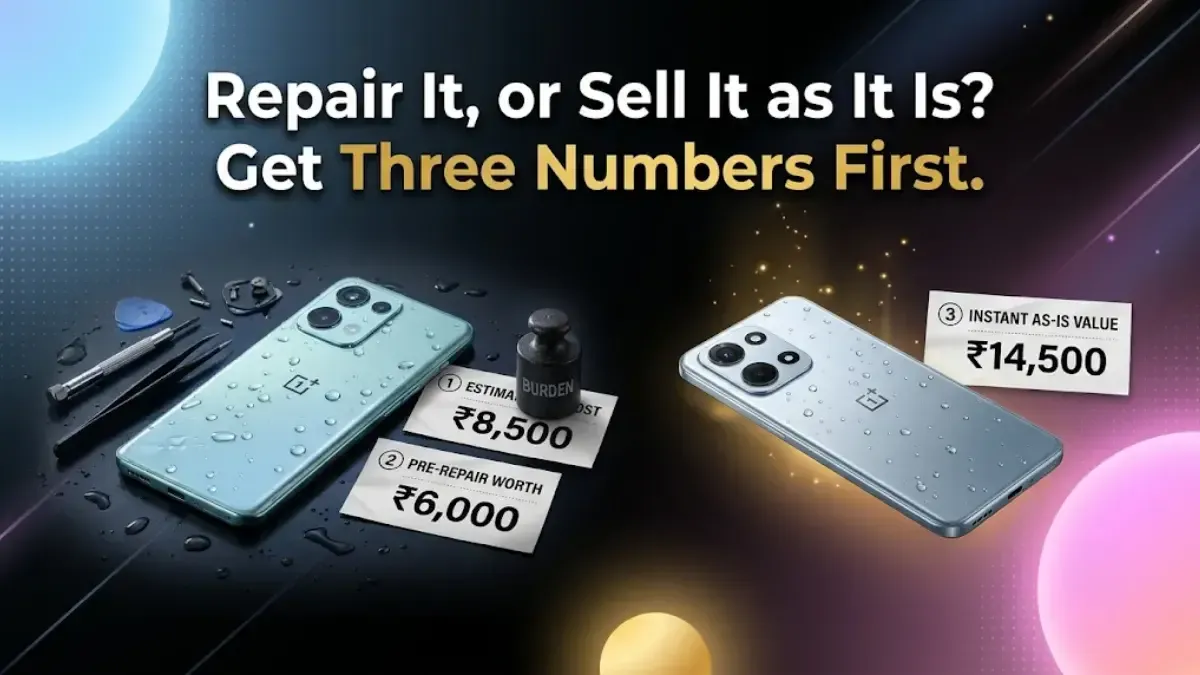
Get three numbers before you spend any money.
The authorized repair quote. Not the market shop's price, because a non-genuine part triggers a parts warning in the phone's settings that the next owner can see and that cannot be cleared.
Second, find out what your phone is worth right now, described honestly as water damaged.
What it would be worth working.
If the difference between the second and third numbers is greater than the repair cost, then repairing makes sense. With water damage, though, this is rarely the case for three reasons.
The warranty does not cover it, so you pay the full repair price.
Corrosion can return. A repair that works today might fail again months later because contamination can remain on parts that were not replaced.
The indicator will stay red. No matter what the repair receipt says, the phone willalways be inspected and sold aswater-damaged. The repair cannot erase that history.
So selling the phone as it is usually makes more sense. Our guide on selling a broken phone in India covers damaged devices in detail.
Before you decide, check if you have accidental damage cover, either bought with the phone or separately. Read your policy to see what it actually covers, as terms can vary a lot. If you plan to make a claim, do it before selling, since a claim usually means handing over the phone.
Selling It to Us
We buy water-damaged phones, even those that will not turn on, because the working parts still have value.
We need an accurate description from you. Tell us if the phone still turns on, what is not working, and whether the liquid indicator is red if you have checked it. We inspect the phone based on your description, so being honest ensures the quoted price stays the same at your door.
Before you hand over the phone: if it still turns on, sign out of your Google or Apple account and do a factory reset yourself. On modern phones, this is enough because the storage is encrypted and the reset deletes the key. If the phone does not turn on, remove it from your account using the links mentioned earlier.
If your phone turns out to be worthless, do not throw it in the bin. Lithium batteries in household waste are a fire risk. Our guide on recycling old devices explains where to take it instead.
FAQs
1. Can I still sell a water-damaged phone and get money back?
Yes, including one that will not switch on, because the parts still have value. How much depends on the model, on what still works and on what the inspection finds, so get a quote for your specific phone rather than trusting a published figure. Declare the water exposure when you ask, because the liquid indicator is checked and cannot be reset.
2. My phone got wet. What should I do first?
Switch it off and leave it off, take it out of its case, remove the SIM tray, and tap it gently with the charging port facing down. Then stand it upright, port down, somewhere with moving air. Apple says to wait half an hour before trying to charge, and if a liquid alert still appears, to leave it in a dry area with airflow for up to a day.
3. Does putting a phone in rice work?
No, and Apple specifically says not to do it, because small particles of rice can get into the phone and damage it. Rice does not pull water out of a sealed phone.
4. Can I use a hair dryer on a wet phone?
No. Both Apple and Samsung say not to dry the device with an external heat source. Heat warps internal parts and softens the adhesive holding the phone's seals, which can leave it less water-resistant afterward.
5. My water-damaged phone works fine. Is it going to stay that way?
Possibly not, and this is the thing to understand. The water is not the problem, what it leaves behind is. Dissolved minerals stay on the circuit board and cause corrosion that continues after the phone is dry, whether it is switched on or off. A phone that works today can stop charging weeks later, so back it up and sign out now rather than later.
6. Is water damage covered by the warranty?
Not by the manufacturer's standard warranty. Apple states that servicing for liquid damage is not covered by its one year limited warranty. Separate accidental damage cover may apply, so read your own policy.
7. My phone is water resistant. Why did it get damaged anyway?
Because an IP rating describes a new phone in a lab, not your phone today. Apple's own wording is that splash, water and dust resistance are not permanent and may decrease with normal wear. Seals age, and a knock can break one without leaving a mark.
8. Where is the liquid indicator, and what does it look like?
On most iPhones and many Android phones it is inside the SIM tray slot. Eject the tray and shine a torch in. It is white or silver when dry and turns red permanently once liquid reaches it. Phones sold as eSIM only have no SIM tray and no visible indicator, so on those only a service centre can tell you.
9. Should I hide the water damage when I get a quote?
It does not work. Any inspection checks the liquid indicator first and it cannot be reset. An undeclared fault means the quote gets revised at your door, after you have waited in for collection. Honesty is what makes the quote you were given the money you actually get.
10. Should I repair water damage before selling?
Usually not. The repair is not covered by warranty, so you pay full price. Corrosion can return months later on parts that were not replaced. And the liquid indicator stays red regardless, so the phone is inspected and sold as water damaged either way.
11. Can I sell a phone that will not switch on after water damage?
Yes. The working parts still have value. Say clearly that it does not power on when you get the quote, so the figure reflects that from the start. Remove the phone from your Google or Apple account online, since you cannot do it on the device.
12. Can my data be recovered from a dead water-damaged phone?
Probably not. Modern phones encrypt their storage and the key is held by the device and released by your passcode, so a dead locked phone is not a drive that can simply be read. Specialist recovery exists but is expensive and uncertain, and it is not a service a buyback company provides. This is why backing up while the phone still switches on matters so much.
Weekly tech insights in your inbox. No spam, ever.


 Yaskar Jung ShahPublished at: May 10, 2026·18 min read