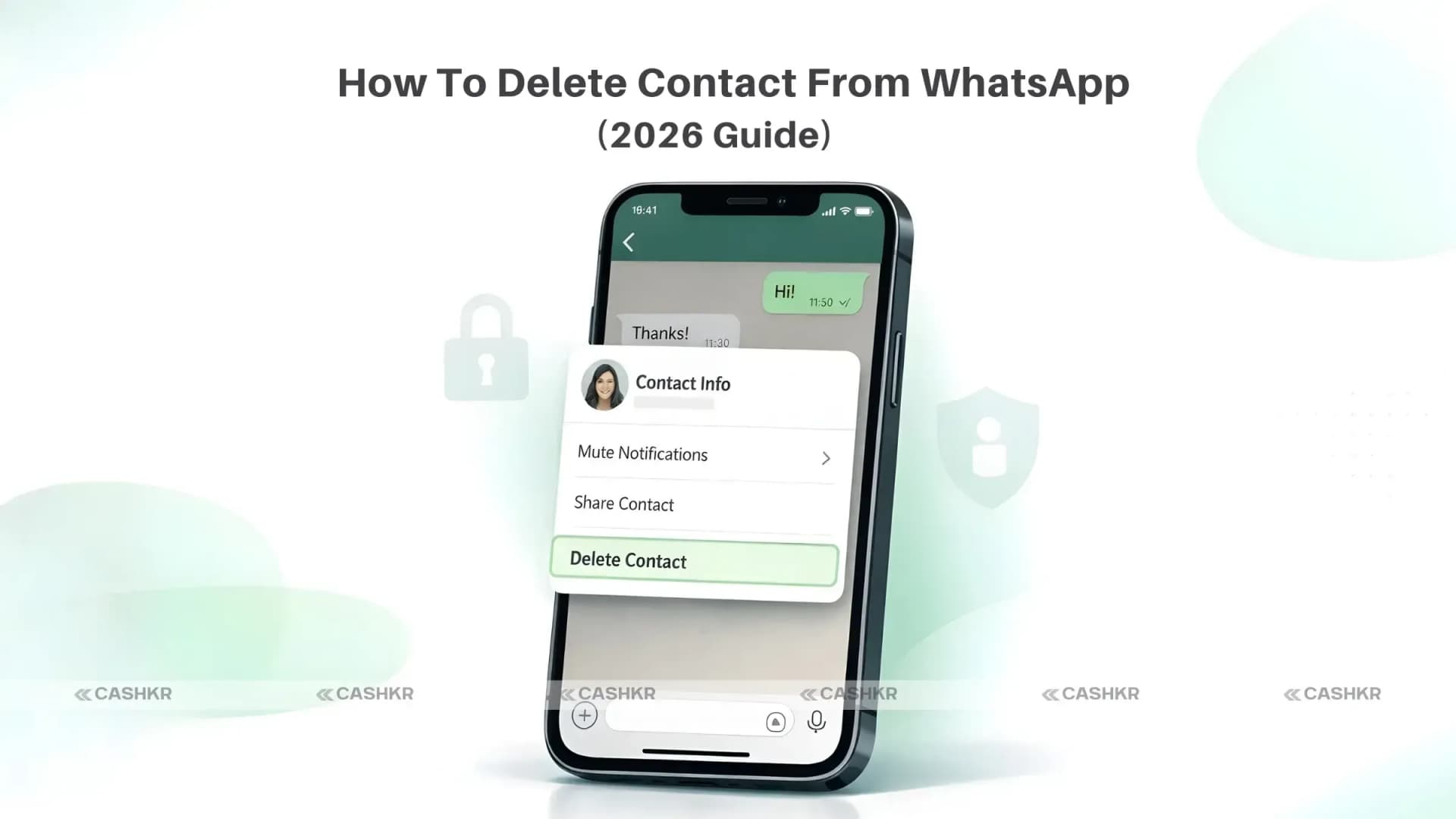
How Do I Delete a Contact From WhatsApp? (Step-by-Step Guide for 2026)
If you’re searching “How do I delete a contact from WhatsApp?”, you’re not alone. Over time, we save delivery agents, temporary colleagues, service providers, and random numbers, and later we realize they’re still viewing our WhatsApp stories.
If your contact list feels messy or you want better privacy control, this guide will help you understand how to delete contacts from WhatsApp properly on Android and iPhone.
Important: Things to Know Before You Delete a WhatsApp Contact
Before answering how to delete a contact from WhatsApp, you need to understand one key point:
WhatsApp does not have its contact list. It pulls contacts directly from your phone’s address book.
So when you delete a contact from WhatsApp, you are actually deleting that number from your phone contacts too.
Here’s what happens:
The contact name disappears from your phone.
They can still message or call you.
You’ll see only their phone number instead of their saved name.
Old chats remain unless you delete them manually.
Delete vs Block vs Mute
Delete
Removes contact from phone
Block
Stops them from messaging or calling
Mute
Stops notifications only
If someone is disturbing you, blocking is better than deleting.
How Do I Delete a Contact From WhatsApp on Android?
If you’re using Android, follow these steps:
Step 1:
Open WhatsApp.
Step 2:
Go to the Chats tab.
Step 3:
Use the search bar to find the contact.
Step 4:
Open the chat and tap the contact’s name at the top.
They can still see your profile photo/status (depending on privacy settings)
If you want stronger privacy control:
Go to: WhatsApp → Settings → Privacy → Choose “My Contacts” or “Nobody.”
How to Completely Remove Someone From WhatsApp
If your concern is privacy and not just cleaning contacts, follow this:
Delete the contact.
Delete chat history.
Block the number.
Adjust privacy settings.
This ensures they cannot:
Message you
Call you
View your profile picture.
See your status updates.
Common Questions About Deleting Contacts
Why does the deleted contact still message me?
Deleting removes their number, not communication. Block them if needed.
Will they know I deleted them?
No. WhatsApp does not notify anyone.
Can I recover a deleted contact?
Yes. Just save their number again.
Final Thoughts
If you were asking, “How do I delete a contact from WhatsApp?”, now you have the complete answer for both Android and iPhone in 2026.
Deleting contacts helps:
Keep WhatsApp clean
Protect your privacy
Avoid unnecessary story viewers.
Reduce clutter
It’s a small step but it gives you better control over your digital space. Please take a few minutes today to tidy up your contact list. Your privacy deserves it.
FAQs
1. How Do I Delete Multiple Contacts from WhatsApp?
Advertisement
WhatsApp does not offer a direct way to delete multiple contacts simultaneously. You need to delete the contacts one by one, following the steps outlined for Android or iPhone. Go to your phone’s address book for faster multi-contactdeletion.
2. Can I Undo a Contact Deletion?
There is no "undo" button for contact deletion on WhatsApp. However, you can easily add the contact back to your phone's address book if you have their phone number. Once added, the contact will re-sync with WhatsApp and appear in your contact list again.
3. Do I Need to Delete Chats After Deleting Contacts?
Deleting the contact doesn't automatically delete chat histories. If you want to remove all traces of your conversations with the contact, you'll need to delete the contactchat manually. This ensures that no past messages or media are accessible within WhatsApp.
4. Is There a Limit to How Many Contacts I Can Delete?
WhatsApp does not impose a limit on how many contacts you can delete. You can delete as many contacts as you need from your phone, provided you follow the standard deletion process on your device.
5. How Do I Add a Contact Again After Deletion?
To add a contactagain after deleting them, open your phone’s address book and add new contacts with their phone number. Once saved, the contact will automatically sync with WhatsApp and reappear in your contact list.
6. What If I Accidentally Delete the Wrong Contact?
If you accidentally delete the wrong contact, don't panic. As long as you remember their phone number, you can add them back to your phone’s address book, and they will reappear in your WhatsAppcontact list after the sync.
7. Are Deleted Contacts Permanently Gone?
Deleted contacts are not permanently gone unless you also delete the contact's information from your phone’s address book. Even after deleting them from WhatsApp, their phone number may still exist in your call logs or message history.
8. How Does Deleting a Contact Affect Group Chats?
Deleting the contact has minimal impact on group chats. The contact will remain a participant in any existing group chats you share until they leave or are removed by an admin. Their messages will still be visible in those group chats.
9. Can I Block a Contact Instead of Deleting?
Yes, you can block a contact instead of deleting them. Blocked contacts will not be able to message or call you on WhatsApp. Blocking offers a higher level of privacy, as it prevents all communication without deleting it.
10. What Should I Do If I Can’t Find a Contact to Delete?
If you can't find a specific contact to delete, ensure that the contact is saved in your phone’s address book and that WhatsApp has permission to access your phone contacts. You may need to refresh your contact list in WhatsApp to keep it up-to-date.
If you want to sell your old devices, then click here.
 Yaskar Jung ShahUpdated: Aug 26, 2026·9 min read