How to Sell Your Old Laptop for the Best Price in India
If you leave your old laptop in a cupboard after upgrading, it loses value every month. Whether you have a MacBook, ThinkPad, or gaming laptop, understanding what affects the price, how to prepare it, and when to sell can mean the difference between getting a fair price or missing out on thousands of rupees.
This guide explains what affects your laptop’s price, the most important specification right now, how to prepare your laptop for sale, and the best places to sell it.
The Thing That Matters Most on a Windows Laptop Now
Most guides say that newer processors are worth more, which is true but not specific enough to be useful. There is a clear dividing line that matters much more, but it is rarely discussed.
Advertisement
Can it run Windows 11?
Windows 11 needs at least an 8th generation Intel processor. For AMD laptops, check Microsoft’s supported processor list, as the cut-off is usually around the Ryzen 2000 series.
Windows 10 reached end of support on 14 October 2025. That was almost a year ago. A laptop that cannot upgrade to Windows 11 is now running an operating system with no security updates, and buyers know it.
The big drop in resalevaluef is not between an 8th-gen i7 and an 11th-gen i, since those are quite similar and the i7 might even be better in some ways. The real drop happenis at 7th gen andolderw, where thelaptop cannot run a supported operating system.S.
Check yours before you do anything else. If it is 8th gen or newer, say so when you get a quote, because it puts the laptop in a different bracket. If it is 7th gen or older, that is a reason to sell sooner rather than later, not a reason to give up. Those machines still sell, mostly to buyers who will run Linux or use them for light work.
Apple laptops do not have the same sharp drop, but buyers still want to know how many more years of macOS updates your model will get.
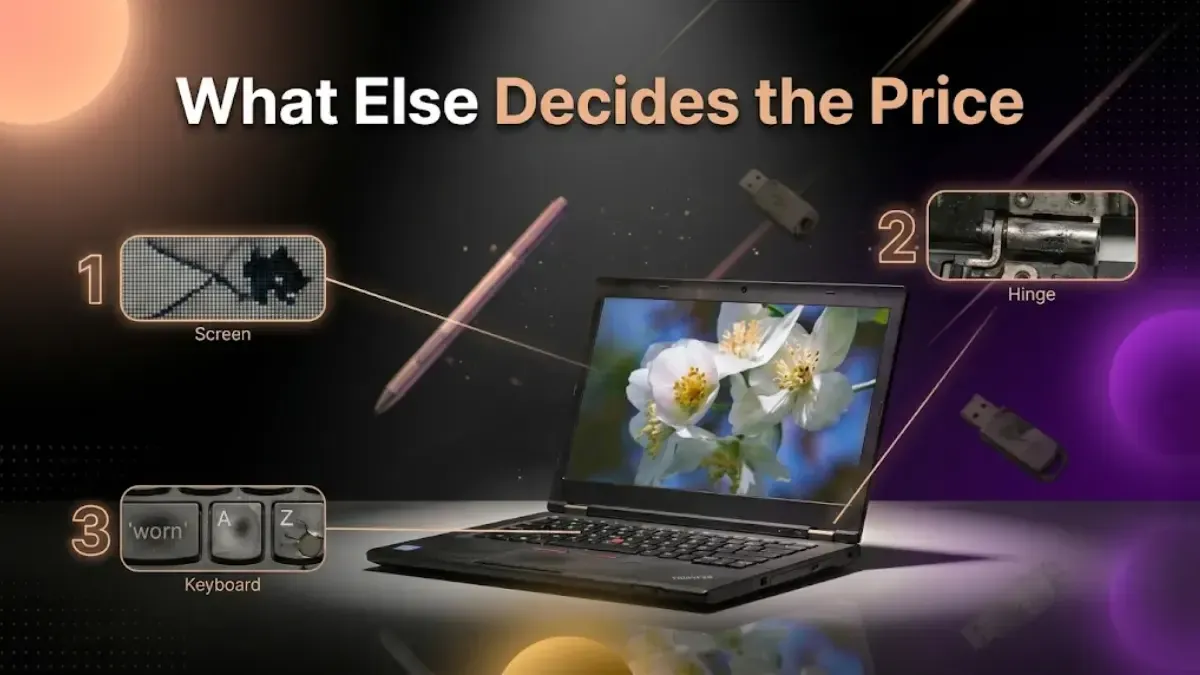
What Else Decides the Price
Brand and model. MacBooks hold value best in India. Among Windows machines, business lines hold up better than consumer ones: Dell Latitude and XPS, Lenovo ThinkPad, HP EliteBook. They were built to last and buyers know the names.
Condition, in this order:
Screen. The first thing anyone looks at and the most expensive thing to fix.
Check the body, hinges, and keys. Hinges are more important than many people realize, since a broken hinge is costly to fix and can get worse over time.
Make sure the battery, keyboard, trackpad, ports, speakers, and camera all work. If anything is not working, mention it honestly.
Specification after the Windows 11 question: RAM, with 8GB the practical minimum for a good price. Storage type, where an SSD is worth noticeably more than a hard drive. And for gaming machines, whether the graphics card is still current.
The charger is essential for a laptop sale. Without it, the laptop is harder to test and sell, and you will get less money.
How Age Affects the Price
Value falls in steps rather than smoothly.
Laptop Age
Expected Resale Value
Under 1 year
Strongest, near the top of its bracket
1 to 2 years
High demand, modest depreciation
2 to 3 years
Still good, especially with an SSD and 8GB or more
3 to 5 years
Drops noticeably. Brand and condition start to decide everything
5 years and over
Modest, but working machines still sell on brand
These are general trends, not guarantees. A well-maintained three-year-old MacBook can be worth more than a poorly kept one-year-old budget laptop. The main point is that selling sooner is always better.
There is another downside to waiting. A laptop left unused for two years is often in worse condition than one used gently. The battery ages, thermal paste dries out, and hinges can become stiff. This means you lose value both in price and condition.
Check Your Specifications First
The price you get depends on your laptop’s exact specifications, so check what you have. It only takes a minute.
Windows: press the Windows key and R together, type msinfo32, press Enter. That gives you the processor and RAM. For the drive type, open Task Manager, go to the Performance tab, and look at what it says next to Disk.
MacBook: Apple menu, then About This Mac. Chip, memory and model year on one screen.
Note down the processor model, RAM, storage size and type, and the model number, which is usually on a sticker underneath. Entering these details correctly helps make sure your quoted price does not change during verification.
Getting the Laptop Ready
1. Back up your data and check the backup. Save your Documents, Desktop, Downloads, and Pictures to an external drive or cloud storage. On a Mac, use Time Machine. Open a few files from the backup before erasing anything. People often forget browser bookmarks and local project files.
2. Sign out of all your accounts before wiping the laptop. This includes your Microsoft account, Apple ID, Adobe, Office, Steam, and any other services with device limits. If you skip this, the license may stay attached to a laptop you no longer own.
If your MacBook is locked to iCloud, no one else can set it up, just like with an iPhone. Sign out of your Apple ID and turn off Find My before erasing the laptop.
3. Erase it properly.
On Windows: Settings, System, Recovery, Reset this PC, Remove everything, then choose to clean the drive rather than the quick option.
On a Mac with Apple Silicon or a T2 chip running macOS Monterey or later: System Settings, General, Transfer or Reset, Erase All Content and Settings. That one button does everything including signing you out.
It is helpful to know that Windows 11 (since the 24H2 update) turns on Device Encryption by default for both Home and Pro versions. All Macs with Apple Silicon or a T2 chip also encrypt automatically. When you reset an encrypted drive, it destroys the key, making the data unreadable. You do not need to buy extra erasing software for a regular laptop.
4. Clean your laptop. Spend five minutes with a microfibre cloth, use a little isopropyl alcohol on the body only, and use compressed air for the vents and ports. Do not let any liquid touch the screen or keyboard. How your laptop looks really affects its grading.
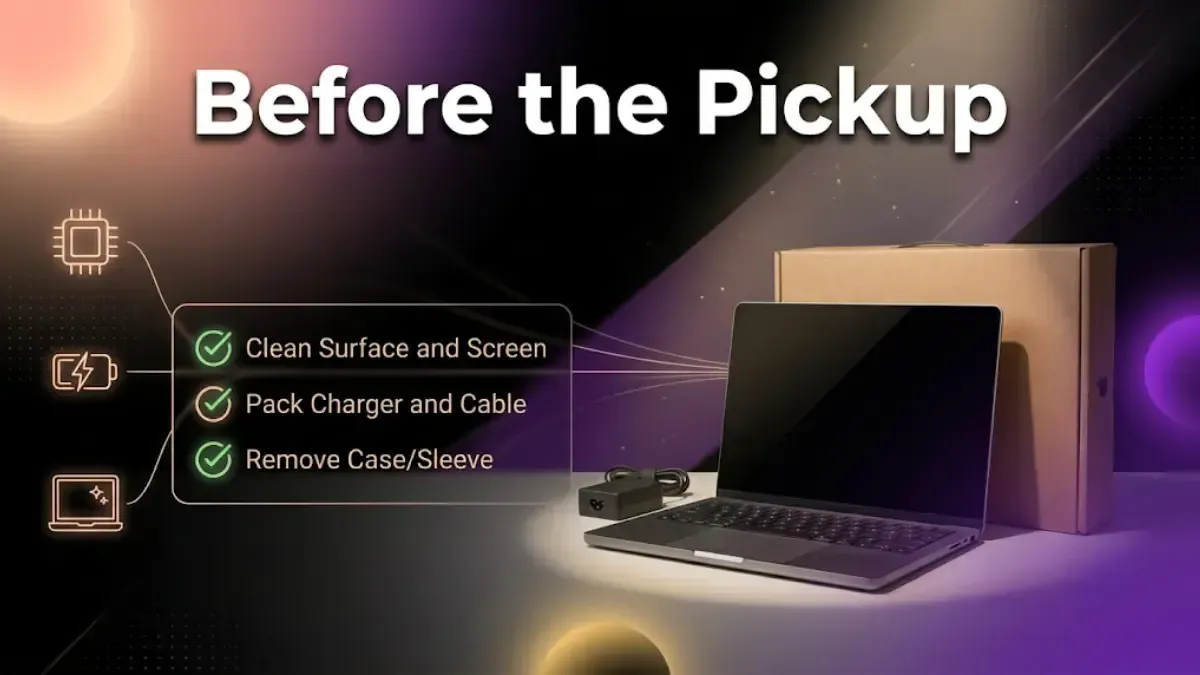
Before the Pickup
Data backed up, and the backup opened and checked
All accounts signed out: Microsoft, Apple, Adobe, Office, Steam
Drive erased with the full clean, not a quick delete
Chassis, screen and vents cleaned
Charger set aside with the laptop
Box and invoice if you still have them
ID ready for verification
Spending ten minutes on these steps can mean the difference between getting the agreed price and facing last-minute deductions.
Where to Sell
A local shop pays you in cash on the same day, and you know who you are dealing with. However, the shop sets the price without competition, and you may not have a record of the agreement.
Classifieds usually pay the most, because nobody is taking a margin. They also mean haggling, no-shows, meeting strangers and real payment risk. Our guide on selling safely online covers the payment scams, which apply to laptops exactly as they do to phones.
With an online buyback, you get a price quote before anyone inspects your laptop, free pickup, and no need to negotiate. You will get less money than from a private sale, but you are trading that for convenience and a quick process.
The useful move whichever you pick: get an online quote first, even if you plan to use the shop. Then you walk in knowing what the laptop is worth.
What About Exchange Offers?
During a sale event they look generous. Two things to watch.
Exchange offers give you a discount, not cash, so you can only use it to buy from the same platform at that time. The discount is often based on a higher listed price, making it look better than it is.
If you sell your laptop for cash first, you can then buy from any retailer and usually get a better deal.
What You Can Expect by Category
There is no price table here because the actual amount depends on your laptop’s exact configuration and the timing. What you can count on is the general trend of the market.
Budget laptops with an i3 or Celeron chip still have some value, especially if they start up quickly with an SSD.
Mid-range with an i5 or Ryzen 5 and 8 to 16GB: the most in-demand segment in the Indian resale market, with steady interest from students and home workers.
Premium and gaming, XPS, ThinkPad X1, ROG, Legion with a dedicated GPU: the highest payouts, especially under three years old and while the graphics card is still current.
By brand: MacBooks first, then Dell, Lenovo and HP business lines. Asus, MSI and Acer gaming machines hold up while their GPUs remain relevant.
Deleting files instead of erasing the drive. Emptying the Recycle Bin removes the signpost, not the file. Use the full clean option, and sign out of your accounts first.
Taking the first offer. Get a quote online before you visit a shop, so you have a floor to compare against. Be wary of any buyer who will not commit to a price, wants to take the machine away to test it, or suggests an unusual payment method.
Forgetting the charger. A real deduction on a laptop, not a small one.
Overstating the condition. Calling a dented machine "like new" does not get a better price. It gets a lower one at verification, after you have already committed. Declaring faults honestly is what keeps the quote you were given.
Keeping it as a backup. If you have not switched it on in three months, it is not a backup. It is an asset depreciating in a drawer.
Waiting until it stops working. A laptop with a good battery is worth far more than one with a dead battery and a stiff hinge. Sell while it still works well.
When to Sell
Before your model slips another generation behind. Laptop lines refresh with new processor generations, usually announced early in the year. Selling before yours becomes two generations old preserves a whole step of value.
While it still works well. The right moment is when you stop using it, not when something breaks.
Before the Windows 11 line catches you, if you are on 8th or 9th gen. That cliff is behind you for now, but it moves.
Our guide on how long a laptop lasts is worth reading if you are deciding whether to sell or keep going.
What Happens to It Afterwards
A laptop that passes verification is wiped, refurbished and resold, usually to a student or a household buying their first machine. That keeps it working for years and delays a new one being manufactured, which is where most of a laptop's environmental impact sits.
Machines beyond economic repair are stripped for usable parts and the remainder goes to recycling. Our guide on recycling old devices in India covers how that works and what to ask any company about it.
FAQs
1. How do I sell my old laptop in India?
Check your specifications, get quotes from more than one place, back up your data, sign out of every account, erase the drive with the full clean option, and keep the charger with the machine. Then choose between a buyback service, classifieds or a local shop depending on whether you want more money or less hassle.
2. What decides my laptop's resale value?
On a Windows machine, first whether it can run Windows 11, which needs an 8th generation Intel processor or newer. Then brand, screen and body condition, battery health, RAM, whether it has an SSD, and the charger.
3. Does it matter if my laptop cannot run Windows 11?
Yes, more than most people realise. Windows 10 lost support in October 2025, so a machine stuck on it has no security updates. It still sells, but for less, and the gap widens over time.
4. Is an 11th gen i5 worth more than an 8th gen i7?
Not necessarily. Those two are close, and the i7 can win on cores. The meaningful line is 7th generation and below, where Windows 11 is not supported at all.
5. Do I need the original box and charger?
The charger matters a great deal on a laptop and you should include it. The box and invoice help but are not essential.
6. Can I sell a laptop with a cracked screen or a dead battery?
Yes. Both reduce the price rather than block the sale. Describe them accurately when you get the quote and the figure will hold at verification.
7. Is deleting my files enough before selling?
No. Deleting removes the signpost, not the file. Use Reset this PC with Remove everything and the clean drive option on Windows, or Erase All Content and Settings on a modern Mac, and sign out of your accounts first.
8. Do I need to buy data wiping software?
Not for an ordinary laptop. Windows 11 since 24H2 encrypts by default on Home and Pro, and Macs with Apple Silicon or a T2 chip always do. The reset destroys the encryption key, which is what makes the data unreadable.
9. When is the best time to sell?
While it still works well and before it falls two processor generations behind. Waiting costs you on price and on condition at the same time.
10. Can I sell more than one laptop at once?
Yes. Add each machine for its own quote, or ask about a bulk pickup if you are clearing out an office.
Weekly tech insights in your inbox. No spam, ever.


 Yaskar Jung ShahPublished at: Jul 12, 2026·14 min read