How Long Does a Laptop Last? Real Answers, Not Just Specs
If you are asking this, something has probably already started going wrong. Slow boots, a fan that never stops, a battery that lasts an hour.
The honest answer is that a laptop stops being useful well before it stops working, and those two dates can be years apart. That gap is what this guide is really about.
Disclosure: Cashkr is our own device buyback platform. We buy used laptops, so we benefit when someone decides to replace one. We have tried to be even handed about when repairing is the better call, because often it is.
Advertisement
How this guide was made: The lifespan ranges are the figures commonly cited across manufacturer and industry guidance, and we say where a number comes from. The condition points are what our inspection team checks at doorstep pickups across India. We have not tested these machines ourselves and do not claim to have.
The Short Answer
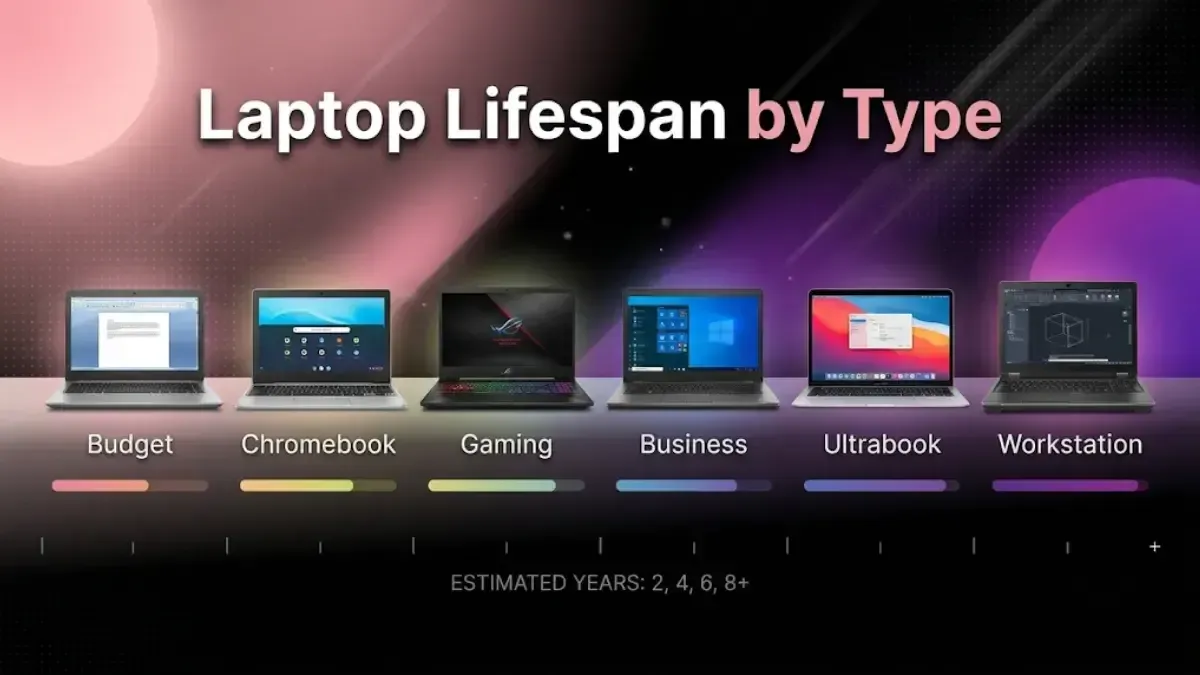
Most laptops have a useful life of . Budget machines sit at the bottom of that range, business laptops and MacBooks at the top.
But that average hides the thing that matters: nothing dramatic happens on a particular birthday. What happens is gradual. Around year four, on a typical machine, software gets heavier faster than the hardware can keep up, and the experience starts to degrade.
Laptop Lifespan by Type
Laptop Type
Typical Lifespan
Key Factors
Entry-level
3–5 years
Plastic build, slower parts, often soldered RAM, shortest support window
Mid-range consumer
4–6 years
Adequate hardware, average build, some upgrade headroom
Premium ultrabook
5–7 years
Better components, but a thin chassis limits cooling and upgrades
Business laptop
5–7 years
Built to be serviced, with long parts and driver support
Gaming laptop
3–5 years
Sustained heat is the limit, and graphics hardware dates fastest
MacBook
6–8 years
Long OS support, strong build, steady used demand
Business laptops and MacBooks last longest for the same reason: they are supported for longer. A machine still receiving updates is a machine that stays usable.
Physical Life and Useful Life Are Different Things
This is the distinction most articles miss, and it answers the real question.
A ten year old ThinkPad will very likely still switch on. Whether you can work on it is another matter. Modern browsers alone use more memory than machines of that era were built for, and a laptop that cannot run a browser comfortably cannot do most of what people need a laptop for.
Useful life ends when the machine stops doing your work at an acceptable speed. Physical life ends years later.
There is a third date that matters as much and usually arrives first: the end of security updates. Once the manufacturer stops issuing patches and the OS drops support for the hardware, the laptop becomes a liability for banking, work accounts and personal data, however well it runs.
When you are deciding whether to replace a laptop, that third date is the one to watch.
What Actually Ends a Laptop's Life
Heat, and in India specifically, heat plus dust. The biggest single factor, and worse here than international guidance assumes. Indian summers, ceiling fans circulating dust, and long periods without cleaning combine to clog vents and heat sinks. A laptop that runs hot for years degrades in every component. Thin ultrabooks and gaming laptops suffer most because they have the least cooling headroom to lose.
Thermal paste drying out. The compound between the processor and the heat sink loses effectiveness over roughly two to three years. Once it does, the machine runs hotter, throttles more, and feels slower, and most owners assume the laptop is simply old. Replacing it is inexpensive and it is the most overlooked repair there is.
Battery cycles. Lithium ion batteries degrade with charge cycles rather than with time alone. Apple rates recent MacBook batteries at 1,000 cycles before capacity is expected to fall to 80 percent. Budget Windows laptops are generally rated lower, often in the 300 to 500 range, which is why a cheap machine's battery often disappoints within two years while a MacBook's holds up.
Software outgrowing the hardware. Each OS version and browser release assumes a little more memory and processing power. This is the mechanism behind "it just got slower". The laptop did not change; the software around it did.
Storage type. A mechanical hard drive is both the slowest component and the only one with moving parts to fail. On a machine still running an HDD as its main drive, fitting an SSD is the largest single improvement available, usually for far less than a new laptop.
Build quality and physical damage. Hinges, ports and spills end more laptops than component failure does. Metal chassis survive what plastic does not.
Power fluctuation. Worth noting in India. Inconsistent supply and poor surge protection damage adapters and, over time, the machine. A surge protector is cheap insurance.
Signs Yours Is Near the End
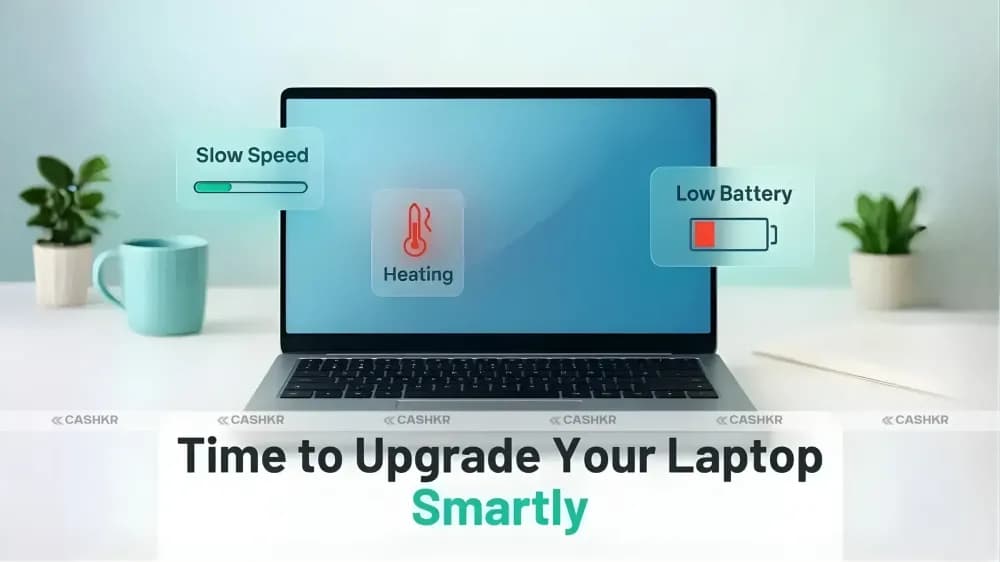
Three or more of these together means you are at the decision point:
It takes several minutes to become usable after you have logged in
Memory and CPU sit near maximum with nothing meaningful open
The fan runs constantly, including at idle
The battery no longer lasts long enough to be useful away from a socket
You can no longer install the current version of Windows or macOS
The chassis, hinge or keyboard has damage you have stopped noticing
That last one matters more than people think. A loose hinge gets worse, and eventually it takes the display cable with it.
Repair or Replace
A rule of thumb that holds up: if the repair costs more than roughly half what an adequate replacement costs, replace it.
Repair is usually right when the machine is under four or five years old, still receives updates, and the problem is a battery, a drive, insufficient RAM, or dried thermal paste. An SSD upgrade, a RAM increase and a clean and repaste together can add two genuinely useful years to a machine that felt finished. This is the best value intervention available and most people never make it.
Replacement is usually right when the processor is several generations old, the motherboard has failed, the OS no longer supports the hardware, or you are facing two significant repairs at once.
One step worth taking before you decide: find out what the laptop is worth right now. Its resale value falls every month, and that figure belongs in the calculation. A machine worth something today may be worth very little by the time you get around to replacing it, and that difference can cover a chunk of the repair you were weighing up.
Keep the vents clear and use a hard surface. Beds, sofas and laps block intakes. The cheapest item on this list and the one that matters most.
Have it opened, cleaned and repasted at around two years, particularly in dusty conditions. An inexpensive service that protects both performance and resale value.
Upgrade storage and memory rather than replacing the machine, if it allows it. Check before you buy whether the RAM is soldered, because many thin laptops no longer permit this at all.
Limit charging to about 80 percent if you work plugged in all day. Most manufacturers now offer this in their own software, and macOS manages it automatically. Sitting at 100 percent constantly is harder on a battery than normal use.
Install security updates, even when inconvenient. An unpatched machine is a bigger risk than a slow one.
Use a sleeve and a surge protector. Drops and spills end more laptops than age does.
When It Is Time to Replace
If you have decided the machine is finished, two things are worth doing in the right order.
Sell the old one before you buy the new one, not after. It loses value every month it sits unused, and knowing what it is worth changes your real budget for the replacement.
Work out what you actually need. If you are shopping in the mid range, our guide to what fifty thousand rupees buys in a laptop covers what to look for, including the one question almost nobody asks: whether the RAM is soldered, which decides whether the machine can be upgraded in two years or has to be replaced.
Before the old laptop leaves your hands, back up your files, sign out of your accounts, and wipe the drive. The order matters.
If it is genuinely beyond use, it should go to an authorised recycler rather than a roadside scrap dealer.
What We Notice at Pickup
We inspect used laptops for a living, so a few observations that are ours rather than borrowed.
Condition diverges far more than age does. Two machines of the same model and year routinely grade very differently. How a laptop was carried, whether it was ever cleaned, and whether it lived on a desk or in a bag explains more than the year on the invoice.
Battery health is the number people have not checked. Usually the first thing an inspection looks at and frequently the thing that surprises the owner.
Hinges and screen damage are the expensive faults. A cosmetically worn machine that works is worth far more than a clean looking one with a hinge problem, because hinge damage tends to be progressive.
Missing paperwork costs real money on laptops, more than on phones, because buyers care more about provenance at higher values.
FAQ's
1. How long does a laptop last?
Four to seven years of useful life for most machines. Budget laptops sit nearer three to five, business laptops and MacBooks nearer six to eight. Physical life is usually longer than useful life, and the end of security support often arrives before either.
2. How long before a laptop starts slowing down?
Typically around three to four years, though the laptop itself has not changed. Operating systems and browsers grow heavier with each release, so the same hardware handles less over time. An SSD and a memory upgrade frequently reverse most of it.
3. Can a laptop last 10 years?
Physically, often yes. Practically, rarely. A ten year old machine will struggle with modern browsers and will almost certainly be outside its security support window, which makes it a poor choice for anything involving accounts or payments.
4. Is it worth replacing the battery on an old laptop?
Only if the battery is your one real complaint and the rest of the machine still does what you need. A new battery does not fix a slow processor or insufficient memory.
5. Does upgrading RAM or fitting an SSD extend a laptop's life?
It extends the useful life significantly, though not the physical life. On a machine still running a mechanical hard drive, fitting an SSD is the largest improvement available for the money.
6. What kills a laptop fastest?
Sustained heat, and in Indian conditions heat combined with dust. Blocked vents and dried thermal paste degrade every component over time. Physical damage from drops and spills is the other major cause.
7. How often should I replace a work laptop?
Every four to six years for most daily use, stretching to seven on a business grade machine. Heavy video, design or development work tends to bring that forward to around four.
8. Does leaving it plugged in all the time damage the battery?
Holding a constant full charge is harder on a lithium ion battery than normal use. If you work at a desk most days, use your manufacturer's charge limiting setting to cap it around 80 percent.
9. How do I find out what my old laptop is worth?
Use a buyback calculator for your specific model and condition rather than a general range. Do it before deciding whether to repair, because the resale figure belongs in that calculation.