

How to Transfer an eSIM to a New Phone in India: Do This First
 Rabina KhadkaPublished at: Nov 13, 2026·9 min read
How to transfer an eSIM to a new phone in India, before you wipe.
How to Transfer an eSIM to a New Phone in India
A physical SIM is simple. You pop it out of one phone and into the other.
An eSIM is different, and the tricky part is the order you do things in. If you wipe your old phone first, you might lose your number right when you need it for a verification code.
Disclosure: Cashkr is our own device buyback service. We buy used phones, so we see what state they arrive in. An eSIM left on a phone that has been sold is a problem for both sides.
The One Rule
Sort the eSIM out while the old phone still works and still has your number on it.
Most ways to move an eSIM need you to get a code or confirm something using your current number. If you wipe your old phone or delete the eSIM first, it gets much harder and you’ll probably have to call or visit your operator.
So, make sure you handle the eSIM before you do a factory reset, not after.
Three Ways It Can Go
1. Phone-to-phone transfer, where your operator supports it
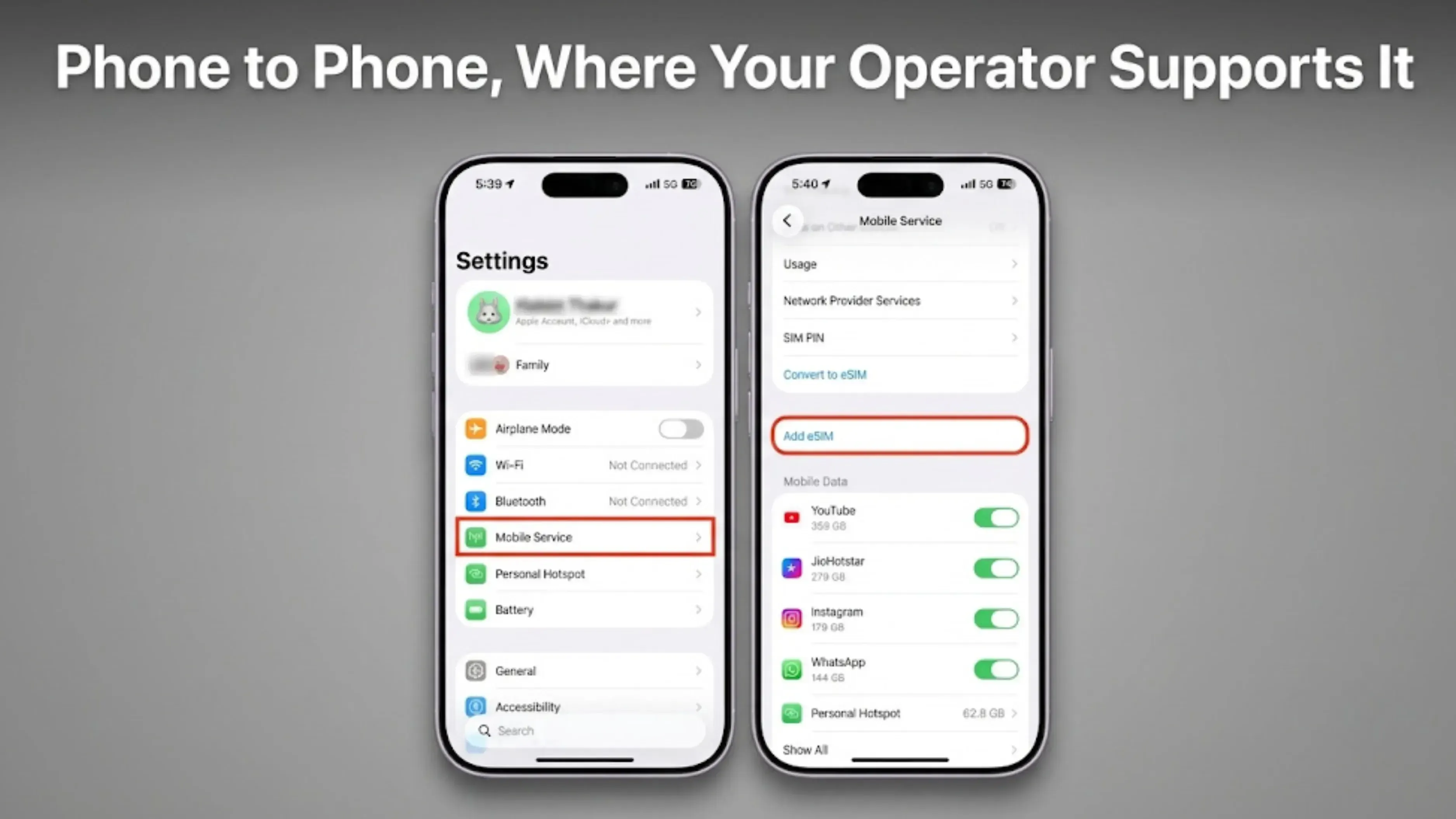
This is the easiest option, and it’s becoming more common.
iPhone to iPhone. During Quick Start setup on the new iPhone, you are offered the option to transfer your eSIM across. If your operator supports it, this works in a couple of minutes without contacting anyone. You can also do it later from Settings, under Mobile Data or Cellular, where the new iPhone can pull the eSIM from the old one.
Android to Android. Recent Android versions include an eSIM transfer option during setup, and some manufacturers add their own. Support varies by phone and by operator.
Whether you see this option depends on your operator, not just your phone. If you don’t get this choice, move on to the second method.
2. Your operator re-issues it
This is the most common situation in India, and each operator has a different process.
Generally, you contact Jio, Airtel, or Vi, confirm your identity, and they’ll send you a new eSIM profile for your new phone. This usually comes as a QR code or through an automated SMS and email.
What is the same everywhere: they will verify it is really you, and that verification usually involves your existing number. Which is why you do it before wiping anything.
What changes is the exact process, whether you can do it in the app or need to visit a store, and how long it takes. Always check your operator’s support page or app for the latest steps, since these can change.
3. You swap to a physical SIM instead
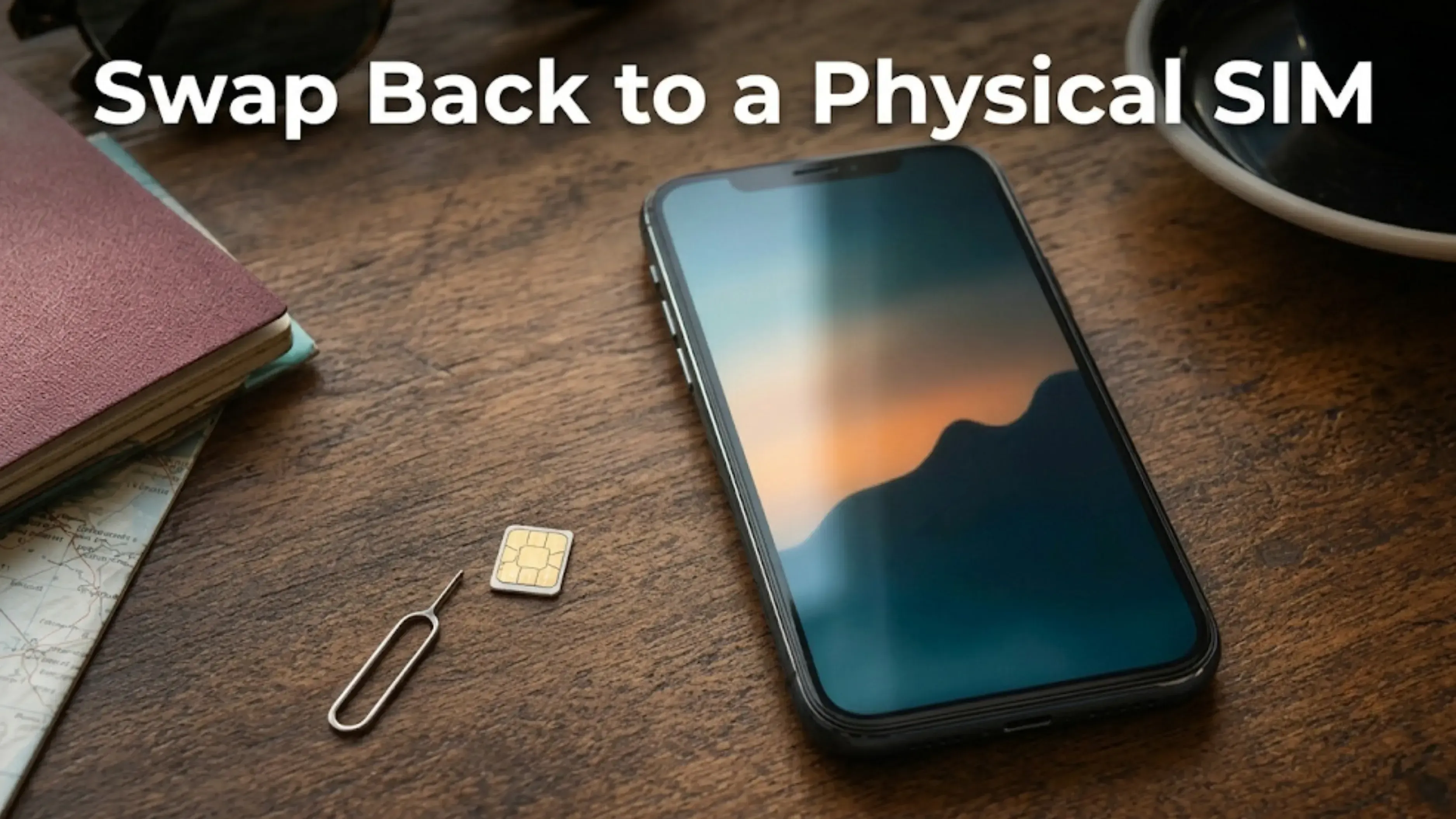
If your new phone has a SIM tray and transferring the eSIM is too tricky, you can ask your operator for a physical SIM instead. This is a common request and can sometimes be the quickest solution.
The opposite is also true. If your new phone only supports eSIM, as some recent models do, you can’t use a physical SIM. Make sure to handle the transfer before you need the phone to work.
Where It Fits in Switching Phones
Here’s the full order of steps, showing where the eSIM fits in:
Back up the old phone, then open the backup and check it worked.
Move your authenticator codes and confirm they work on the new phone.
Take care of the eSIM while your old phone still has your number.
Sign out of your Google account or your Apple Account.
Remove the SIM and memory card.
Factory reset.
Steps 2 and 3 are the only ones you can’t undo later. Everything else can be restored from a backup.
When You Erase the Old Phone
On an iPhone, if you choose Erase All Content and Settings, you’ll be asked if you want to erase the device and the eSIM profile. Most people just tap through this without noticing.
If you’re selling your phone, erase both. Leaving an eSIM profile on a phone you’ve sold is messy at best.
If you haven’t moved your number yet, stop and do that first. Erasing the eSIM profile will remove it from the phone, and you’ll need to contact your operator to get it back.
What We Cannot Tell You
We’re not giving step-by-step instructions for Jio, Airtel, or Vi, because their processes change often. A guide that’s out of date is worse than no guide at all.
Check your operator’s app or support page, or give them a call. The main thing to remember is this: handle the transfer before you wipe your phone, and while your old phone still has your number.
FAQs
1. Does an eSIM transfer automatically to a new phone?
No, it doesn’t transfer automatically. It won’t move with your photos and apps. If you’re moving between two iPhones, Quick Start can often transfer it if your operator supports it, and some Android phones offer a similar feature. Otherwise, your operator will need to re-issue the eSIM.
2. Can I move my eSIM after I have wiped the old phone?
It gets much harder. Most verification methods use your current number, so if you wipe the phone or delete the eSIM profile, you’ll probably need to call or visit your operator. Do it before you reset.
3. How do I transfer an eSIM from Jio, Airtel or Vi?
Each operator has its own process, and these can change, so always check your operator’s app or support page. What stays the same is that they’ll verify your identity, usually using your current number. That’s why your old phone needs to be working.
4. Can I switch from an eSIM back to a physical SIM?
Usually, yes, if your new phone has a SIM tray. It’s a normal request for your operator and can sometimes be faster than transferring the eSIM. Some newer phones are eSIM only, so this won’t be possible in those cases.
5. What happens to the eSIM when I factory reset?
On an iPhone, you’ll be asked if you want to erase the device and the eSIM profile. If you’re selling the phone, erase both, but only after your number is working on your new phone. On Android, make sure to handle the eSIM before you reset.
6. I sold my phone with the eSIM still on it. What now?
Get in touch with your operator. They can remove the profile from your old phone and issue a new one. Let them know the phone has been sold so they can handle it correctly.
7. Does an eSIM affect what my phone is worth?
Not directly, but if a phone arrives with an active eSIM profile, it can’t be processed until that’s removed. This delays the sale, but doesn’t lower the price.
8. How long does an eSIM transfer take?
If you’re transferring phone to phone, it takes just a few minutes. If you go through your operator, it can take anywhere from a few minutes in an app to a day or more if you need to visit a store. Plan for the longer option if you need your number right away.
Sources
Apple, "What to do before you sell, give away or trade in your iPhone or iPad", for the prompt to erase the device and the eSIM profile
Operator processes vary and are not quoted here. Check your own operator's app or support pages for current steps
Sell with Cashkr
Got an old phone lying around?
Cashkr buys used phones, laptops, tablets and wearables with doorstep pickup. Get an upfront quote in seconds.
Sell Old Phone OnlineCheck your phone's value in seconds
Written by
Rabina Khadka
Rabin Khadka covers smartphones, laptops and India’s growing market for used devices. She spends most of her time tracking launch prices, price drops and resale values, and has a particular interest in why two phones that cost the same on launch day can be worth very different amounts two years later.


