How to Check if an iPhone Is Original: Four Checks Before You Pay
Most people asking this are standing in front of a used iPhone with money in their hand. So this page is written for that moment.
There are four checks. They take about five minutes between them, they are all free, and they all happen on the phone in front of you rather than on a website that promises to tell you things.
Disclosure: Cashkr is our own device buyback service. We buy used iPhones, which means we check them for a living. These are the checks we actually run, in the order we run them.
Advertisement
Check 1: The Serial Number, on Apple's Own Site
This is the first one because it is the fastest and it settles the biggest question.
Go to Settings, then General, then About. Note the serial number.
Rabin Khadka covers smartphones, laptops and India’s growing market for used devices. She spends most of her time tracking launch prices, price drops and resale values, and has a particular interest in why two phones that cost the same on launch day can be worth very different amounts two years later.
That is Apple's own coverage page. It tells you the device's support and warranty status, and our guide on checking your phone warranty covers the other routes, including the one that works when the phone will not switch on.
But this check matters not for the warranty information. Itis whether Apple recognises the serial number or not.
If Apple's page does not recognise it, stop there. You do not need to find out why. Walk away.
A practical note from Apple: if you cannot see coverage details, check that your Apple Account has two factor authentication set up, because that can be the reason rather than the phone.
Check 2: Parts and Service History
This is the screen most buyers have never opened, and it catches the thing sellers don't volunteer.
Go to Settings, then General, then About, and scroll down.
If the phone has had a part replaced, a Parts and Service History section appears there. If it has never had a part replaced, the section is not shown at all, which is itself useful information.
Label
Meaning
Genuine
Apple has verified the part as a genuine Apple part.
Unknown
Apple could not verify the part.
Unverified
The part could not be verified as genuine.
Used
The part is genuine, but has been used in another device.
You want Genuine, or no section at all. Anything else is a conversation to have before you pay, not after.
Two things to know so you read this screen correctly. It needs iOS 15.2 or later, so a phone on something older will not show it. And which parts are tracked depends on the model, so a newer iPhone reports more than an older one. The absence of a warning on an older phone is weaker evidence than the absence of one on a new phone.
Why this is worth five minutes of your time. Apple says repairs done by Apple and Apple Authorised Service Providers are covered by Apple's warranty, and repairs done by independent providers are not. So a replaced part is both a quality question and a coverage question.
It is also a price question, and the seller knows it. Our guide on what affects a phone's resale value puts repair history above warranty status, because that is where it actually sits.
One thing this screen does not tell you is whether the phone is refurbished. A properly refurbished phone can have genuine replacement parts and show them here, which isn't a warning sign in itself. Our guide on what a refurbished phone actually is sets out what the word guarantees and what it does not, because the two questions get mixed up constantly.
Check 3: The IMEI, and Whether the Phone Is Clean
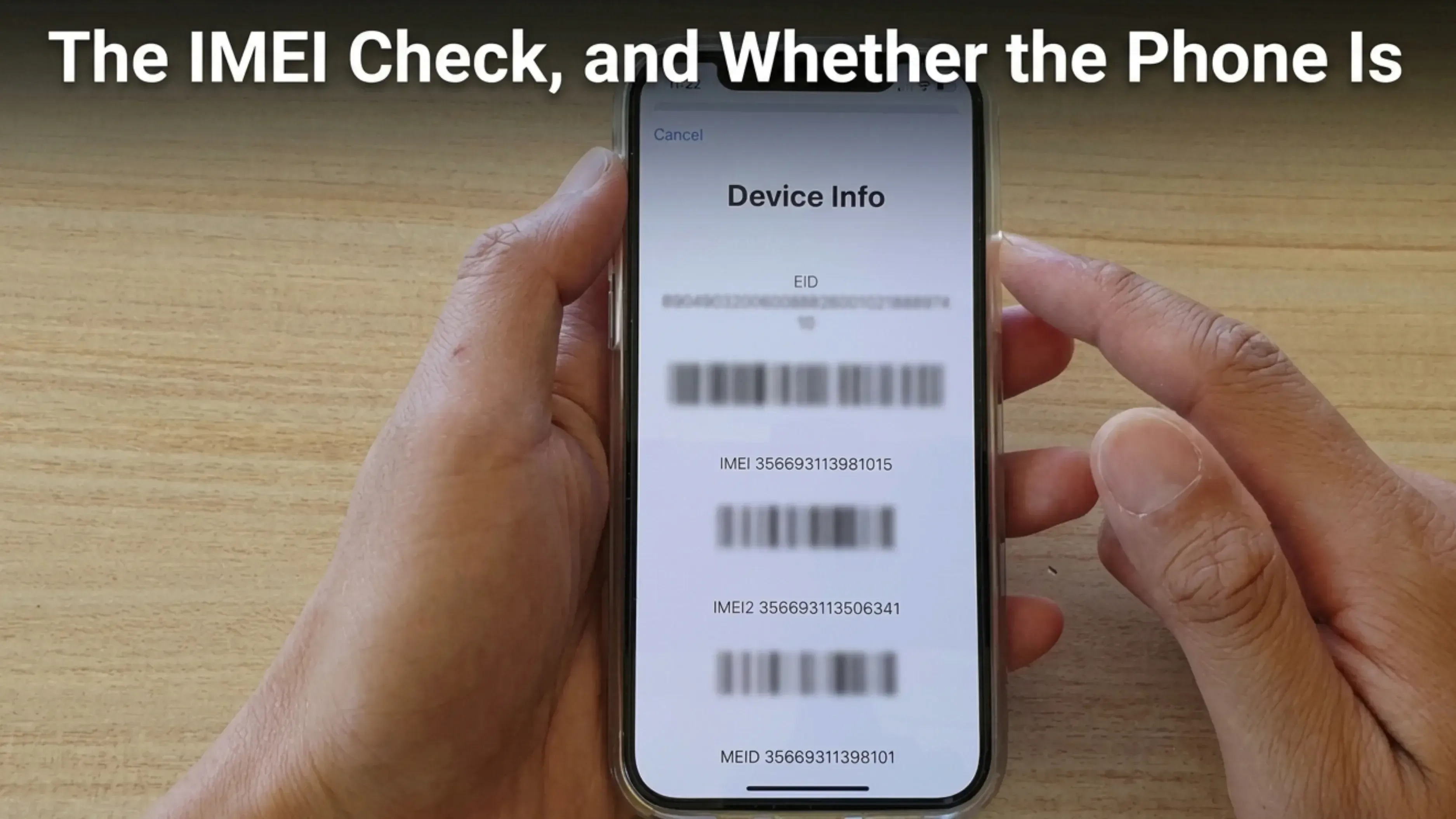
The serial number tells you whether Apple knows the phone. The IMEI tells you whether anyone has reported it.
Dial *#06# on the phone and the IMEI appears on screen.
Compare it against the box and the bill if the seller has them. They should match. If the seller has no bill, that is not automatically a problem, but it is a reason to be more careful about everything else.
Then check the IMEI against the government database. India has a system for exactly this, so you can see whether a handset has been reported lost or stolen before you buy it. Our guide on checking an IMEI number in India sets out the steps, including the SMS route and what the different results mean.
This is the check people skip, and it is the one that costs the most when it goes wrong. A phone reported stolen can stop working on Indian networks after you have paid for it.
Check 4: Take It Through the First Setup Screen
The last check is the one that cannot be faked, and it takes two minutes.
Ask the seller to erase the phone in front of you: Settings > General > Transfer or Reset iPhone> Erase All Content and Settings. Then watch it restart and reach the first setup screen.
If it asks for an Apple Account, the phone is still locked to the previous owner, and you cannot use it. Not with a shop's help, not with a paid service, not at all. Only the owner of that account can release it, and that is deliberate, because it is what makes a stolen iPhone worthless.
A seller who will not do this in front of you has told you something.
This check also does a second job. A phone pretending to be an iPhone will not survive it. Real iOS setup, a real Apple Account sign-in, and the real Settings structure are not things a convincing case can imitate.
The Checks That Are Not Worth Doing
Being honest about this saves you time.
Third-party IMEI lookup sites. Your IMEI is unique to that handset. There is no good reason to hand it to a site that doesn't need it, and the government check and Apple's own page cover what you actually need to know.
Weighing the phone, or judging it by feel. People suggest this. It tells you very little, and it will not catch a genuine iPhone with a replaced screen, which is far more common.
Trusting a box. Boxes are the easiest part of a phone to replace. Check the phone, then check the box against the phone, not the other way round.
Two Things to Check While You Are In There
Neither of these is about whether the phone is original, but you are already holding it, and both move the price.
Battery health. Settings, then Battery, then Battery Health. This is the single biggest condition factor on a used iPhone, and it is a number rather than an opinion. Our guide on checking battery health on Android and iPhone explains which figures are worth paying for and which are not.
Exact model and storage. Settings, General, About. Confirm it matches what the listing said. A 128GB phone sold as a 256GB one is not a fake iPhone, but you are still overpaying.
And If You Are the One Selling
This is where our interest sits, so weigh it accordingly.
Every check above is one a buyer can run on your phone in five minutes, which means the only sensible approach to selling is to run them yourself first and describe the phone accurately. A phone with a known battery figure, a clean parts history, and the bill in hand sells faster and argues less.
The opposite is also true, and it is the expensive mistake. An iPhone still signed in to your Apple Account is worth almost nothing to anyone, in any condition, because nobody can set it up. Sign out and erase it before it leaves your hands.
Run four checks. Enter the serial number from Settings, General, About at checkcoverage.apple.com and confirm Apple recognises it. Check the Parts and Service History section on that same About screen. Dial *#06# for the IMEI and check it against the government database. Then have the seller erase the phone and take it through the first setup screen.
2. Where is the serial number on an iPhone?
Settings, then General, then About. Enter it at checkcoverage.apple.com, which is Apple's own coverage page. If Apple does not recognise the serial number, do not buy the phone.
3. What is Parts and Service History?
A section on the Settings, General, About screen that appears when an iPhone has had a part replaced. Apple labels parts as "Genuine," "Unknown," "Unverified," or "Used." It needs iOS 15.2 or later, and which parts are tracked depends on the model.
4. There is no Parts and Service History section. Is that bad?
No, it is usually good. The section only appears when a part has been replaced. On a phone running iOS 15.2 or later, no section generally means no recorded replacement. On an older phone it means the screen is not available, which is a weaker result.
5. Does a replaced part matter if the phone works fine?
It affects both coverage and price. Apple says repairs by Apple and Apple Authorised Service Providers are covered by its warranty, while repairs by independent providers are not. On resale, repair history moves the price more than warranty status does.
6. How do I check an iPhone's IMEI?
Dial *#06# and it appears on screen. Compare it with the box and the bill, then check it against India's government database to see whether the handset has been reported lost or stolen.
History,"
Sources
Apple, "iPhone Parts and Service History", for the Settings, General, About location of the section, the condition that it appears only when a part has been replaced, the Genuine, Unknown, Unverified and Used labels and their meanings, the iOS 15.2 requirement, the variation in which parts are covered by model, and the statement that repairs by Apple and Apple Authorised Service Providers are covered by Apple's warranty while repairs by independent providers are not
Apple, "Find information about your warranty or AppleCare plan", for the checkcoverage.apple.com route, the serial number location in Settings, General, About, and the note about two-factor authentication when coverage details do not appear
Apple, "What to do before you sell, give away or trade in your iPhone or iPad", for the Settings, General, Transfer or Reset iPhone, Erase All Content and Settings path
India's government IMEI verification service, for checking whether a handset has been reported lost or stolen. The steps are set out in our own guide to checking an IMEI number in India


 Rabina KhadkaPublished at: Nov 27, 2026·10 min read